

Shortkey for Italics (CMD+I) does not work for Adobe Fonts in Microsoft Word
Hi all,
In Microsoft Word (on a Macbook Pro), when using the shortkey CMD+I for italicizing a word in a document, the Adobe fonts (only Adobe fonts) I have installed will not correctly italicize. Instead, Word will take the default, regular standard and then 'incorrectly' italicize that default. Examples 1 and 2 below will demonstrate what I mean, where Example 1 is wrong and Example 2 is correct:
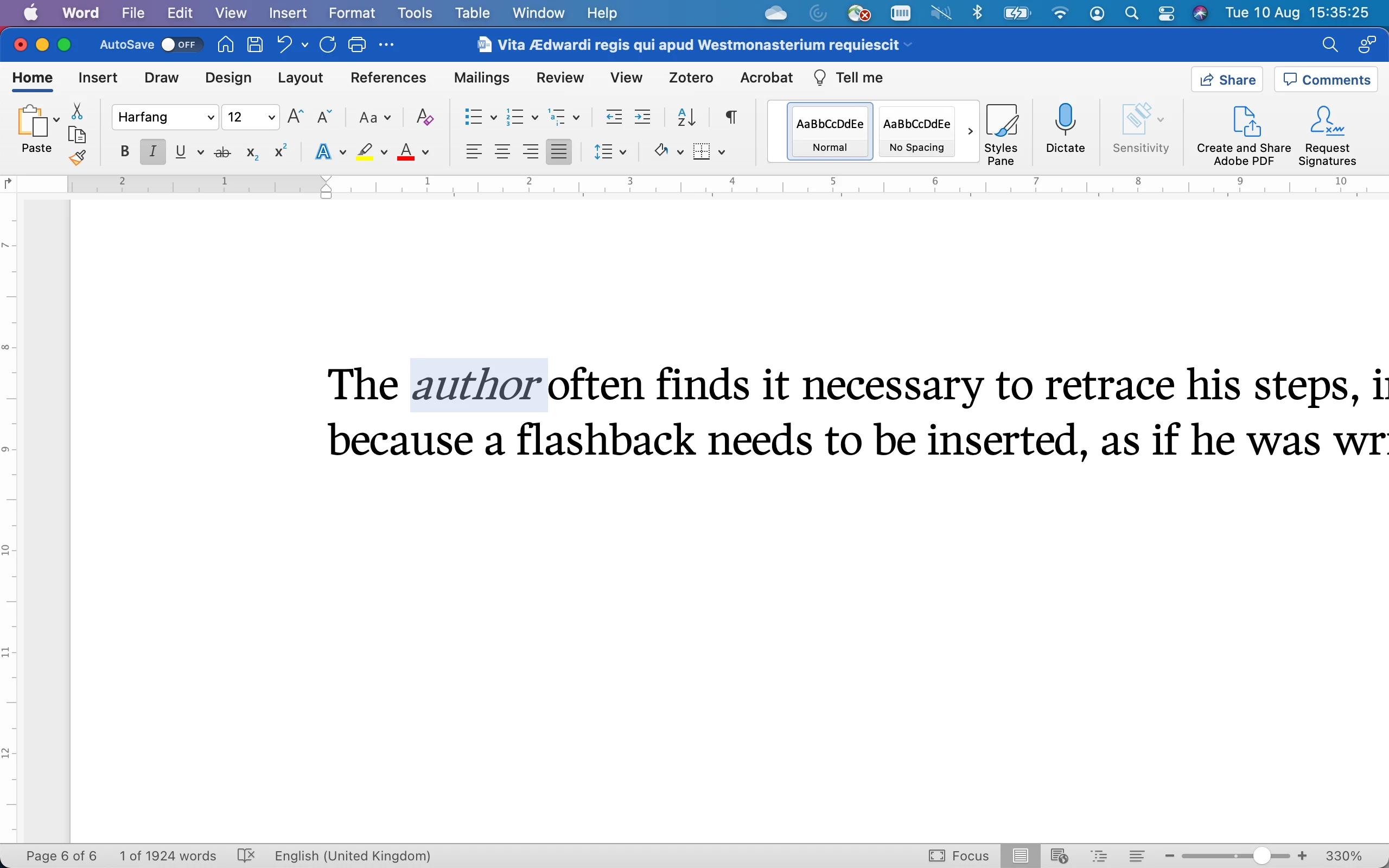
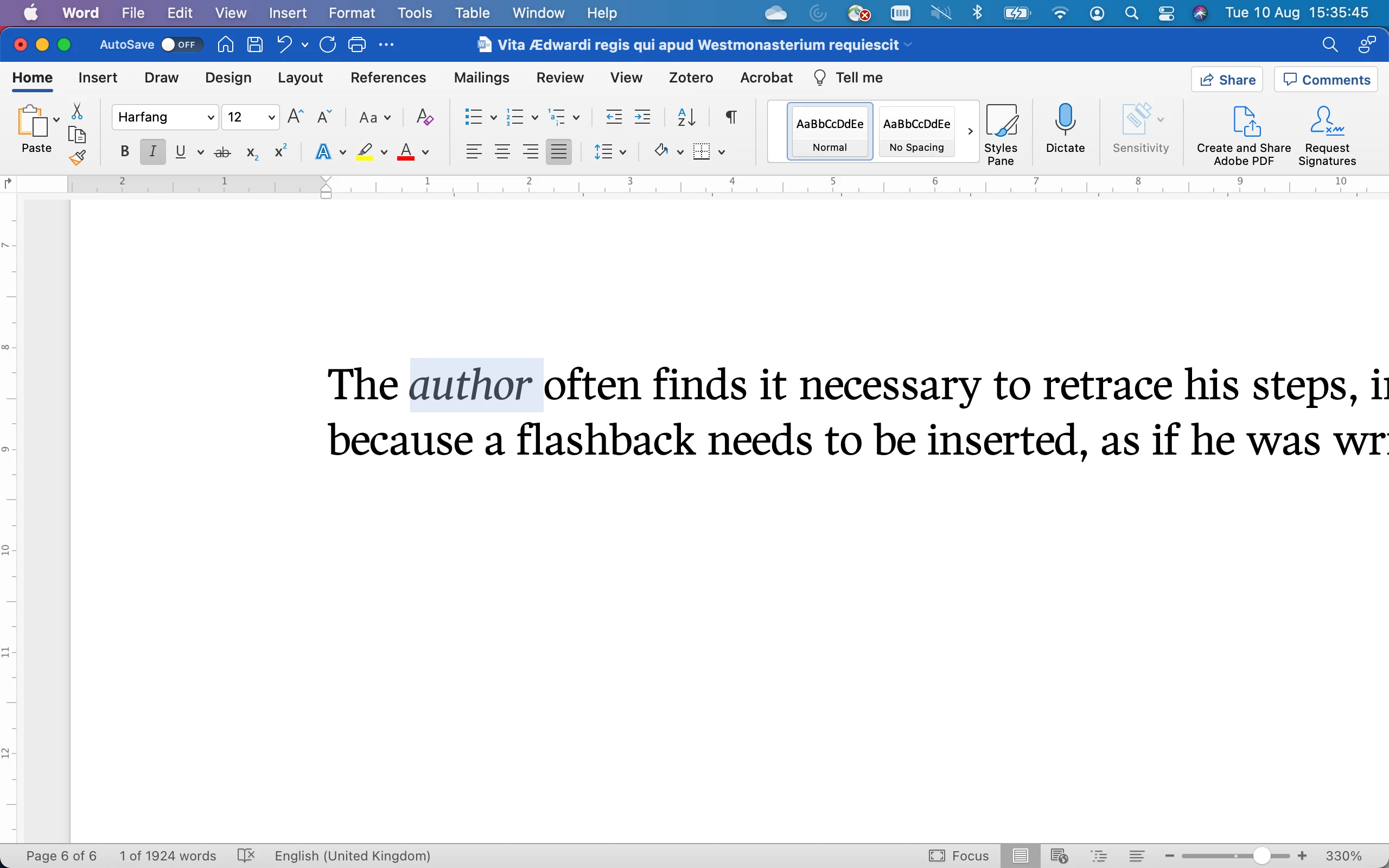
As you can see, Example 1 gives a wrong italicization (for the font Harfang, but it does so for all Adobe fonts). Example 2, on the other hand, is the correct, Light Italics Harfang variant, but I can only achieve it when I go up to the Font menu in Word, and select 'Light Italics' each and every time, which hinders my workflow quite a bit, since I have to italicize many words in the text and want to do so with the shortkey CMD+I.
Anyone here any experience with this and thoughts how to resolve the problem?
Best


 AdChoices