

Small caps rendering issue in Safari (macOS and iOS)
I've come across some strange behavior using Proxima Nova small caps via Typekit. Everything is fine in Chrome, but I have a mess on my hands in Safari.
My web project contains Proxima Nova (light, regular, bold), currently set to "all characters" and OpenType features turned on, with font-display set to "swap"—though I've attempted nearly every combination of character sets and font-display settings. I can get consistent but incorrect results when I turn off the OpenType features.
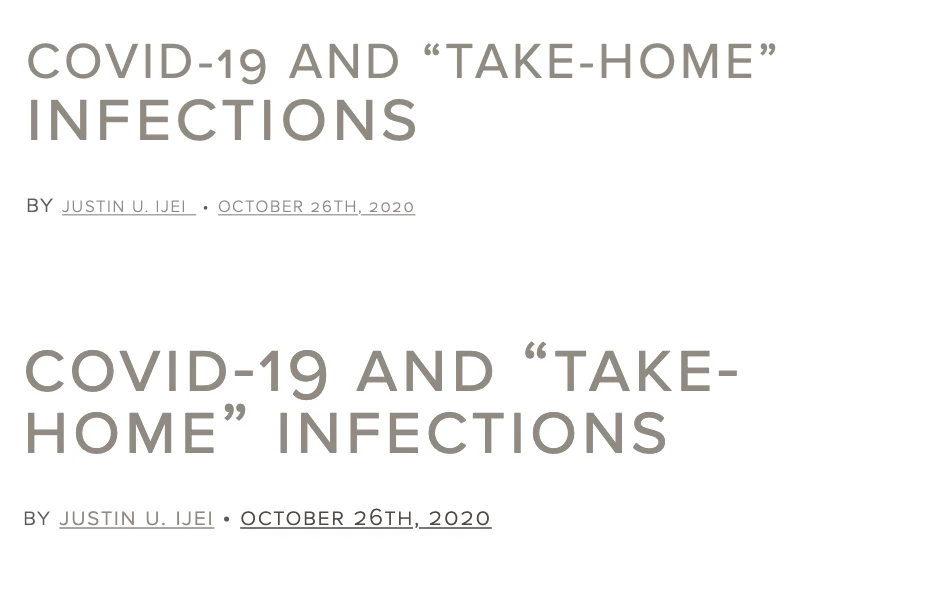
Here's a sampling of the issues:
This headline starts small, then inexplicably grows when it gets to the second line. It's all just one line of text in an <h2> tag. Then the byline below shrinks the author's name and the date. Everything on that line should be the same size, and is styled as such. See the Safari rendering above and the Chrome version below.
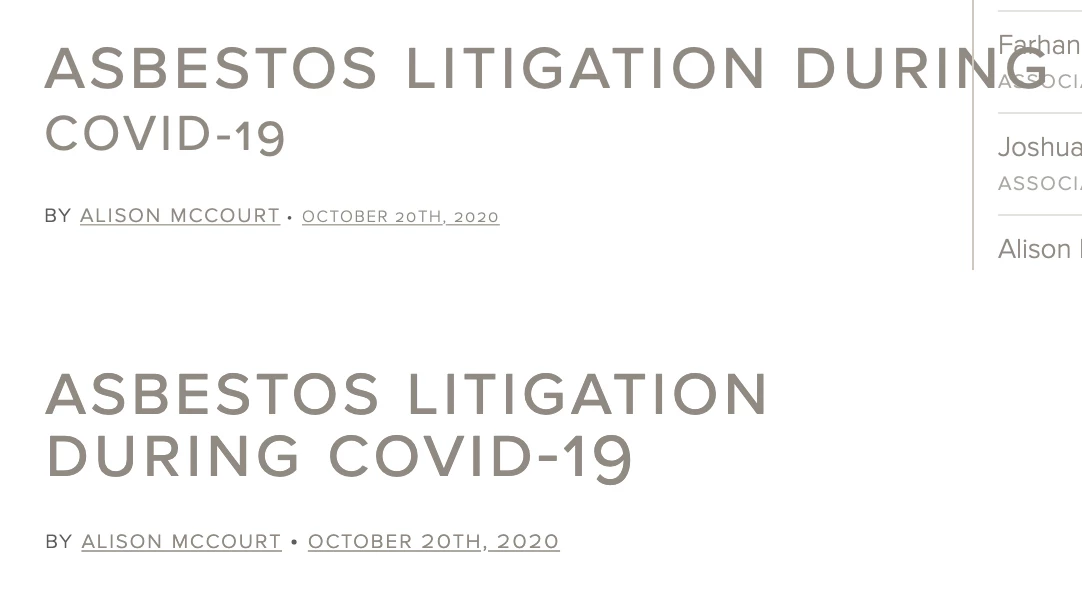
In this case, the text doesn't recognize it's supposed to wrap and just continues on well outside its bounding box. You'll also notice that the second portion of the headline is smaller (instead of the first portion like last time). And below that, in the byline, the date is smaller—but not the author this time. Safari above and Chrome below.
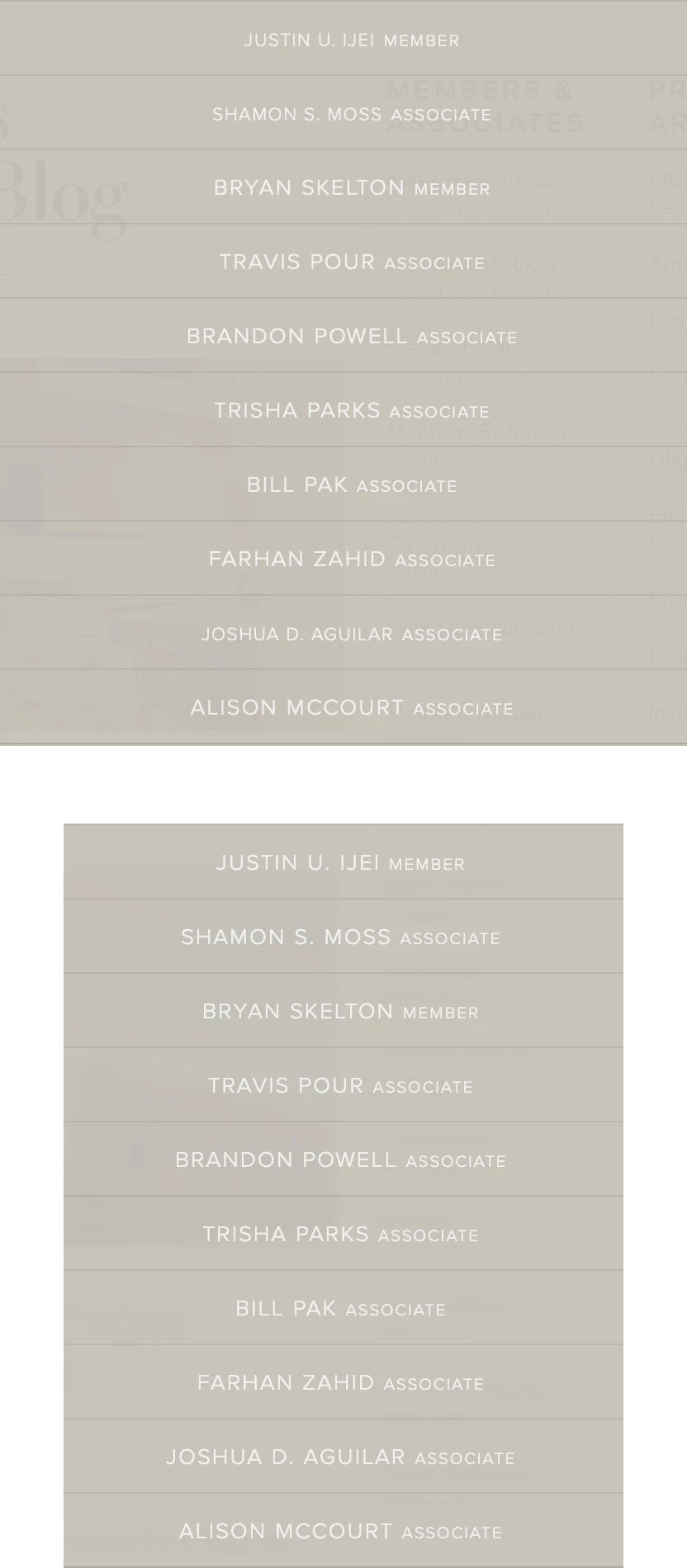
And finally, just some wildly arbitrary sizing on this list of names. No rhyme or reason, no difference in HTML or CSS used on any of these lines. Safari then Chrome. All of these issues appear pretty much identically on desktop and mobile Safari.
As mentioned above, the issue goes away when I turn off OpenType features—but the proper small caps also go away too. I've swapped out Proxima for a different, local font with small caps and the issues went away in Safari. I'm at a loss. If anyone has come across similar issues, I'd love to get an idea of how to straighten this out.


 AdChoices