Known Participant
July 31, 2025
Question

Sofia Pro Regular or Regular Italic not correct

  • July 31, 2025
  • 2 replies
  • 200 views

Variable fonts have been around quite a while but still seem glitchy, and for Sofia Pro, I just cannot use it.

I activated the font via Creative Cloud/ Adobe fonts. I activated the whole "Family" so I get the pre-set, named fonts in my application menus (and thus in my paragraph styles). CC fonts only shows one weight (Ultra Light) but that's not a problem.


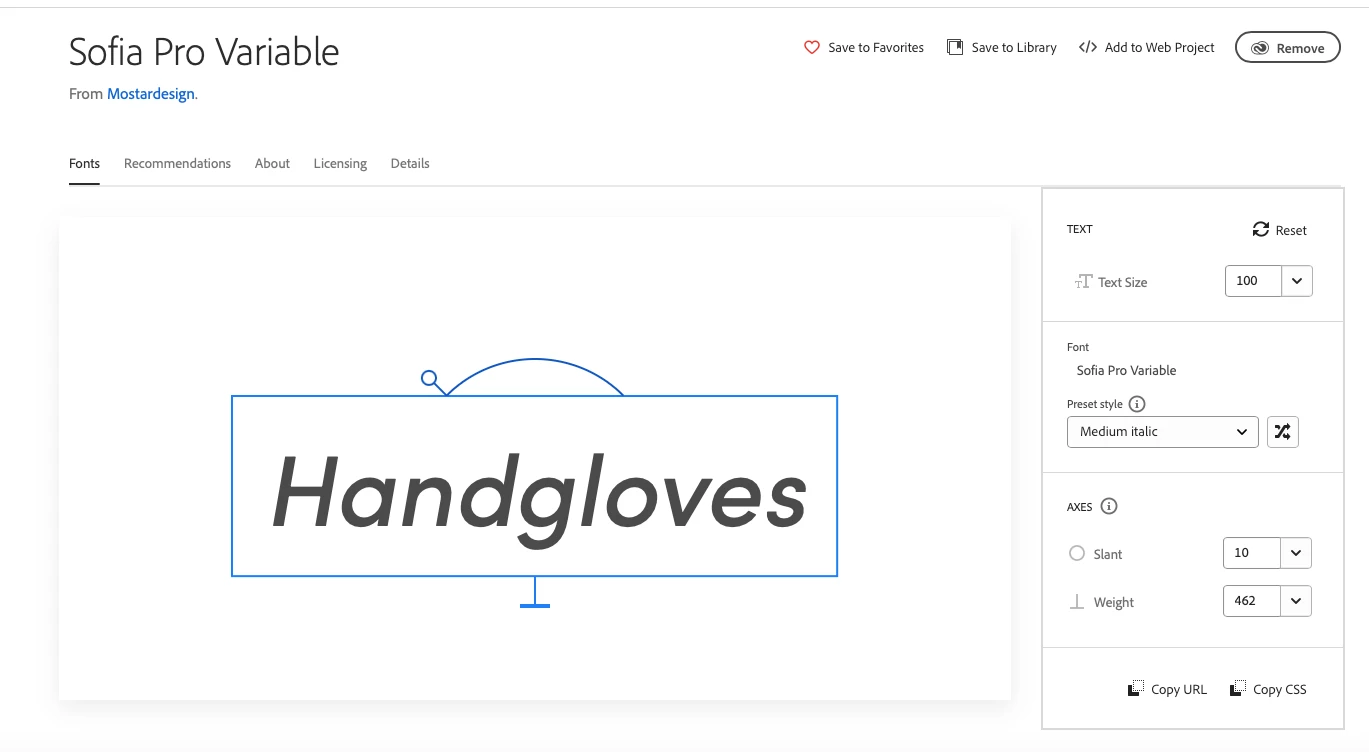
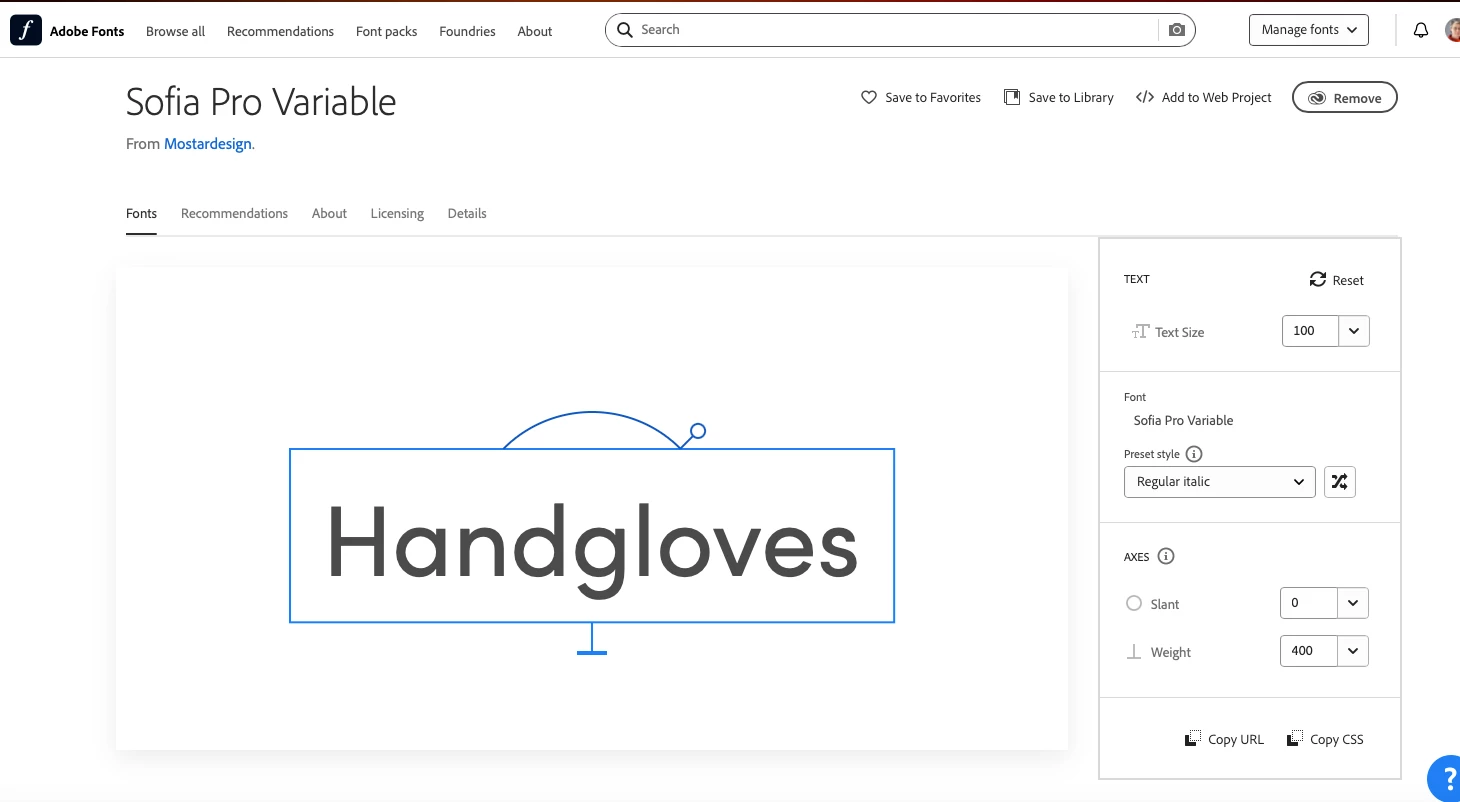
However, the variable thing on Adobe Fonts is broken for Regular Italic. Regular has no slant, Medium Italic has 10 slant, but Regular Italic doesn't have a slant. See screen shots. I think this is making a mess in the CC apps. 
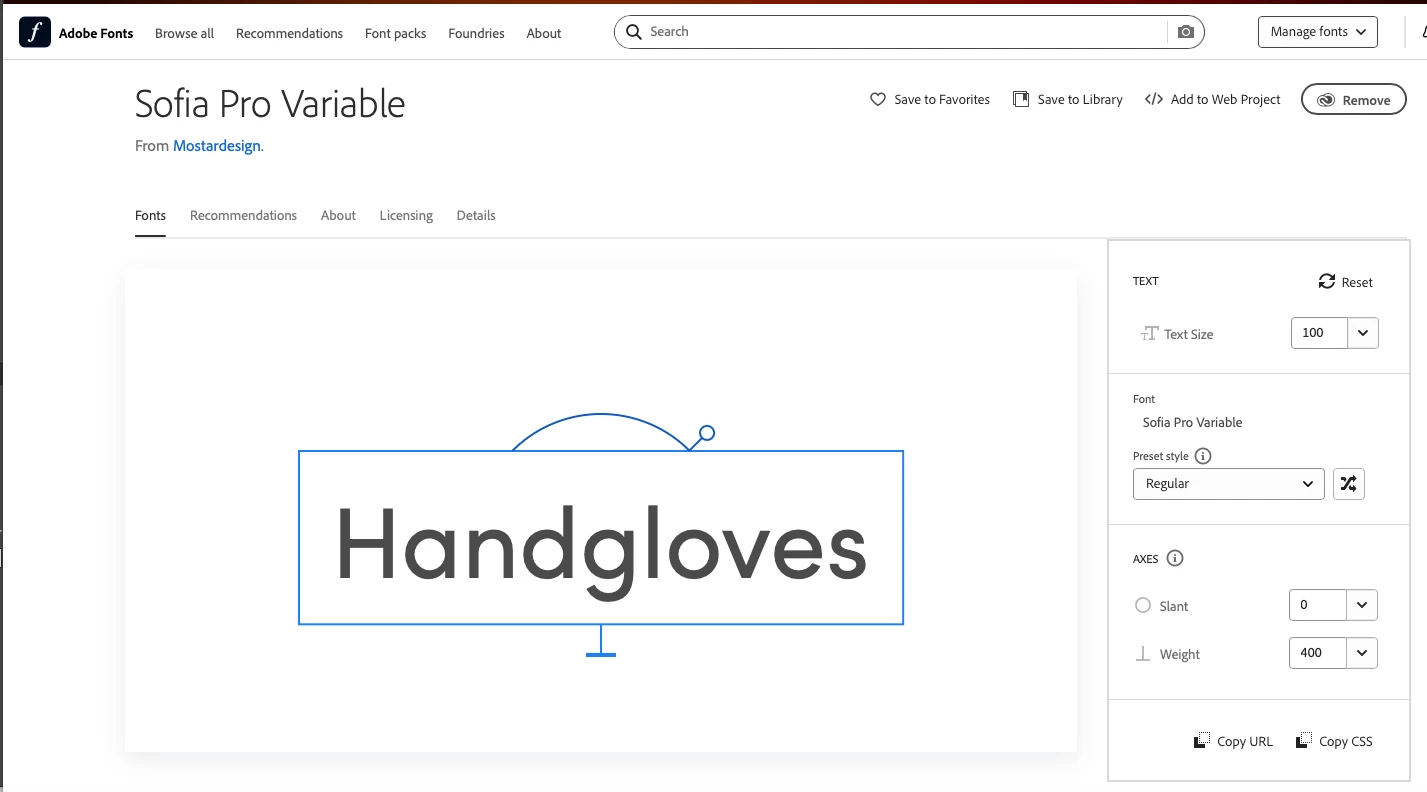
 

 Here the preset Regular Italic has no slant. If I set it to 10, the preset style changes to Custom and you lose the name.
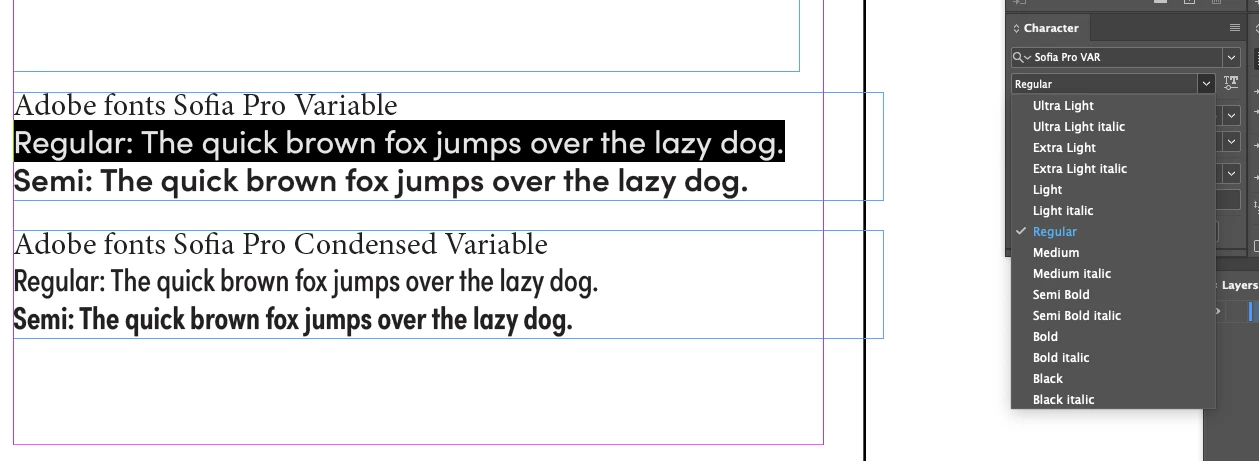
As a results.... InDesign font menu shows Regular but no Regular Italic.
Illustrator shows Regular Italic, but it is not slanted, and there is no Regular in the menu.
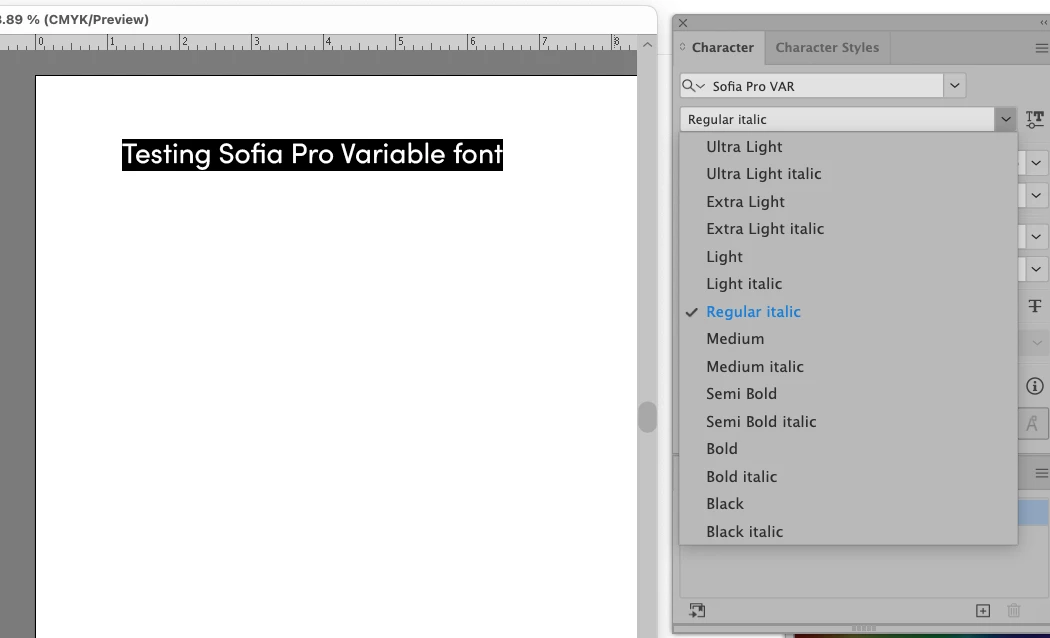
Photoshop does the same as Illustrator...
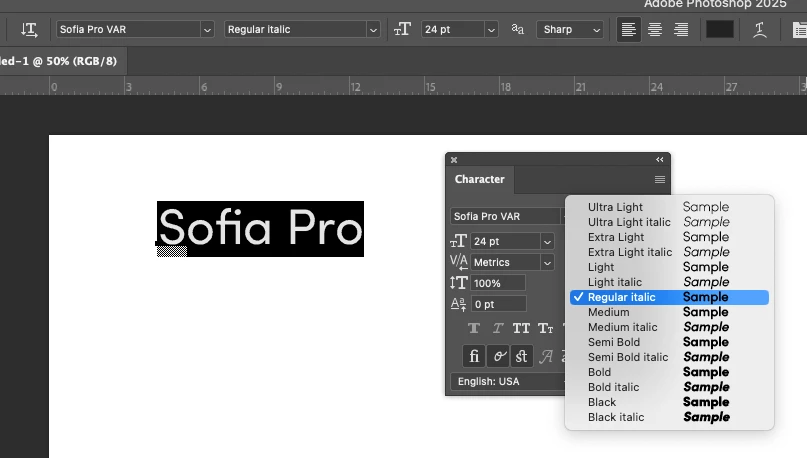
 

I know that I can manually apply the slant to this font, but that means it no longer has a menu name, and I have to define it as a unique character style. This means I can't find/replace fonts in documents to switch to "Sofia Pro Regular Italic", and various other normal font management/replace/style tasks.

This is really just one small glitch in the Adobe Fonts web site font page and it would be sooo helpful if it could be fixed. I just recommended this font to a client and discovered it's not usable. Even if I could fix it with some third party font software, other designers/editors using CC won't have it.


Thanks,

Carol


2 replies

Community Expert
August 3, 2025

I'm seeing some of the same issues when adding Sofia Pro Variable onto my computer system (a notebook running Win 10 Pro). In Illustrator the Regular-Italic style named preset is missing in the drop down menu. This happens in both the current build and beta build of Illustrator. In InDesign the Regular style looks regular but is named Regular-Italic. The Regular style is missing in the drop down menu. In either case, changing the slant slider causes the named style to be re-named as Custom.

Known Participant
August 4, 2025

Thanks for adding your Windows experience, Bobby. I definitely think CC just needs to fix the Regular Italic on Adobe Fonts to have the 10 slant.

For myself, I deleted the Variable and just started using Sofia Pro and Sofia Pro Condensed. There are plenty of weights named the traditional way.  

While Variable fonts seem cool, it also seems like trying to do InDesign styles with them would be a nightmare. If you are a solo designer making billboards or something, you can one-off stuff, but not in a corporate brand setting with multiple users.


Regards,

Carol

Tarun Saini
Community Manager
Community Manager
August 1, 2025

Hi 

@bracewell4213

,


Thanks for sharing the details and screenshots. To narrow this down, could you confirm a few things for us?

Which Adobe apps are affected? Does the missing slant for Regular Italic appear in just one app (e.g., InDesign) or across multiple apps like Illustrator or Photoshop as well?


Regards,

Tarun

Known Participant
August 1, 2025

Hello Tarun,

The information you ask for is in the original post. I included screen shots from Illustrator and Photoshop. But the problem is not the apps themselves. They respond differently to Adobe's error. But as you can see in the screen shot of the Sofia Pro Variable web page on Adobe Fonts, the Regular Italic preset has no slant. So the issue starts there.


Regular Italic has 0 slant...


Medium Italic has 10 slant.