


Known Participant
October 18, 2021
Question

System Font - De-actived

  • October 18, 2021
  • 1 reply
  • 851 views

Calibri font was de-activated in InDesign. 

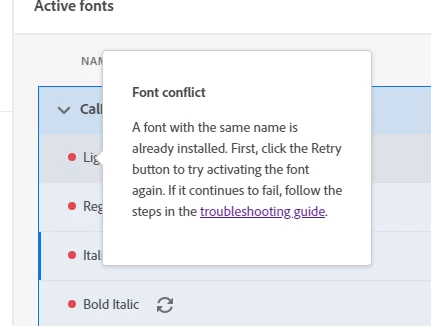
I tried to reactive it in Creative Cloud and recevied this error message: "A font with the same name is already installed". And then when I clicked for more info I recevied this message.


I used this page to try and resolve my error: https://helpx.adobe.com/fonts/kb/font-activation-errors.html


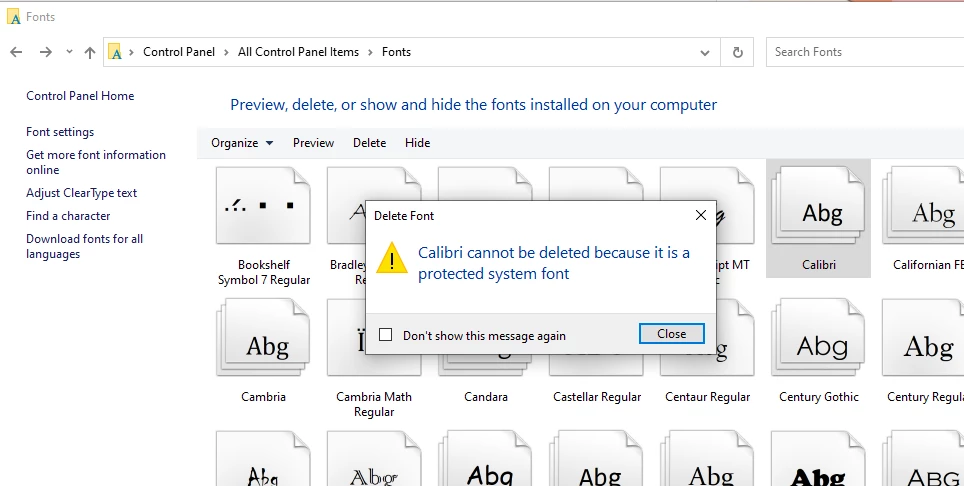
I could not delete the font in my computer's control panel. I was given an error message that it was a protected system font. 


I need assistance in re-activing this font in InDesign.


Thanks in advance.

This topic has been closed for replies.

1 reply

Molly Doane
Participating Frequently
November 1, 2021

You are seeing a font conflict in the Creative Cloud desktop app because Calibri is already installed on your computer and you do not need to install it again.


Can you deactivate the Calibri from Adobe Fonts and then let me know what InDesign does when you try to use Calibri as installed on your computer?

gareths1683460
Participant
January 27, 2023

I'm having a similar problem on my Mac. Apple has decprecated certain fonts, but they remain on the system as "document fonts". This means that they may be used to display documents created using one of these fonts, but you cannot create a new document using one. However, when I try to install one of the fonts using Adobe Fonts, I get a conflict error. The suggested troubleshooting does not work, as the font does not appear in Mac's Font Book, and so cannot be deleted. Any suggestions? I've asked Apple Support, and they say this is Adobe's problem! Or that of any third-party font seller. In other words, the emphasis is on others to work around Apple's mess.


Gareth.

Legend
February 2, 2023

I have not seen any problems with installing fonts that are deprecated document fonts. Apple doesn't note anything special about them.

https://support.apple.com/en-us/HT212587