jamesh90541919
Participant
July 5, 2019
Answered

TypeKit Fonts not Synching
  • July 5, 2019
  • 6 replies
  • 9402 views

We have several users using Adobe Creative Cloud V 4.8.2.478.

In the last couple of weeks they have noticed that they can no longer synch any fonts from Adobe Fonts/TypeKit to their CC apps.

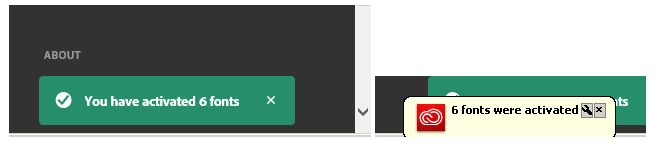
What used to happen was you would go to the fonts tab in Creative Cloud and it would list any activated fonts (see fig1) and from there you could go to manage fonts which loads Search fonts | Adobe Fonts  and from there you find a font you want and switch the slider button to activate and you would get 2 notifications pop up, one from the website and one from CC itself, see fig2
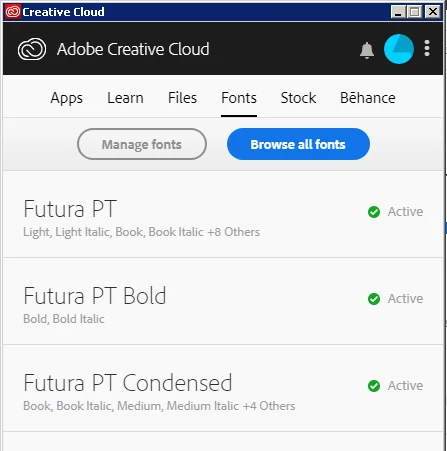
Fig1

Fig2

What now happens is when you go to the Fonts tab in CC you dont get what you can see in the above image.

What you get is the below, see Fig3. Where you see no active fonts and you click on browse fonts which opens Search fonts | Adobe Fonts which is fine but if you activate a font which you can still do, you only get the one notification from the website to say its been activated - the green one in Fig2 - you do not get the app notification, the yellow one in Fig2.
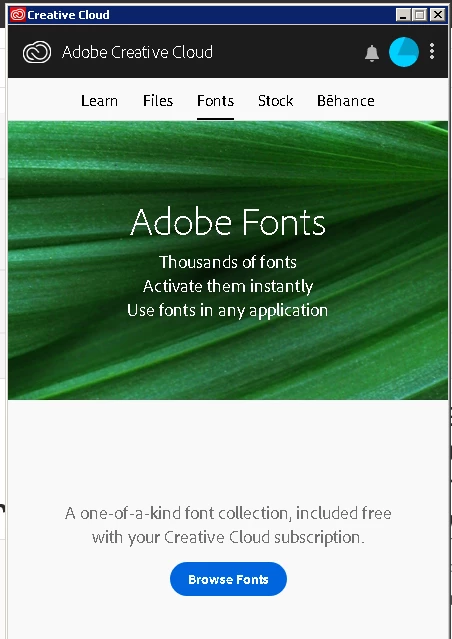
Fig3

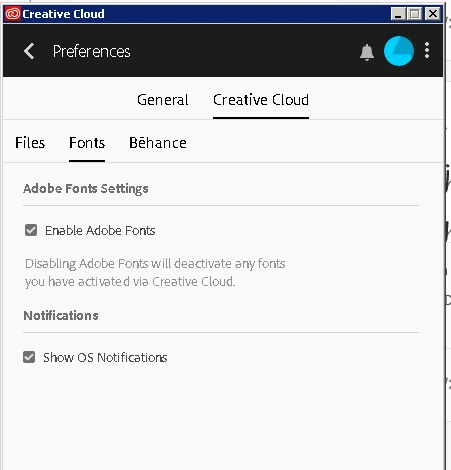
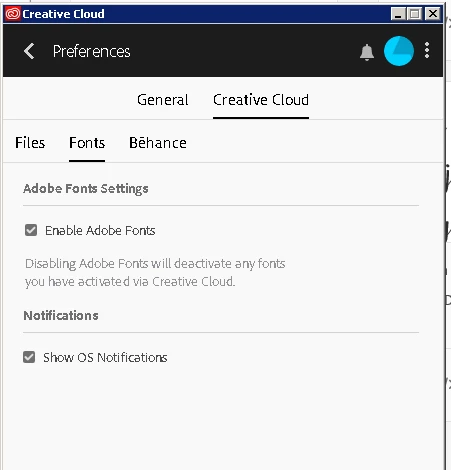
What ive also noticed is before in Creative Cloud under preferences > creative cloud menu > there was an apps tab, see fig 4 but now this has gone see fig 5
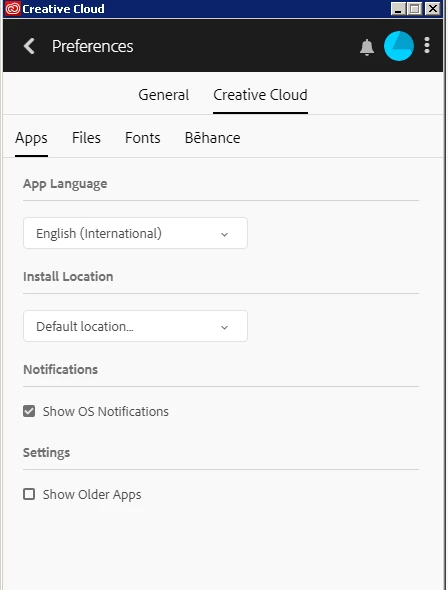
Fig 4

Fig 5

ive tried different logins on the PC and it seems to affect anyone. Ive also tried differnt adobe logins and again same issue.

Ive ripped out all CC apps and reinstalled everything and still the same issue.

Has anyone seen this before?

    This topic has been closed for replies.
    Correct answer jamesh90541919

    maakditrerigsaak, I fixed this by doing the below:

    After speaking to someone senior at adobe i was directed to the below sites to download and run the following manual uninstall and install files:


    https://helpx.adobe.com/in/creative-cloud/help/uninstall-creative-cloud-desktop-app.html  - UNINSTALL


    https://helpx.adobe.com/in/download-install/kb/creative-cloud-desktop-app-download.html  - INSTALL

    6 replies

    Participant
    December 15, 2021

    Thank you so much! This has been driving me crazy!!

    Participant
    September 22, 2019

    I have exactly the same problem and I can't fix it!!


    So frustrating, when I need to get a lot of work done, i've tried everything. Still no solution.

    terraoutwest
    Participant
    September 23, 2019
    I agree. its a total waste of time. I only have to deal with stupid Type Kit when we have freelancers doing jobs. I never use it anymore because it totally ruins my work flow and I'm starting to require all freelancer to not use it either. It's NOT good, it' Money grubbing Adobe.
    Participant
    August 12, 2019

    I have the same issue - also on windows 10

    jamesh90541919
    jamesh90541919AuthorCorrect answer
    Participant
    August 12, 2019

    maakditrerigsaak, I fixed this by doing the below:

    After speaking to someone senior at adobe i was directed to the below sites to download and run the following manual uninstall and install files:


    https://helpx.adobe.com/in/creative-cloud/help/uninstall-creative-cloud-desktop-app.html  - UNINSTALL


    https://helpx.adobe.com/in/download-install/kb/creative-cloud-desktop-app-download.html  - INSTALL

    HARSHIKA_VERMA
    Community Manager
    Community Manager
    August 12, 2019

    We're glad you're back on track and thank you for sharing the solution that worked for you. This will definitely help our users to fix the issue. Please feel free to reach out to us in the future for any query related to Adobe Fonts.

    We'd be happy to help.

    Thanks,

    Harshika

    Abambo
    Community Expert
    Community Expert
    July 8, 2019

    Discussion successfully moved from Adobe Creative Cloud to Adobe Fonts (formerly Typekit)

    ABAMBO | Hard- and Software Engineer | Photographer
    Nancy OShea
    Community Expert
    Community Expert
    July 5, 2019

    Is the operating system Windows 10 and did this start happening after the 1903 update?  See link below.

    Windows 1903 May Update

    Nancy O'Shea— Product User & Community Expert
    jamesh90541919
    Participant
    July 8, 2019

    Nancy, we're windows 7 here.

    kglad
    Community Expert
    Community Expert
    July 5, 2019
    jamesh90541919
    Participant
    July 8, 2019

    kglad

    Thats sorted the apps tab being missing but hasnt sorted the main issue which is the fonts not synching.

    Any ideas on this?

    HARSHIKA_VERMA
    Community Manager
    Community Manager
    July 10, 2019

    Hi James,

    Thank you for reaching out. Sorry to hear that you're having trouble activating fonts. I'd suggest trying the steps mentioned in this article: Troubleshoot font activation problems in Creative Cloud and let us know if that helps.

    I'd also like to know a few more details like:

    • How many users are affected?
    • Could you please share the Creative Cloud version and Sync version?

    Steps to find the Sync version are:

    • Go to Preferences of the Creative Cloud app.
    • You will see two options General and Creative Cloud.
    • In General >, You can see the Creative Cloud version.
    • In Creative Cloud tab>, You will see Sync version.

    Awaiting your response.

    Thanks,

    Harshika