


Participant
8月 1, 2019 8:15 午後 UTC
質問

Unable to Activate Adobe Font (TypeKit)

I'm very flustered right now, as I've been unable to get support from Adobe on this. I'm paying money as a student, and unable to find an answer.

When trying to activate a font, logged in as a CC subscriber, I see this:
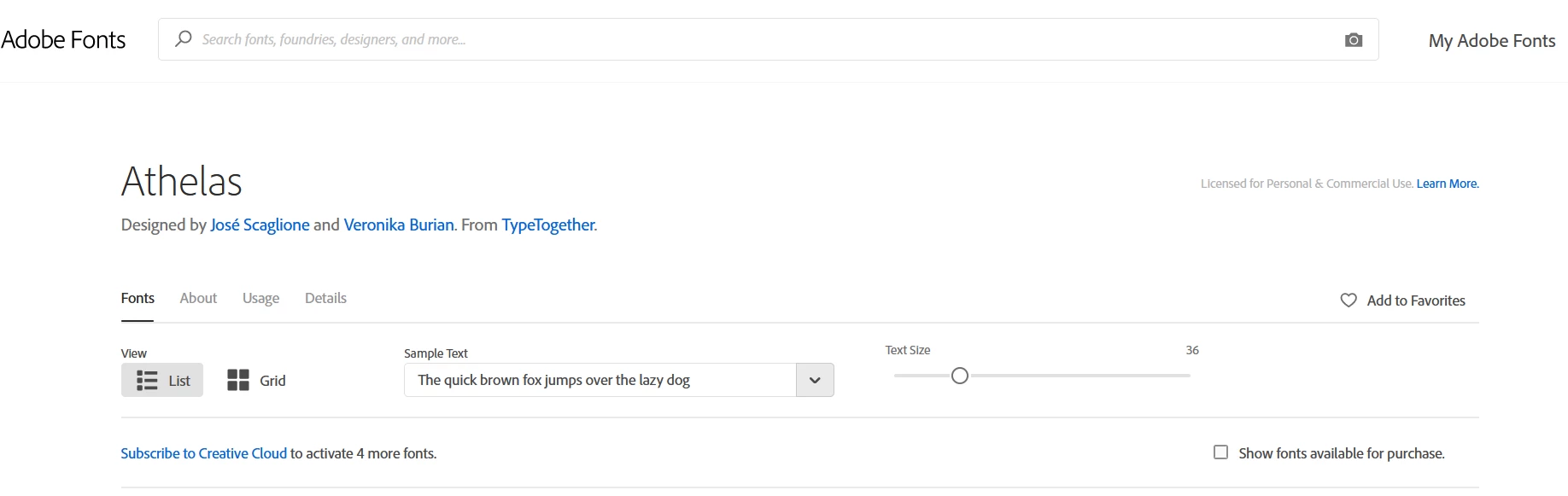
Notice the "Subscribe to Creative Cloud" text, where the toggle to activate the font would normally be.

When I view my account, I see the following:
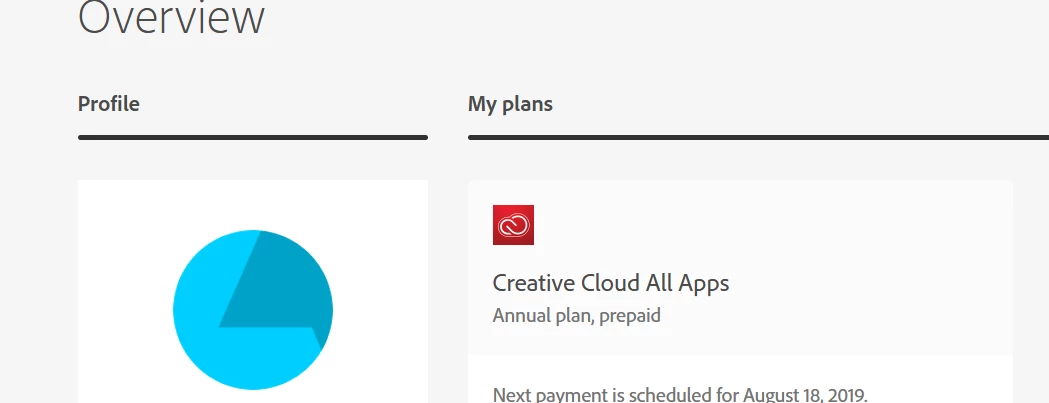
Am I not a proper CC subscriber? Is there something I'm missing? Support was unable to answer my simple question.

このトピックへの返信は締め切られました。

返信数 5

Abambo
Community Expert
Community Expert
8月 1, 2019 8:34 午後 UTC

Discussion successfully moved from Adobe Creative Cloud to Adobe Fonts (formerly Typekit)

翻訳
ABAMBO | Hard- and Software Engineer | Photographer
Kevin Stohlmeyer
Community Expert
Community Expert
8月 1, 2019 8:29 午後 UTC

When you are on the Adobe fonts site does it show that you are signed in?

翻訳
Kevin Stohlmeyer
Community Expert
Community Expert
8月 1, 2019 8:30 午後 UTC

If you are signed in and click My Adobe Fonts - how many do you currently have active?

I'm not aware of any activation limitations for a student account.

翻訳
jeffb58196767作成者
Participant
8月 1, 2019 9:47 午後 UTC

Thank you so much!

It does show I'm signed in. It also shows fonts I currently am subscribed to:

Edit: I've tried on Chrome and Firefox. I've signed out and back in. I've tried being signed out, clicking the "Activate" toggle, and then logging in again when prompted, hoping that it would activate the font upon sign-in, but no dice.

翻訳