Imaginerie
ImaginerieCorrect answer
Community Expert
Mar 29, 2023 9:00 AM UTC

Hello!
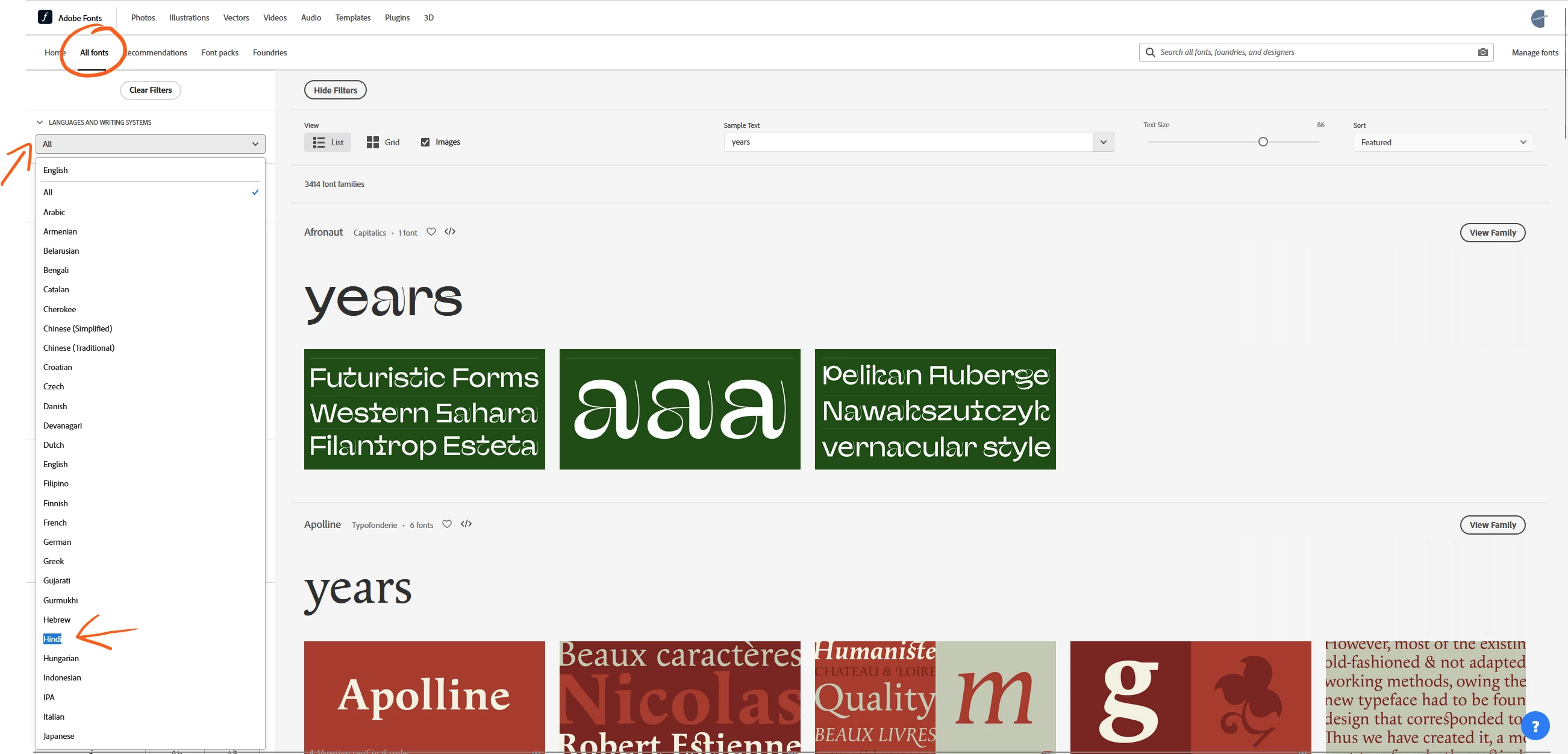
You can find them on the Adobe Font website by clicking on the "language systems" dropdown menu, after having clicked to "all fonts" in the top bar (see arrows on my screenshots)


they will then display and you can choose which one to activate from there
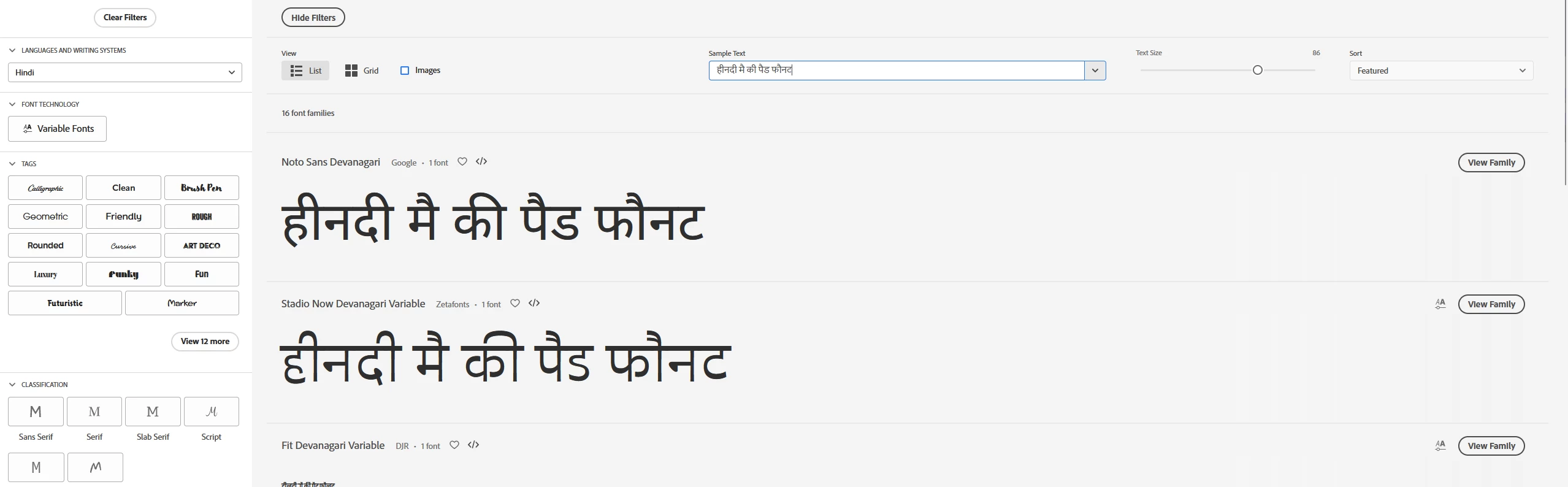
choose hindi characters in the sample text and they will show with hindi characters, as I have done here:




6 replies

Participant
Jul 25, 2026 12:06 PM UTC

If your document uses Unicode, you can use built-in fonts like Mangal, Nirmala UI, or Kokila.

If it uses legacy fonts like Shree Lipi or Kruti Dev, you'll need those exact fonts installed, or convert the text to Unicode first.

If you're unsure which type your file uses, this guide may help:
https://unicodetoshreelipi.com/

Translate
Participant
Aug 17, 2025 12:36 PM UTC

ok

Translate
Amitej S
Community Manager
Community Manager
Aug 18, 2025 11:53 AM UTC

Hey @mubarik_4391, were you able to navigate and find the fonts you were looking for? Can you please confirm if this post helped you with it? 

Translate
Imaginerie
Community Expert
ImaginerieCommunity ExpertCorrect answer
Community Expert
Mar 29, 2023 9:00 AM UTC

Hello!
You can find them on the Adobe Font website by clicking on the "language systems" dropdown menu, after having clicked to "all fonts" in the top bar (see arrows on my screenshots)


they will then display and you can choose which one to activate from there
choose hindi characters in the sample text and they will show with hindi characters, as I have done here:



Translate
kglad
Community Expert
Community Expert
Mar 29, 2023 2:13 AM UTC

<moved from download and install >

Translate
Participant
Mar 29, 2023 2:10 AM UTC

Where i will find hindi fonts

Translate