

Participant
September 2, 2022
Question

폰트 활성화 과정에서 활성화 버튼이 보이지 않아요

  • September 2, 2022
  • 1 reply
  • 258 views

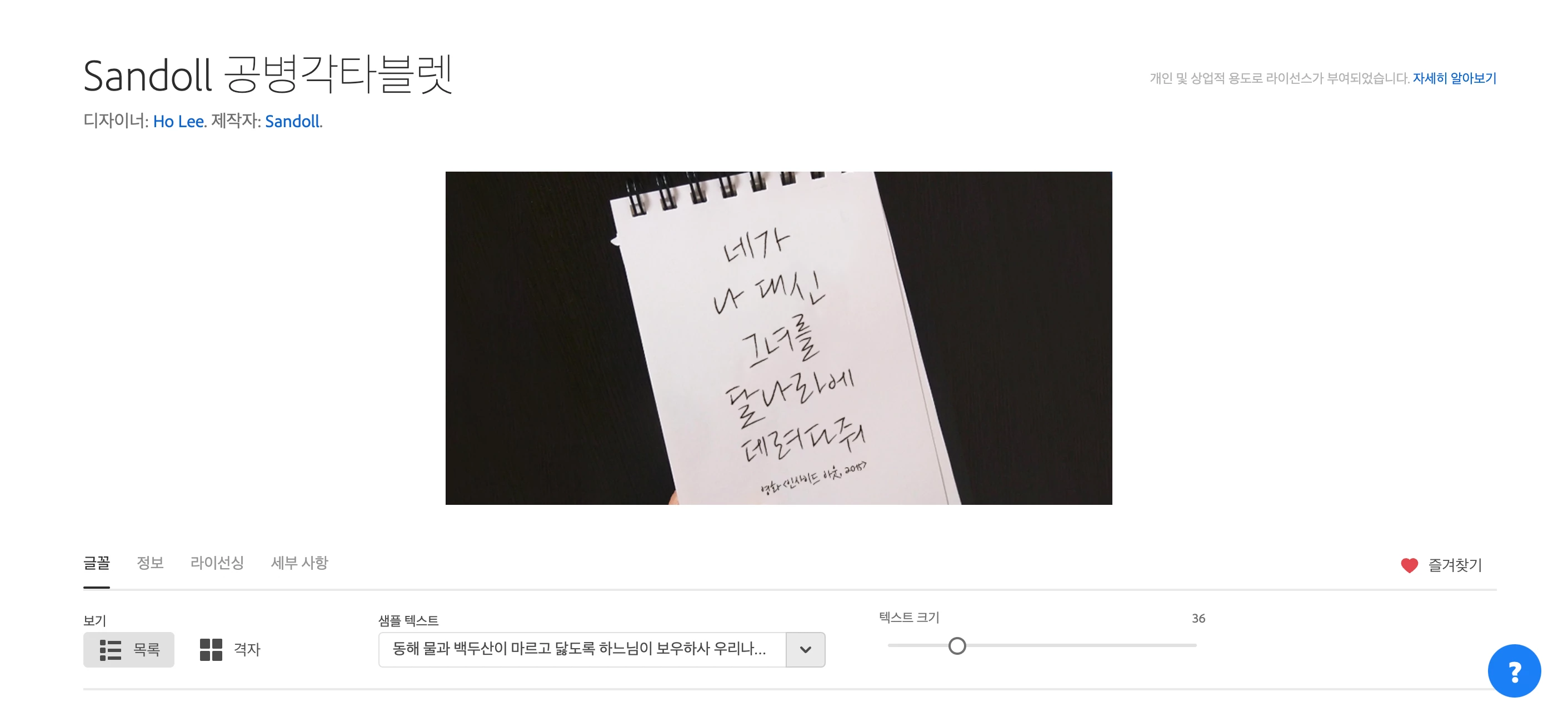
제가 폰트를 활성화 시키려고 폰트를 들어갔는데요 활성화 버튼이 일부 업체에서 제작한 폰트는 보이고, 몇몇 업체자 제작한 폰트에서는 아예 뜨지가 않더라고요 어떻게 하면 될까요? 아래 첨부한 사진처럼 보이지 않아요

This topic has been closed for replies.

1 reply

J E L
Community Expert
Community Expert
October 4, 2022

Hi @default25931355nrq8qu, I see it's been a long time since your post without any replies. I'm very sorry about that. I translate your question as follows:


I don't see the activation button during the font activation process

I went into the font to activate the font, and the activation button showed the fonts produced by some vendors, and it didn't pop up at all on fonts made by some vendors, so what can I do? It doesn't look like the photo attached below.


Yes, there does seem to be a problem. Are you still having it? If so, try logging out of your Adobe Creative Cloud account all the way, and closing all Adobe apps. Log in again from here, and then navigate to fonts. Search for Sandoll or other font name. There is a button on the top right to activate the font you want to use. I hope that's helpful!