


Participant
October 22, 2021
Answered

Setting outputsize in sbsrender render via --set-value $outputsize@w,h

  • October 22, 2021
  • 1 reply
  • 214 views

Greetings!


I have a question about an interesting behavior that seems to depend on the graph structure when setting the outputsize in sbsrender such as:

sbsrender render --set-value $outputsize@w,h

In this case, our goal is to have the graph, and essentially all of the nodes be set to output size inheritance method to "Relative to Parent" so that they can be dynamically modified downstream.


Sometimes we may have a template wherein the input is connected directly to the output.  But what I note is that in such case, the outputsize as illustrated above is not respected, and the outputs are always 256x256, regardless of the size passed to the command.


I made a simple graph to illustrate - here each of these (graph & bitmap) are set to "Relative to Parent":
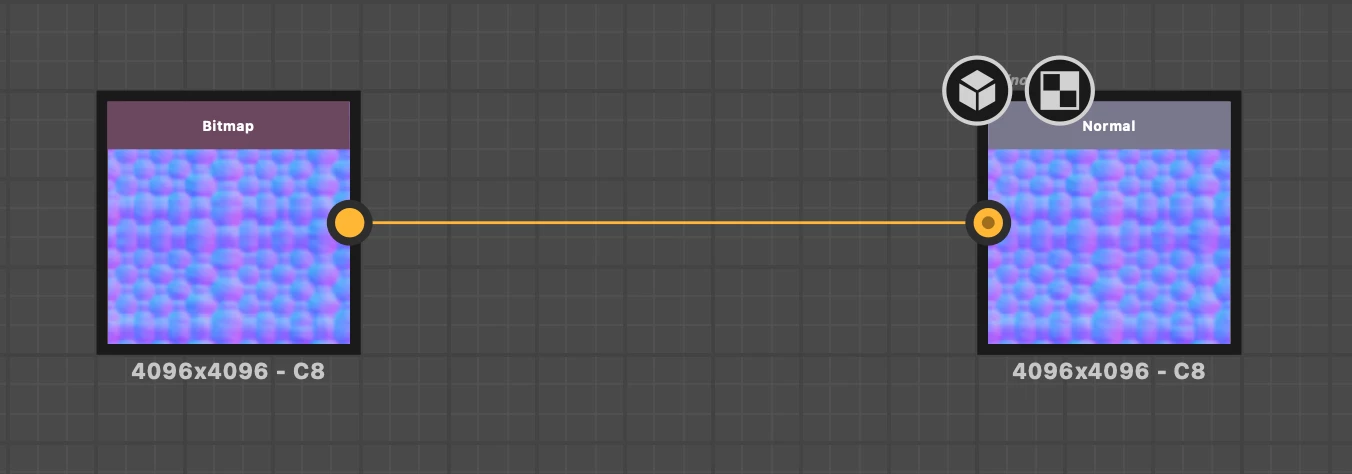
But when I render via: 

sbsrender render --set-value \$outputsize@7,7 /path/to/file.sbsar

I get outputs at 256x256, no matter what size I pass in to the command.


However, if I add a modifying node such as Levels into the same graph such as:
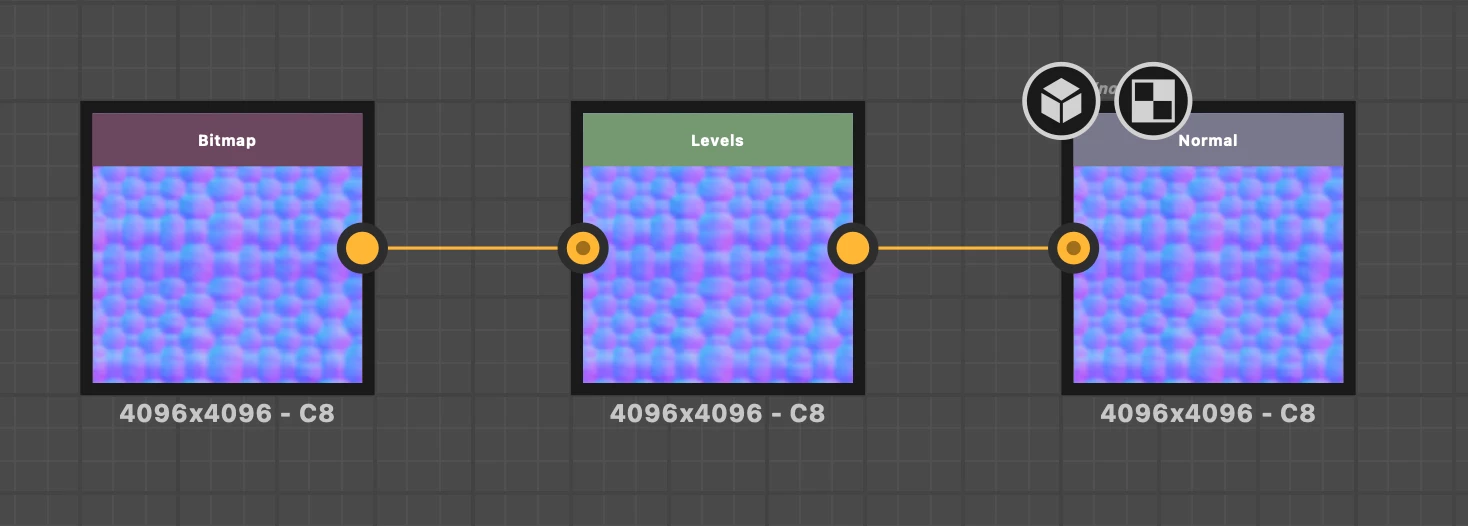
Then the outputsize that I pass is respected, and I can vary it via a change to the command.


My question is whether this is the expected behavior?


Thanks much!


PS: Attached are 2 sbsar file with these examples - test_0.sbs is the first one (unaffected by the command), and test_1.sbs is the other (command works as expected)

 

This topic has been closed for replies.
Correct answer Luca Giarrizzo

Hello @default6pxo1tv6rc3j,


Thank you for reaching out to us with a toughtfully detailed report.


The Output size property is set by default to the nearest upper power of two relative to the native resolution of the bitmap resource. E.g. a Bitmap node created out of a 1280x720 bitmap will result in an output size of 2048*1024. More importantly, the Output size property is also automatically set to Absolute.

Please note this is intended behaviour, as it impacts the way Bitmap resources are saved to a Substance 3D asset (SBSAR) when publishing.

Bitmap nodes in graphs are used to determine which resolution should be used to save bitmap resources. If Bitmap nodes have an Output size property set to Relative to parent, then the saved resolution cannot be determined and falls back to 256*256 when publishing.


The result is what you observed: 'I get outputs at 256x256, no matter what size I pass in to the command', because the bitmap resource is indeed saved to a 256*256 resolution.

To control the output resolution of Bitmap nodes, it is recommended to leave their Output size property to Absolute and place a very light atomic node just after, such as Transformation 2D or Levels, which only purpose will be to resize the passed bitmap with their Output size set to Relative to input.


We will update our documentation to describe this behaviour more explicitly. I hope this is helpful and informative!


Best regards.


1 reply

Luca Giarrizzo
Community Manager
Luca GiarrizzoCommunity ManagerCorrect answer
Community Manager
October 26, 2021

Hello @default6pxo1tv6rc3j,


Thank you for reaching out to us with a toughtfully detailed report.


The Output size property is set by default to the nearest upper power of two relative to the native resolution of the bitmap resource. E.g. a Bitmap node created out of a 1280x720 bitmap will result in an output size of 2048*1024. More importantly, the Output size property is also automatically set to Absolute.

Please note this is intended behaviour, as it impacts the way Bitmap resources are saved to a Substance 3D asset (SBSAR) when publishing.

Bitmap nodes in graphs are used to determine which resolution should be used to save bitmap resources. If Bitmap nodes have an Output size property set to Relative to parent, then the saved resolution cannot be determined and falls back to 256*256 when publishing.


The result is what you observed: 'I get outputs at 256x256, no matter what size I pass in to the command', because the bitmap resource is indeed saved to a 256*256 resolution.

To control the output resolution of Bitmap nodes, it is recommended to leave their Output size property to Absolute and place a very light atomic node just after, such as Transformation 2D or Levels, which only purpose will be to resize the passed bitmap with their Output size set to Relative to input.


We will update our documentation to describe this behaviour more explicitly. I hope this is helpful and informative!


Best regards.


Luca Giarrizzo | Quality Engineer - Substance 3D Designer | Adobe
Participant
October 26, 2021

OK great - that all makes sense - thank you Luca for the clear explanation!