

Thinboiclique
Participating Frequently
January 29, 2026
Question

animation

  • January 29, 2026
  • 1 reply
  • 50 views

i’m not sure if i’m the only one but ever since this new update i can’t find the animation tab so i can do fades in and out. everything else is still there but that one thing has just disappeared. it’s super frustrating because i had higher hopes for this app after dealing with and giving up on Capcut. any help would be great.
    1 reply

    Peter Garaway
    Adobe Employee
    Adobe Employee
    January 30, 2026
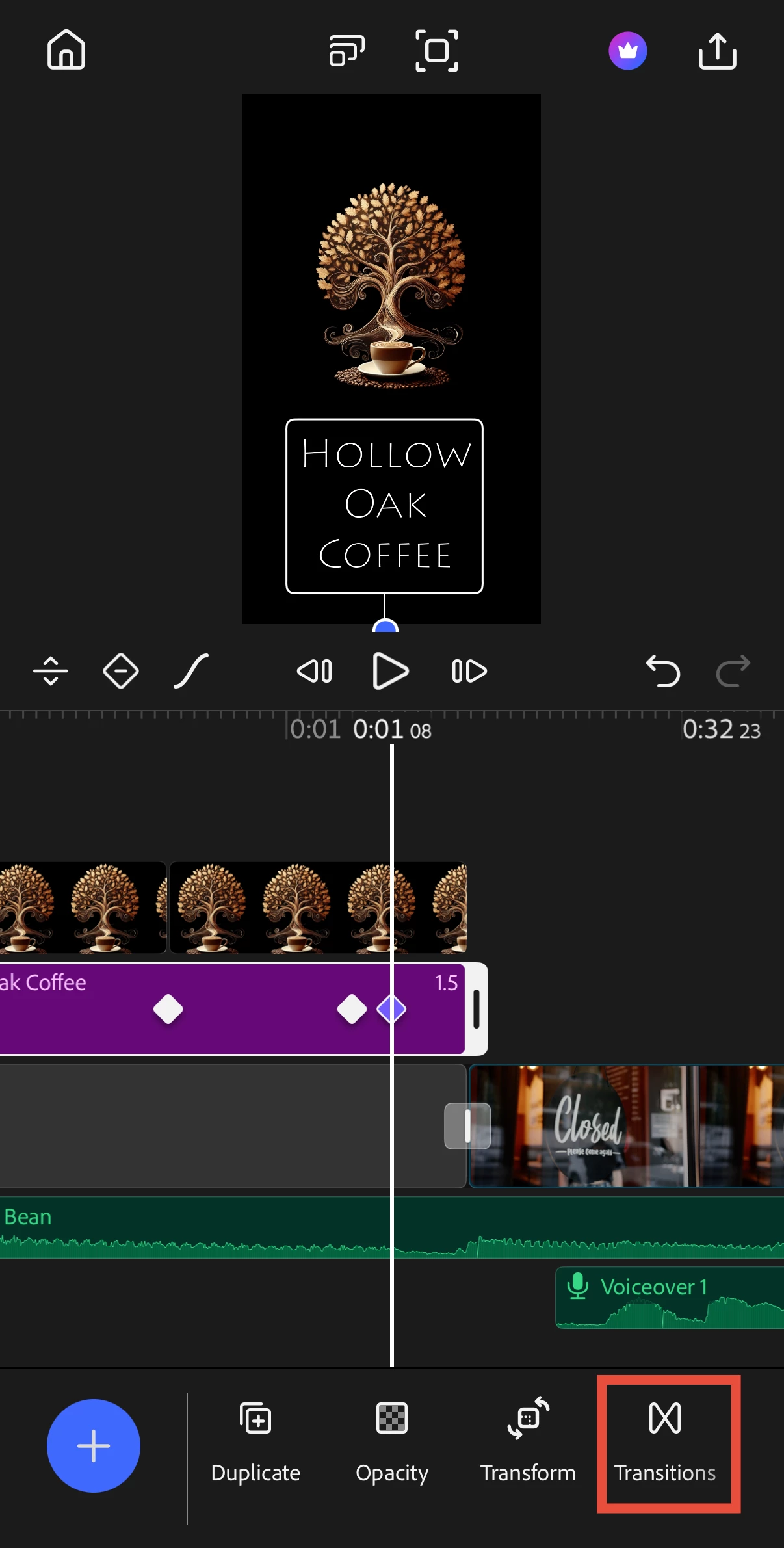
    Hey ​@Thinboiclique! Sorry for the confusion. We replaced the animation panel with a Transitions panel that provides many more options for how your assets appear on screen, including fades and other transition effects. 
    Additionally, in our last release, we added keyframes, which allow you to animate clips however you want with full custom control. This opens up even more animation options beyond what the previous panel offered.
    I hope this helps! Please let me know if you have any questions about using the new Transitions panel or keyframes— We're always looking for feedback to make the experience better, so don't hesitate to reach out.
    Peter Premiere engineering team
    Thinboiclique
    Participating Frequently
    January 30, 2026

    i appreciate you Peter for reaching out to me. i figured it got integrated or condensed into somewhere else. i’m now looking at the transitions and i’m still not able to see anything different. i’m on mobile by the way if that slims it down for you. it seems nothing was added to it as far as im aware.

    Peter Garaway
    Adobe Employee
    Adobe Employee
    January 30, 2026

    @Thinboiclique  If you select any asset, scroll to the very last item in the toolbar and you should see “Transitions” button. See image below as a reference. This is in build 26.4.0


    Peter Premiere engineering team