Participant
October 10, 2018
Answered

(0xc0000142) error on Adobe Media Encoder

  • October 10, 2018
  • 2 replies
  • 54720 views

Hi All,

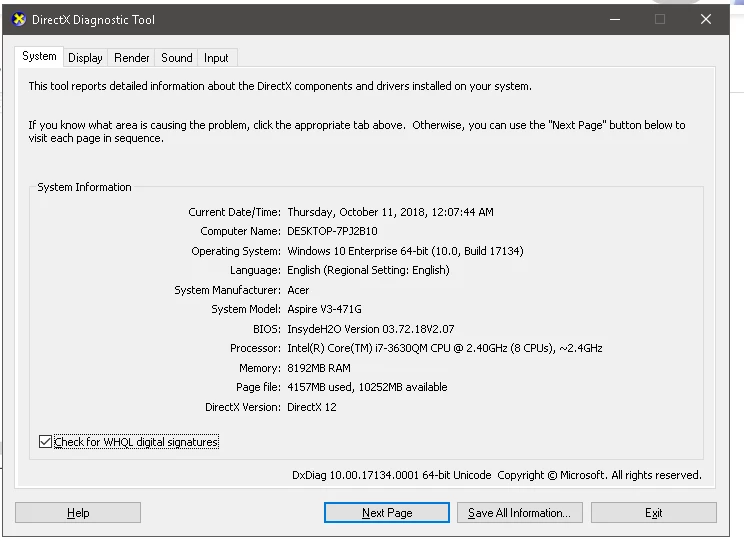
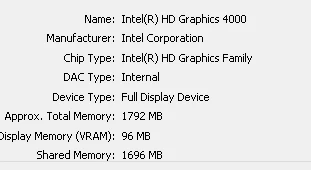
i want to know why my application was like this, i've run Premiere Pro and Photoshop without problem, when first installed, AME run perfectly fine, but the second i ran it, its occured an error like this, here is the screenshot
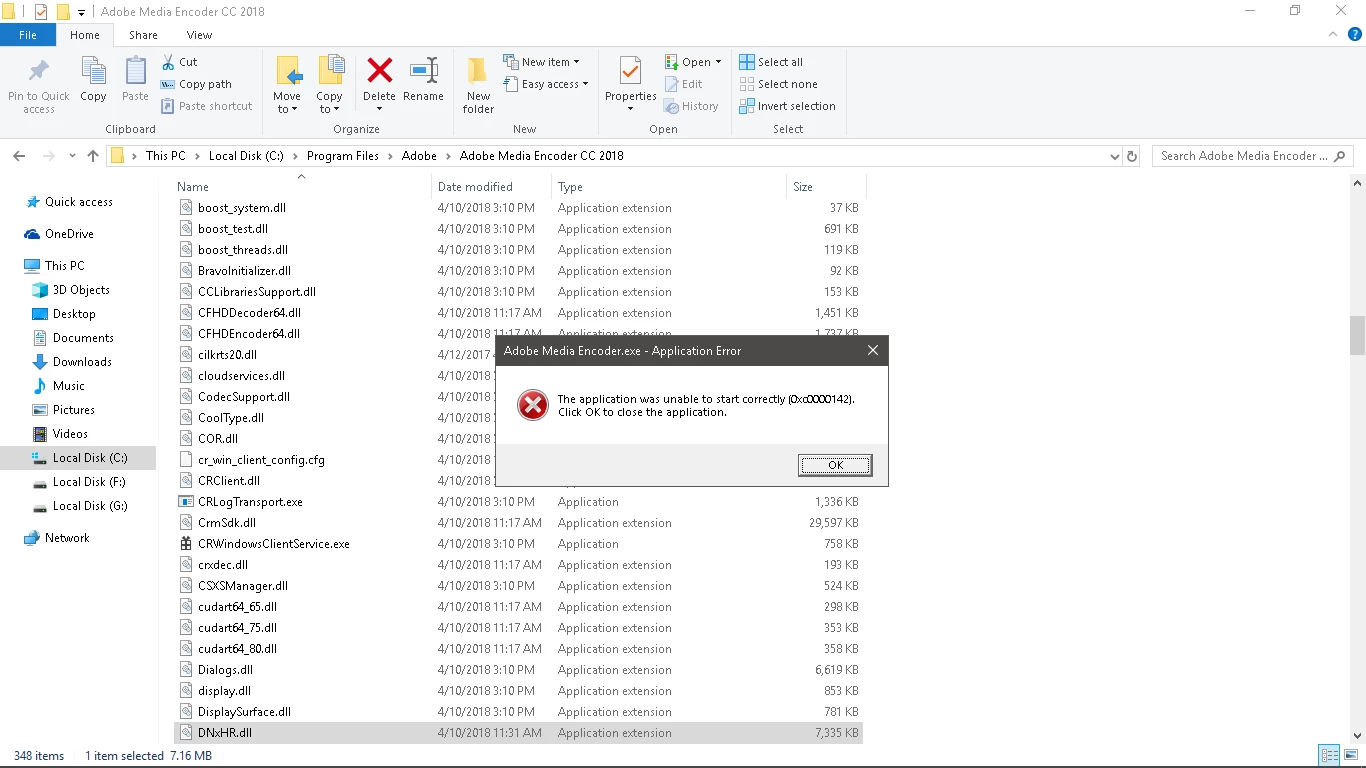
Thanks in advance,

Correct answer Tarfud

This corrected my issue.

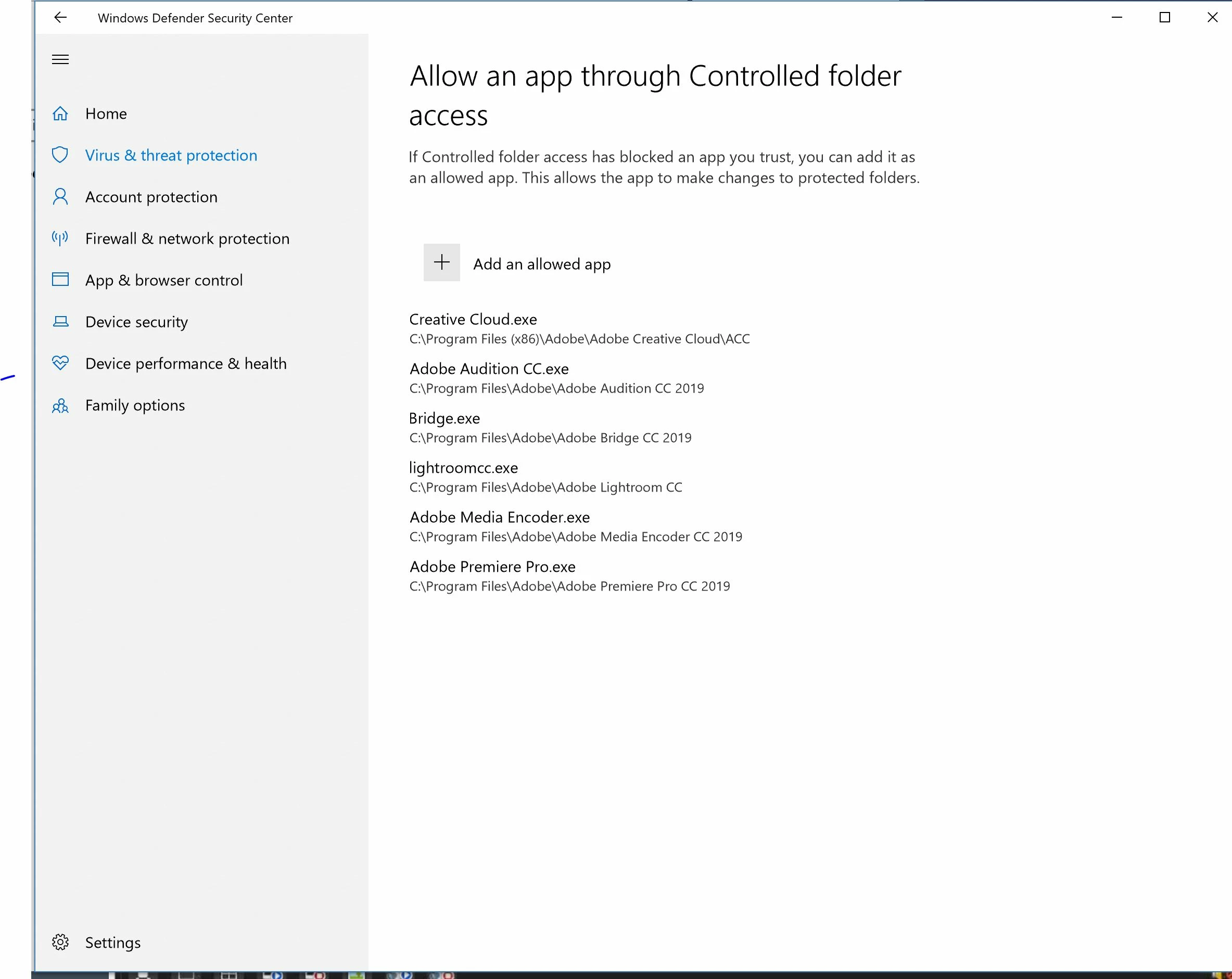
Use controlled folder access

Controlled folder access in Windows Security reviews the apps that can make changes to files in protected folders. Occasionally, an app that is safe to use will be identified as harmful. This happens because Microsoft wants to keep you safe and will sometimes err on the side of caution; however, this might interfere with how you normally use your PC. You can add an app to the list of safe or allowed apps to prevent them from being blocked.

  1. !
    • Select Start > Settings > Update & Security > Windows Security > Virus & threat protection.
    • Under Virus & threat protection settings, select Manage settings.
    • Under Controlled folder access, click the Allow an app through Controlled folder access link.
  2. Click the Add an allowed app button.
  3. Navigate the new location you want to add and click the Select folder button. In Windows 10, this would be similar to:
    • C:\Program Files\Adobe\Adobe Media Encoder CC 2019\Adobe Media Encoder.exe

I did a few others as well.

Hope this helps!

2 replies

Participant
March 17, 2021

Thank you for this, you saved my life! Windows is goofy asf for this feature ..

Al-fiky
Participant
October 7, 2023

can you tell how did you solve this issue ?

Tarfud
TarfudCorrect answer
Participant
December 16, 2018

This corrected my issue.

Use controlled folder access

Controlled folder access in Windows Security reviews the apps that can make changes to files in protected folders. Occasionally, an app that is safe to use will be identified as harmful. This happens because Microsoft wants to keep you safe and will sometimes err on the side of caution; however, this might interfere with how you normally use your PC. You can add an app to the list of safe or allowed apps to prevent them from being blocked.

  1. !
    • Select Start > Settings > Update & Security > Windows Security > Virus & threat protection.
    • Under Virus & threat protection settings, select Manage settings.
    • Under Controlled folder access, click the Allow an app through Controlled folder access link.
  2. Click the Add an allowed app button.
  3. Navigate the new location you want to add and click the Select folder button. In Windows 10, this would be similar to:
    • C:\Program Files\Adobe\Adobe Media Encoder CC 2019\Adobe Media Encoder.exe

I did a few others as well.

Hope this helps!

Participating Frequently
October 11, 2019
Thanks Tarfud, that did it for me.