dataforge
Inspiring
Jun 5, 2018 12:17 AM UTC
Answered

Adobe Encoder CC 2018 Media Cache Location

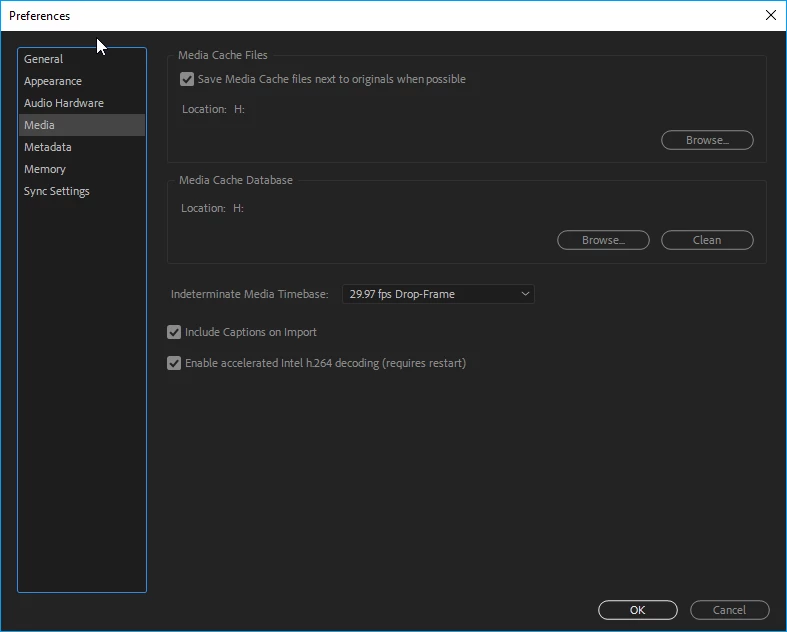
In Edit, Preferences, Media, I have changed the cache file locations to a different drive

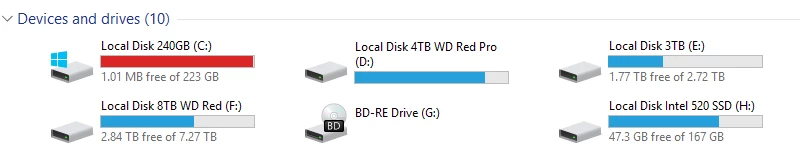
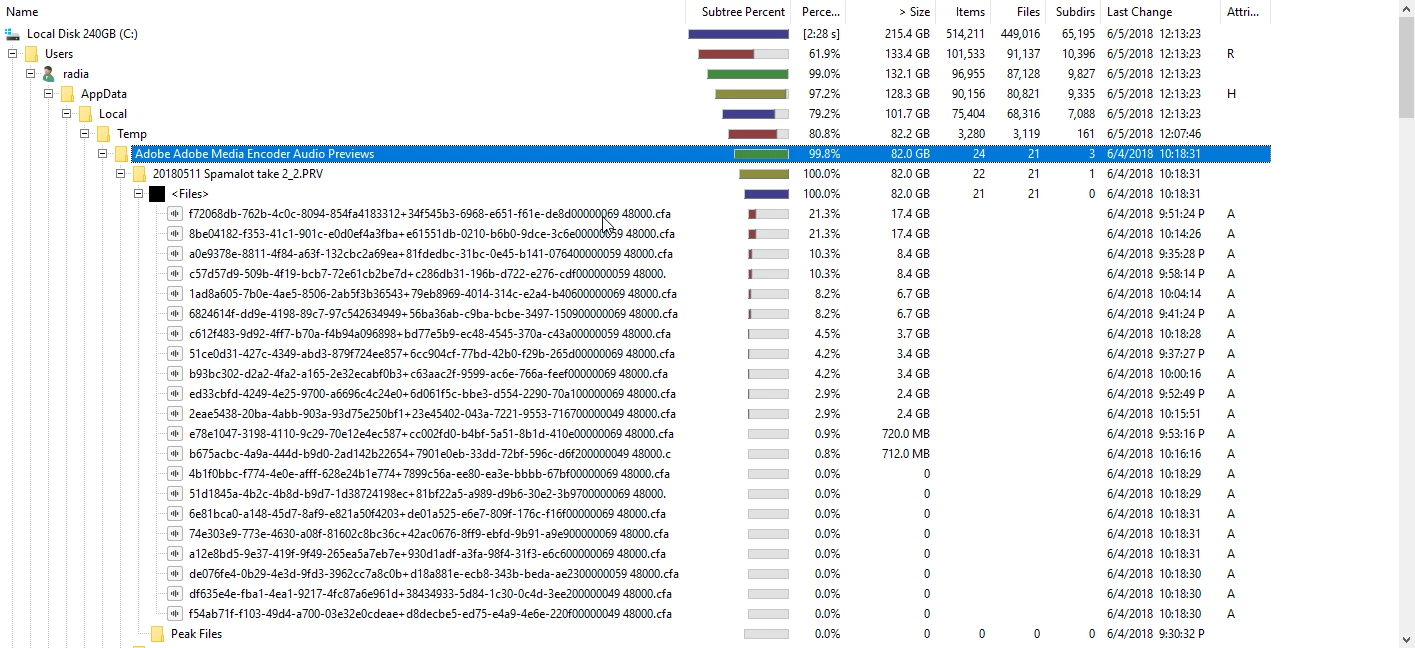
but it still fills up my C: folder of files anyway

I have cleaned the media cache database and it just fills back up

I have build 12.1 build 171

whats the problem?
    This topic is closed to new replies. Start a new post to keep the conversation going.
    Kevin J. Monahan Jr.
    Kevin J. Monahan Jr.Correct answer
    Legend
    Sep 28, 2018 7:26 PM UTC

    I'm not going to bother with that.  This isn't the only project this happens with, its happened for months with numerous new projects


    Hi dataforge,

    Sorry for this. Kindly report this anomaly to our developers: Media Encoder: Hot (176 ideas) – Adobe video & audio apps

    Thanks,
    Kevin

    Kevin Monahan - Sr. Community and Engagement Strategist – Adobe Pro Video and Audio

    5 replies

    dataforge
    dataforgeAuthor
    Inspiring
    Jun 5, 2018 10:08 PM UTC

    i have upgraded to 12.1.1 build 12 and still same issue

    Translate
    Peru Bob
    Community Expert
    Community Expert
    Jun 5, 2018 10:50 PM UTC

    Try starting a new project and set the locations you want.  Then import or copy the old project into it.

    Translate
    dataforge
    dataforgeAuthor
    Inspiring
    Jun 5, 2018 11:09 PM UTC

    I'm not going to bother with that.  This isn't the only project this happens with, its happened for months with numerous new projects

    Translate