


Rade Ceranic
Inspiring
December 12, 2018
Answered

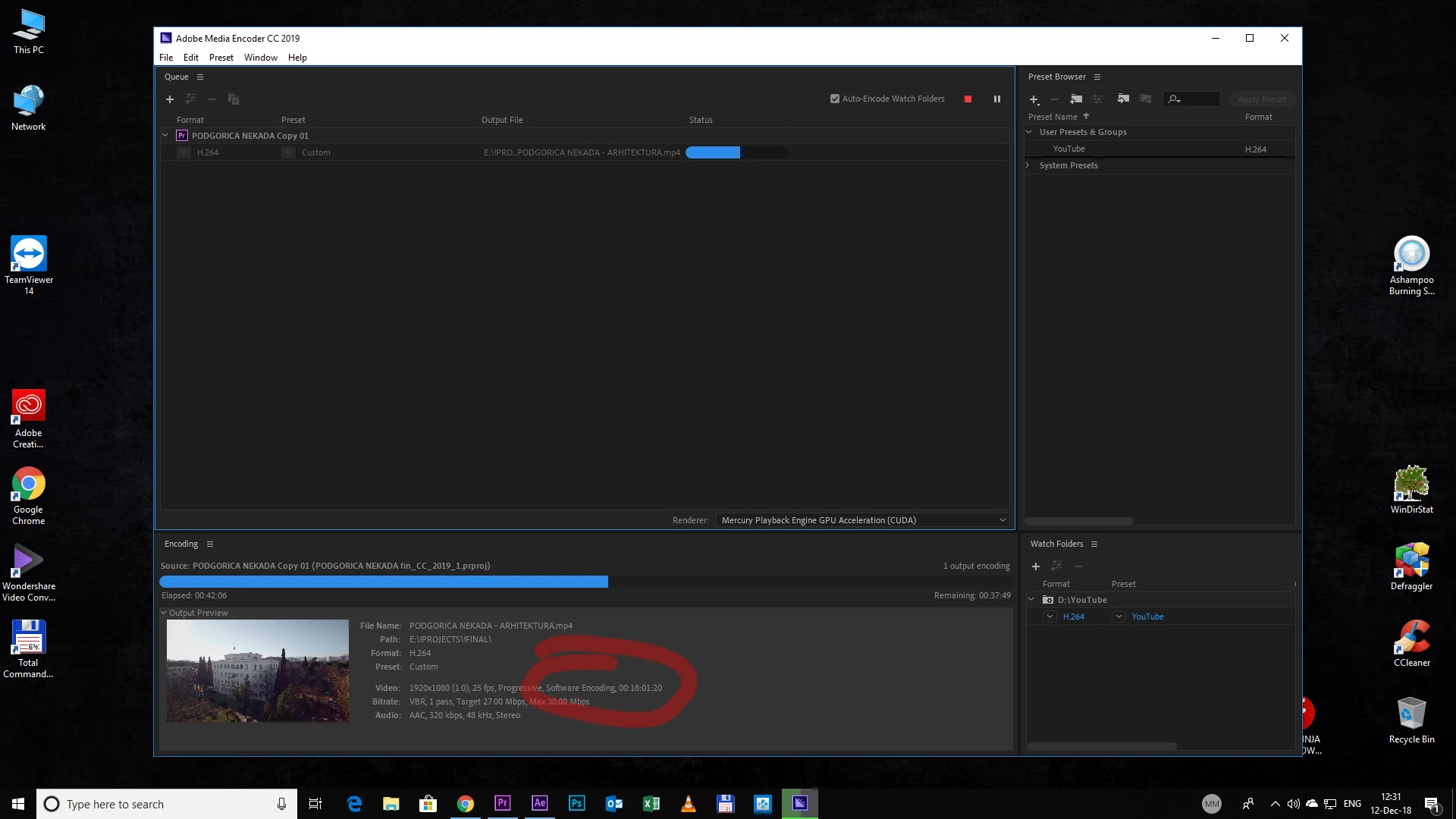
Adobe Media Encoder Software encoding
Hello,

I have next question.

I export from Premiere where I have an option hardware acceleration cheked when exporting, but, when I encoding in AME, there write "software encoding".

Why AME doesnt use hardware acceleration if I have that posibilities.

Btw, I have I7 4770 K CPU and GPU GTX 660

    This topic is closed to new replies. Start a new post to keep the conversation going.
    MMeguroCorrect answer
    Adobe Employee
    December 12, 2018

    Before starting encoding, can you open the Export Settings dialog of the job from AME and make sure "Hardware Encoding" is selected under the Video tab > "Performance"?

    15 replies

    superc51632781
    Participating Frequently
    December 13, 2018

    change the video

    standards and select this !!

    Translate
    Rade Ceranic
    Inspiring
    December 13, 2018

    How do you mean to change the video ?

    And what I need to select ?

    Translate
    Adobe Employee
    December 13, 2018

    Since you are using older version of AME than Premiere (13.0 vs 13.0.1), there could be some changes in this area that AME doesn't have, but Premiere does.  You may want to update to the latest.  The latest version of AME and Premiere is 13.0.2.

    Translate
    MMeguroCorrect answer
    Adobe Employee
    December 12, 2018

    Before starting encoding, can you open the Export Settings dialog of the job from AME and make sure "Hardware Encoding" is selected under the Video tab > "Performance"?

    Translate
    Rade Ceranic
    Inspiring
    December 12, 2018

    Yes, I enable that option already.

    Thanks

    Translate
    Rade Ceranic
    Inspiring
    December 12, 2018

    You're right.

    In AME its not activated

    How to enable this ?

    premiere have this option in export settings "hardware acceleration"

    Translate