
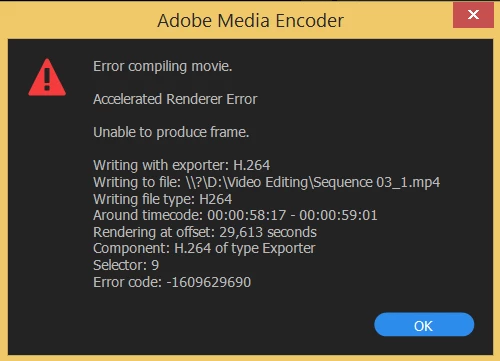
Adobe Premiere Pro: Error Message Compiling movie -1609629690
Dear all,
I've been having an error message lately when I'm trying to export my video,
The error seems to appear every single time at the same moment, when I have applied a certain effect on the video,
I use a GeForce Nvidia GTX 860M and it really doesn't want to export even when I'm trying to change the settings of the video compression
in H264 4K.
But the weird thing is that I can export the video when I switch from the GeForce to the onboard graphic card Intel HD 4600...
It drives me a bit crasy since I don't know how I can handle this in another way than using the intel HD, the export is very very slow with it.
I cleared the Media cache, nested the sequence, copy all in a new one and still have this error message.
Any idea ?
Thank you very much in advance, hope I can find some answer here.


 AdChoices