
Question
Alpha blending for edges missing (jagged/ pixelated edges)
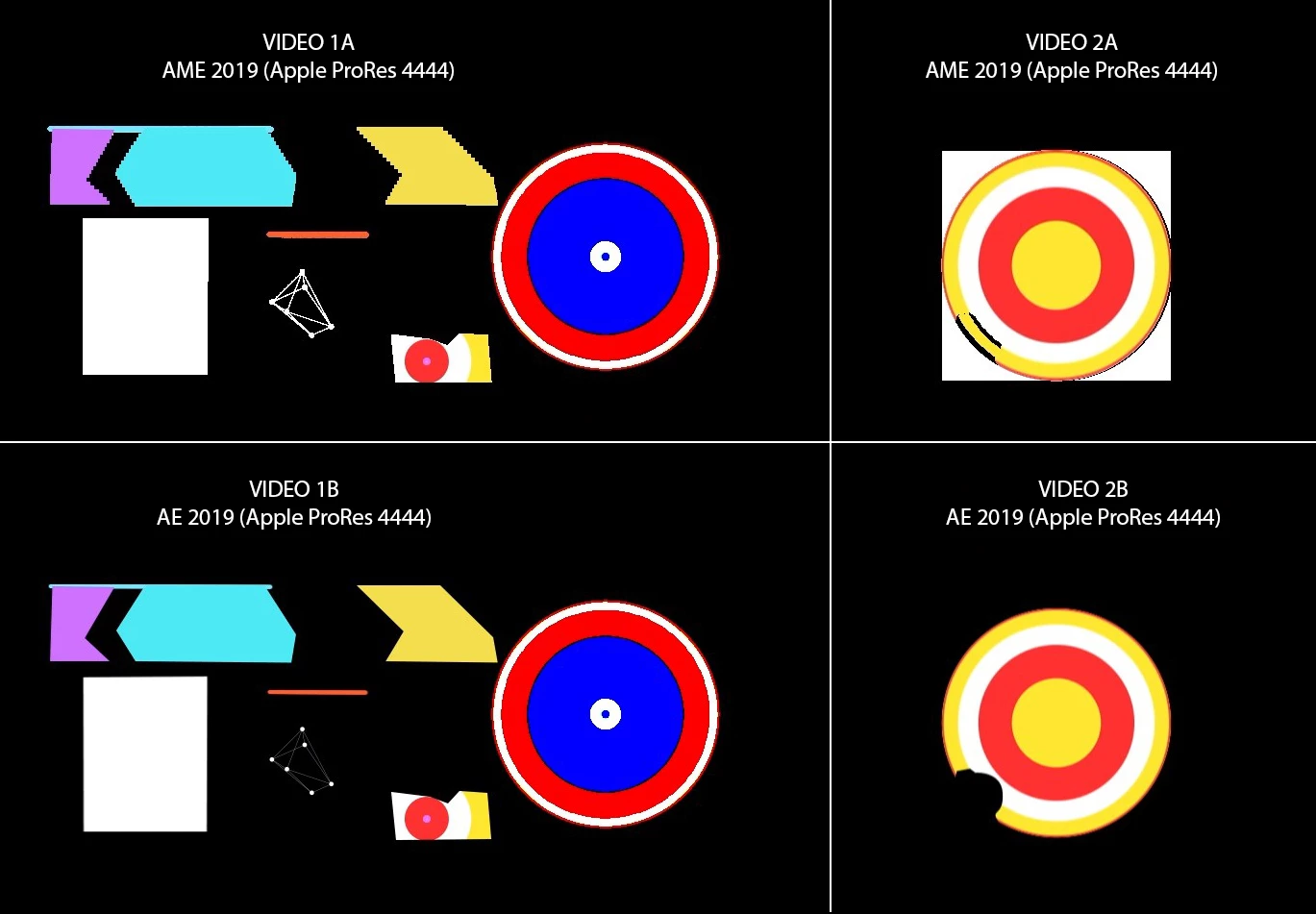
Our team ran into a problem with Adobe Media Encoder 2019, videos exported to Apple ProRes 4444 (with Alpha channel) or WebM (using Fnord software plugin) comes out with jagged edges [Ref: Video 1A] and sometimes the entire background becomes white instead [Ref: Video 2A], however the same project when being rendered directly using Adobe After Effects, the edges do blend perfectly.
Here's a comparison of videos exported from AME and AE.
Adobe After Effects 16.1.2 (Build 55)
Adobe Media Encoder 13.1 (Build 173)
Windows 10 x64
Nvidia Titan X
32GB RAM


 AdChoices