


Inspiring
Aug 13, 2014 5:28 PM UTC
Answered

AME CC 2014: "Adobe Media Encoder has encountered an unexpected error and cannot continue."

Adobe Media Encoder CC 2014 on MacPro "mid-2012" (MacPro5,1) running OSX 10.9.3 and getting this error when trying to launch Adobe Media Encoder CC 2014:

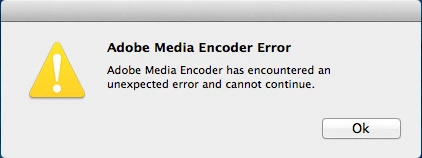
Adobe Media Encoder Error

Adobe Media Encoder has encountered an unexpected error and cannot continue.

Have uninstalled, reinstalled.  Checked and fixed permissions numerous times.  Tried removing all plugins and that didn't fix.  Also tried editing the text listings within the .app for OpenGL and CUDA to remove all cards listed - that didn't fix anything either.

At this point it's uninstalled and "hopefully" everything will point to CC (non-2014 version).  Adobe Media Encoder CC works fine.  Adobe Media Encoder CS6 works fine.

Cannot find any other reports of this issue.
This topic is closed to new replies. Start a new post to keep the conversation going.
samjjeffs
samjjeffsCorrect answer
Participant
Jul 1, 2015 5:00 PM UTC

removing my AME folder in ~/Documents/Adobe/ resolved this issue, thanks

14 replies

Participant
Mar 2, 2020 8:48 PM UTC

Worked for me...after following many other file deletion and alteration "dead ends." THANK YOU!

Translate
kamalakkannanm83140464
Participant
Mar 20, 2017 1:49 PM UTC

Wonderful..worked in a go...

but i forgot its the 'documents folder'and mistakenly i went on with program files once and its uninstalled...

Translate
Participant
Jan 25, 2017 1:13 AM UTC

Thank you so much

Translate
bsbeamerAuthor
Inspiring
Aug 20, 2014 9:25 PM UTC

Progress in trying to fix.  This workaround was NOT successful on previous attempts, but now appears to be working.  Seems like the trick was to have AME CC 2014 started and open BEFORE doing any of this?  As always, make sure all of your permissions are set properly - had done that numerous times previously.  My issue was NOT directly permission related.

Navigate to the following folder:

You may see a file SHORTCUT that is invalid called "Presets":

Remove/delete this file.  It's a broken shortcut.

Move a folder of .EPR files into the "8.0" folder.  Call it anything except "Presets".  Go to AME CC 2014 and quit.  (I was greeted with another crash message.)

Open AME CC 2014 again.  Your presets will not be loaded yet, but you should see an XML file that was created in your new folder like this:

Delete this file.

You should see a new folder also created by AME called "Presets".  Move your .EPR files into this folder and delete the original folder.  Quit AME CC 2014.  (I was greeted with ANOTHER crash message.)

Open AME CC 2014.  Your preset files should be there at the top under the preset browser:

Probably a good idea to keep a copy of those .EPR files elsewhere

Translate
samjjeffs
samjjeffsCorrect answer
Participant
Jul 1, 2015 5:00 PM UTC

removing my AME folder in ~/Documents/Adobe/ resolved this issue, thanks

Translate
bsbeamerAuthor
Inspiring
Jul 6, 2015 10:07 PM UTC

illuminoscopist wrote:

removing my AME folder in ~/Documents/Adobe/ resolved this issue, thanks

CC2014 or CC2015?

Translate
bsbeamerAuthor
Inspiring
Aug 20, 2014 8:16 PM UTC

Mine is on a 3.33 6-Core "Mid-2012" running OSX 10.9.4 with GTX 680 (official version) and 32GB RAM.

Media Encoder "works" as in it will output a compression, but that's about it unless you're perfectly fine with just the built-in presets.  I cannot really batch anything since I have to manually set the compression settings EACH AND EVERY TIME I want to output from Premiere, or from AME.  Extremely annoying and a total waste of time to say the least.

Been using AME CS6 to batch when I can - at least that seems to be working right now.

Also see this discussion:

Cannot Save Export Presets PPro CC2014 (also in AME CC2014)

Translate
Participant
Aug 20, 2014 8:09 PM UTC

I'm having the exact same issue on a 2014 Mac Pro 3.5 GHz-6 Core running 10.9.4. Completed all the typical fixes as bsbeamer. Can't fine a solution online.

Translate
bsbeamerAuthor
Inspiring
Aug 18, 2014 11:02 PM UTC

Randomly tried installing this again, and it worked.  Changed permissions EVERYWHERE before opening.  Now "just" having issues with installing pre-sets... this buggy saga isn't ending.

Translate