



AME v22.6 - Incredibly slow rendering time
Hi,
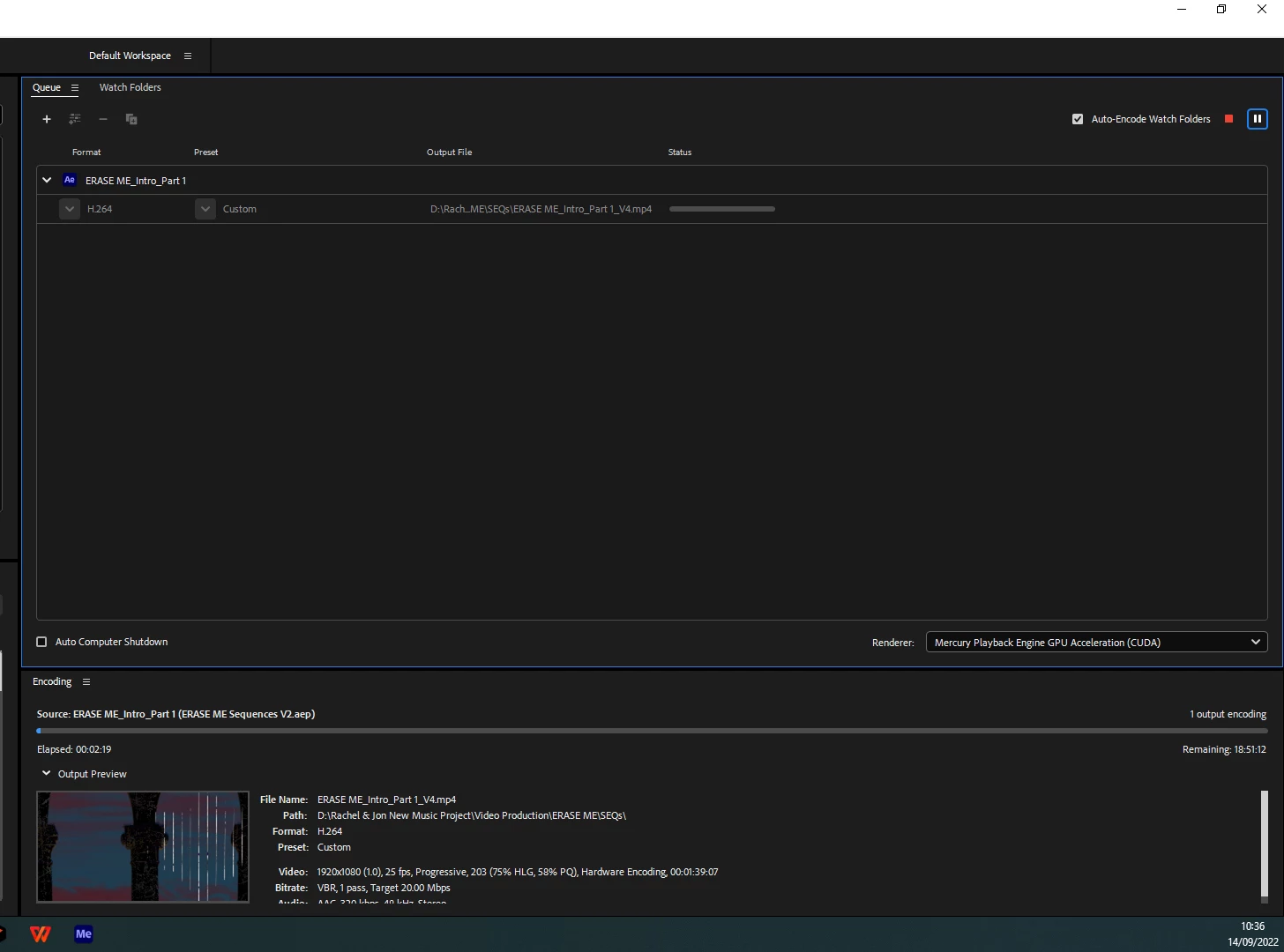
Since this latest update I'm experiencing incredibly slow rendering times. I've never experienced this before since I've been using this program. I have just aborted a 1 minute AE sequence that said (attached screenshot) 18 hours, I've let it render for over 9 hours now and it still displayed a further 12 hours to go. The animation was not that heavy and the only third party plug-in I used was Video Co-Pilot 'Twitch'. However, when I used an older version of AME 14.9, it rendered out the sequence within a few hours, but would not include the 'Twitch' effect on certain layers, and overlay graphics. This is really frustrating now. I have two systems, both running Windows 10 (Up to date). A Predator Helious 300 32Gb Memory, and my other main system, specs:-
Windows 10 Processor Intel(R) Core(TM) i7-10875H CPU @ 2.30GHz 2.30 GHz Installed RAM 32.0 GB (31.8 GB usable) NVIDA Geforce RTX 2070
Wondering if anyone else is experiencing this and if there is a problem?
Suggestions?
Thanks
 AdChoices