3큭82589761
Participant
June 6, 2018
Question

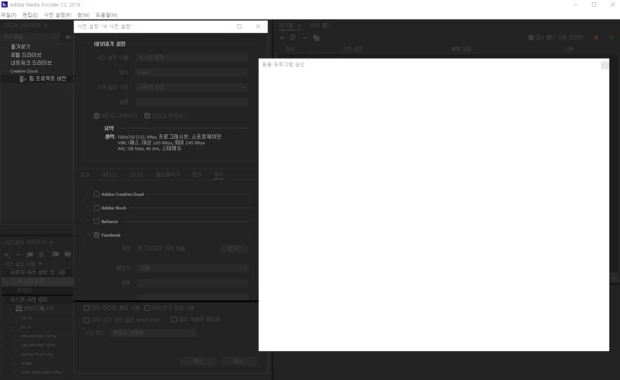
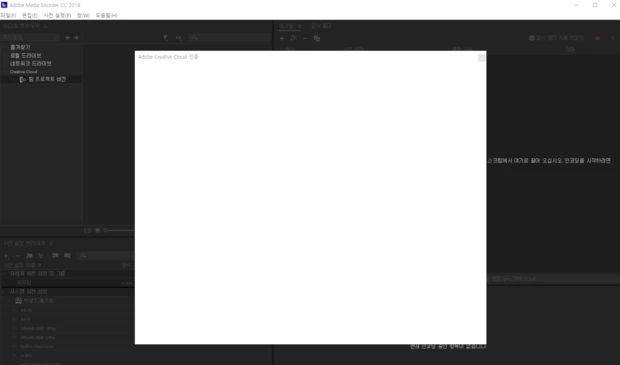
blank screen?
  • June 6, 2018
  • 1 reply
  • 668 views

The same is true even if you have installed and uninstalled more than 10 times.

In Windows 7, the page will be displayed normally, but not in Windows10. This is the case even after reinstalling the OS.

This usually only appears on pages that require external connections.

Is there a workaround?

    This topic has been closed for replies.

    1 reply

    Vidya Sagar
    Adobe Employee
    Adobe Employee
    June 6, 2018

    Hi 3큭82589761,

    Sorry for the trouble.

    Seems like a permissions issue or activation issue. Please try the steps in this article:

    fixing permissions problem that impedes start of Adobe applications | Creative Cloud blog by Adobe

    Learn how to activate and deactivate Creative Cloud apps

    What is the version of Media Encoder? For a test, install a previous version & check: Install previous version of your Creative Cloud app

    Thanks,

    Vidya

    3큭82589761
    Participant
    June 6, 2018

    I've tried all three methods. But not all....

    The version is not available for both 2017 and 2018.

    I have also noticed an additional CEPHtmlEngine.exe application error. (0xc000007b)

    Vidya Sagar
    Adobe Employee
    Adobe Employee
    June 7, 2018

    Hi 3큭82589761,

    Try the following steps:

    1. Update the GPU drivers: Update the graphics driver | Windows 8, 7, Vista

    2. Run the program as an Administrator: Run an Adobe program as administrator | Windows 7, Vista

    How many GPUs are configured in the machine?

    Thanks,

    Vidya