
Participant
November 3, 2016
Answered

CC 2017 Media Encoder Won't open

  • November 3, 2016
  • 16 replies
  • 35036 views

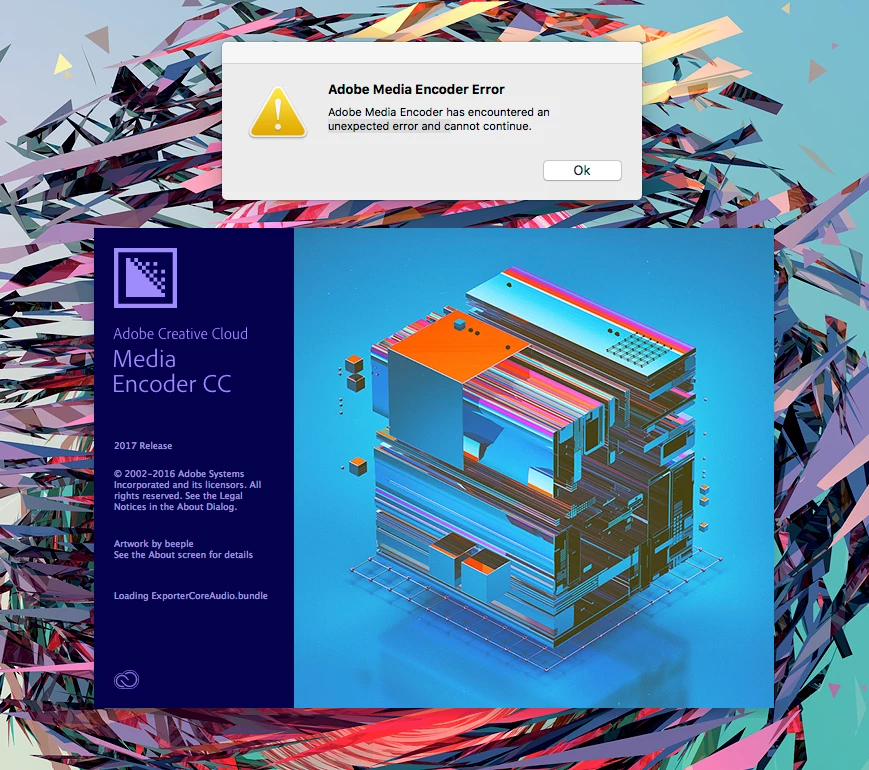
Media encoder won't open, it says "Adobe Media Encoder has encountered an unexpected error and cannot continue"

Please I need to resolve this issue ASAP! thanks! 

I already uninstalled and re-installed, I am working with a MacPro and Mac OSierra
    This topic has been closed for replies.
    Correct answer colint88464326

    Hi there

    I had the EXACT SAME THING but seem to have solved it.  I moved the Presets and Logs folders to a safe place (from Documents > Adobe > AME > 11.0)

    I then uninstalled AME, re-installed, then moved the Presets and Logs folders back to the above path.  Simple.

    Hope it works for you.

    Cheers

    16 replies

    Participant
    November 26, 2016

    So just a follow-up, I called Adobe for help, they accessed to my computer and try to fix it.. after three hours, the only solutions they came up was to buy the complete package.. as I only pay for 4 programs, I pay less than the full suite. So, instead, I format my Mac Pro and now everything works fine. without paying £10 more a month for programs I will never use.

    Participant
    November 17, 2016

    Hi - I am having a slightly different problem ... I've just tried to open up AME for the first time after upgrading to 2017 and I get the error:

    Adobe Media Encoder cannot create folder:

    /Users/angelafernihough/Documents/Adobe/Adobe Media Encoder/11.0/Presets

    Please check permissions and restart the application

    My folder doesn't contain a presets folder but I've tried the above suggestions with the 'log' folder.

    Any ideas?

    Participant
    November 22, 2016

    I am also having the same problems. I have tried all of the above suggestions, as well as CC cleaner and uninstalling....

    Participant
    November 17, 2016

    I was just having the same problem all day today. I just uninstalled and selected to remove app preferences when prompted to. Then I reinstalled it, and now it works. Mattia Bicchi Photography

    Participant
    November 16, 2016

    Like Frank said, Throw Preset and Log folders out and Restart AE w/ Shift key.  Now mine is working

    Donart6969
    Participant
    November 12, 2016

    Yes. That worked for me too. I could render through the export (was rendering out from Premier) but Media Encoder wouldn't open at all. I didn't think I did anything particularly different from what I always do, but suddenly it didn't work. Thanks for the help! Saved the day.

    colint88464326
    colint88464326Correct answer
    Participant
    November 3, 2016

    Hi there

    I had the EXACT SAME THING but seem to have solved it.  I moved the Presets and Logs folders to a safe place (from Documents > Adobe > AME > 11.0)

    I then uninstalled AME, re-installed, then moved the Presets and Logs folders back to the above path.  Simple.

    Hope it works for you.

    Cheers

    woj
    Participant
    November 4, 2016

    I had the same issue and followed colint88464326's fix and it corrected the problem for me.

    thnord
    Adobe Employee
    Adobe Employee
    November 4, 2016

    Glad you got it figured out. Just as a head's up for anyone else that hits this issue: it sounds like a problem with a bad preference file. Most likely you can move the Presets and Logs folders (if you want to keep them) out of that location and then on your next launch, hold down the Shift key. That will clear the preferences without having to reinstall. Then close AME and replace the Presets and Logs folders. You should be good to go then.

    If anyone has this problem and confirms that my assumption is correct and that you can resolve without re-installing please let me know and I will update this as the Correct solution. It would also be helpful if you could message me so we can gather some information that may help us resolve the issue that is preventing the launch.