avidearvisuals
Participant
Jul 25, 2019 5:38 PM UTC
Answered

Converting all 4k video files in a drive to 1080p

Hello all!

I have a large external hard drive with past projects including a lot of 4k footage. I dont anticipate using the footage, and certainly dont need the 4k file size. Is there some way i can run AME to scan the drive, convert all 4k files to 1080p and simultaneously move the original file to another drive (id be happy for it to delete also) and not re-encode any files that are were shot in 1080p or touch any image files?

It doesnt seem that watch folders would do the trick.

Thanks so much for your input!

    This topic is closed to new replies. Start a new post to keep the conversation going.
    Warren Heaton
    Warren HeatonCorrect answer
    Community Expert
    Jul 26, 2019 2:36 PM UTC

    Oh...

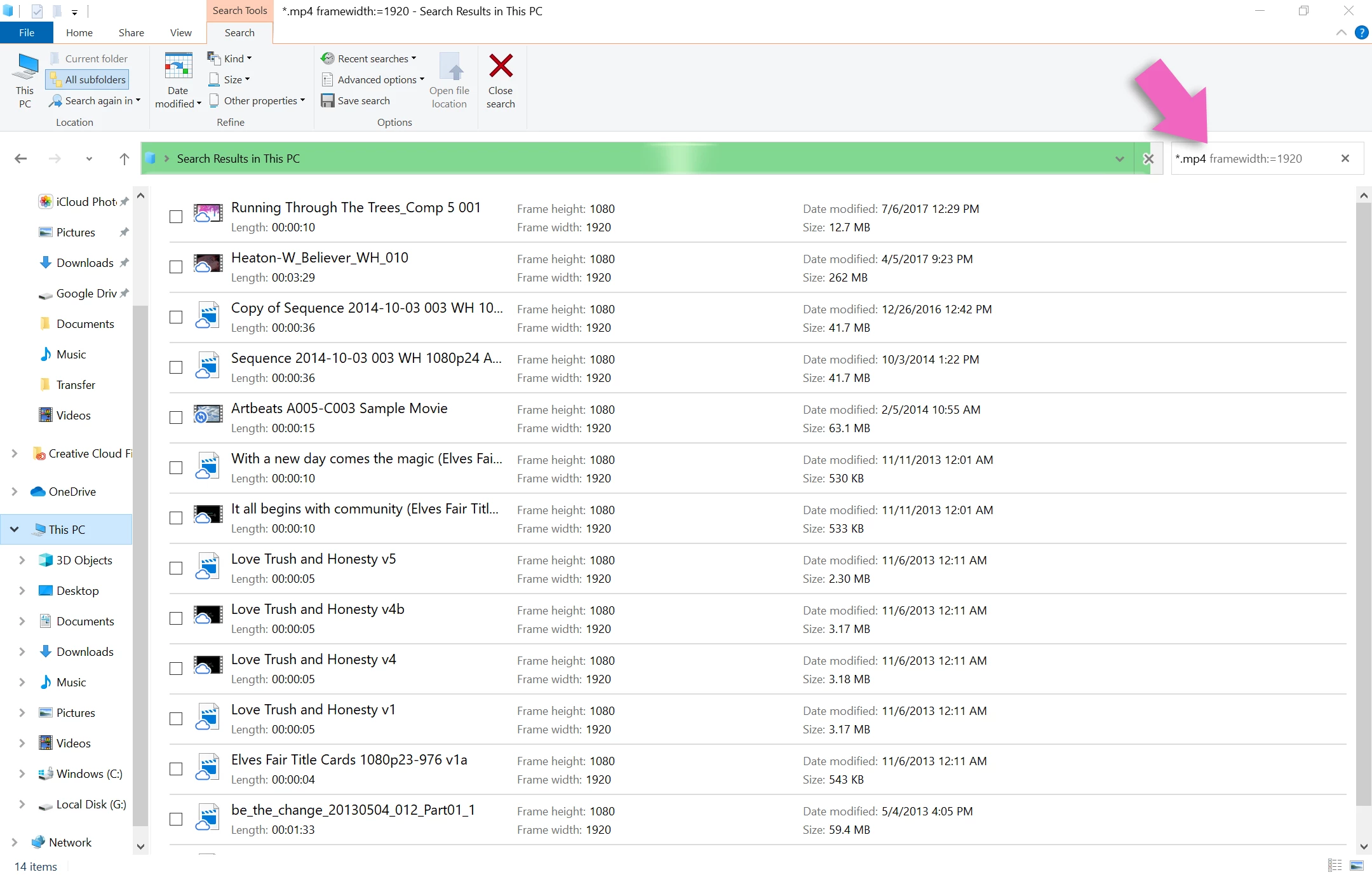
    In an Explorer window, go to the Search This PC text field and type: *.mp4 framewidth:=3840

    4 replies

    Warren Heaton
    Community Expert
    Community Expert
    Jul 26, 2019 5:42 AM UTC

    If you're running macOS, you can set the "Other" option to "Pixel width" when doing a Find action (File > Find) and then search for "3840" (or "4096") and then add the resulting movie files to the Queue tab of Media Encoder.

    -Warren

    Translate
    avidearvisuals
    Participant
    Jul 26, 2019 8:48 AM UTC

    Thank you!! Unfortunately, Im running Windows.

    Translate
    Warren Heaton
    Community Expert
    Warren HeatonCommunity ExpertCorrect answer
    Community Expert
    Jul 26, 2019 2:36 PM UTC

    Oh...

    In an Explorer window, go to the Search This PC text field and type: *.mp4 framewidth:=3840

    Translate