Sergio-CS
Inspiring
May 24, 2023
Answered

Crash Fixed [Simple Solution]

  • May 24, 2023
  • 1 reply
  • 383 views

Hello Adobe Creative Thinkers,


I got a huge amount of messages that Media Encoder and Premiere Pro crash when exporting.
Note:
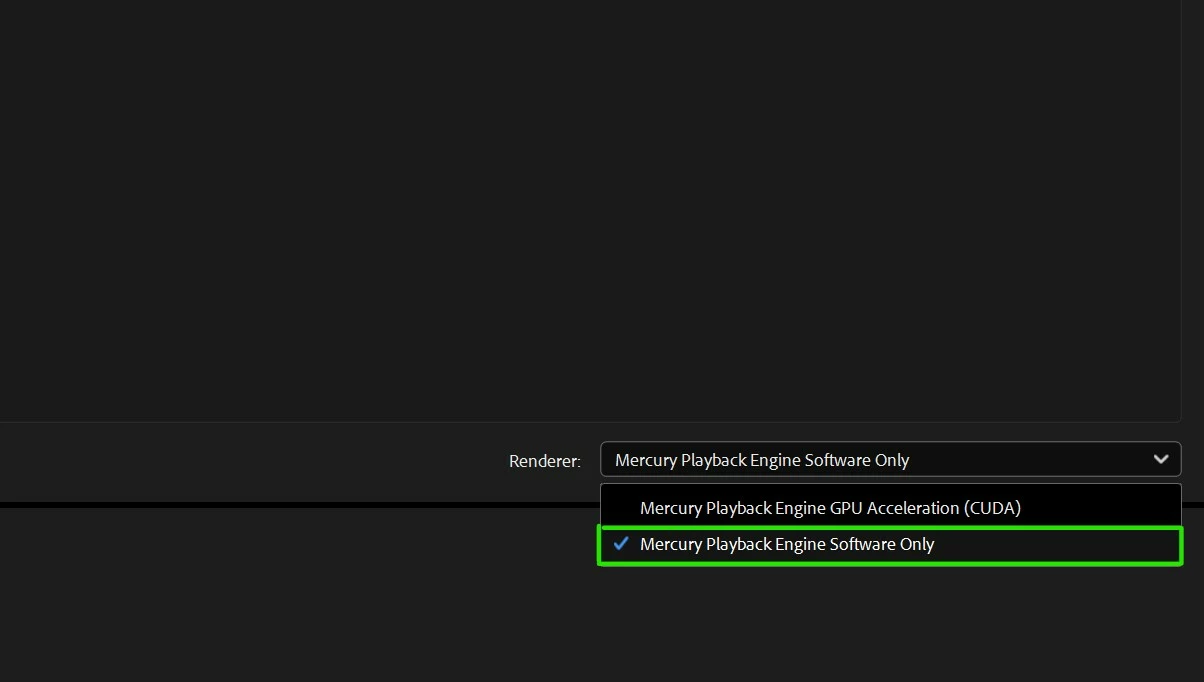
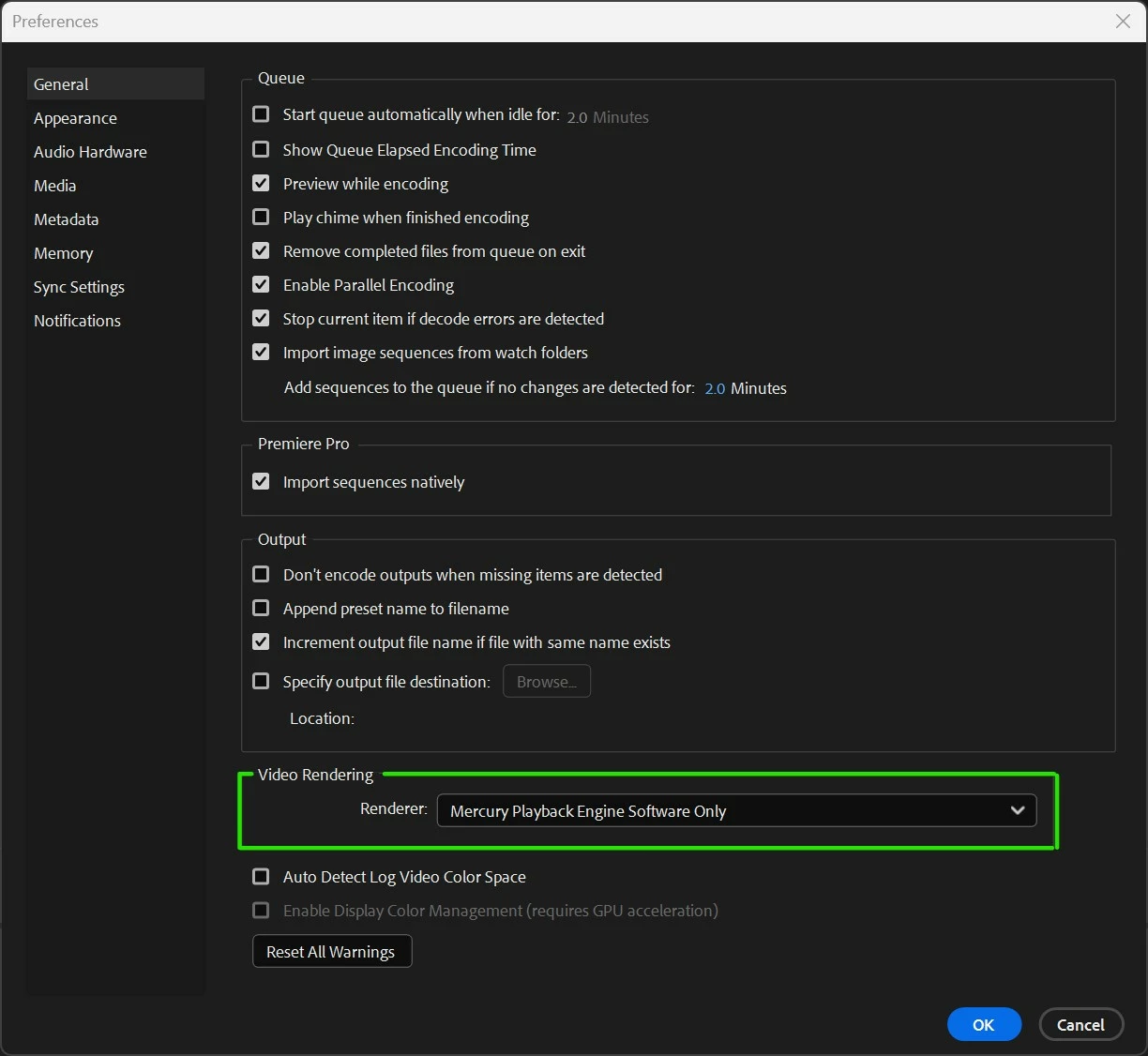
This depends on millions of factors; one simple test is to disable the (CUDA) GPU Accelerator in the preferences and at the bottom of the main list on ME.


Check the screenshots and I hope this helps.

Sergio
 

This topic has been closed for replies.
Correct answer David Arbor

Hey there,

If this solution stops your crashing, I'd suggest you look into updating your GPU drivers. Using CUDA acceleration is going to result in performance improvements, so ideally you don't want to turn it off. GPU drivers cause loads of issues, so try installing the latest Nvidia Studio driver to see if that resolves your crashes.

1 reply

David ArborCorrect answer
Inspiring
July 20, 2023

Hey there,

If this solution stops your crashing, I'd suggest you look into updating your GPU drivers. Using CUDA acceleration is going to result in performance improvements, so ideally you don't want to turn it off. GPU drivers cause loads of issues, so try installing the latest Nvidia Studio driver to see if that resolves your crashes.