



Peter J Kovacs
Inspiring
Oct 23, 2018 1:10 PM UTC
Question

Doesn't recognize HEVC/H.265 video layers exported from After Effects

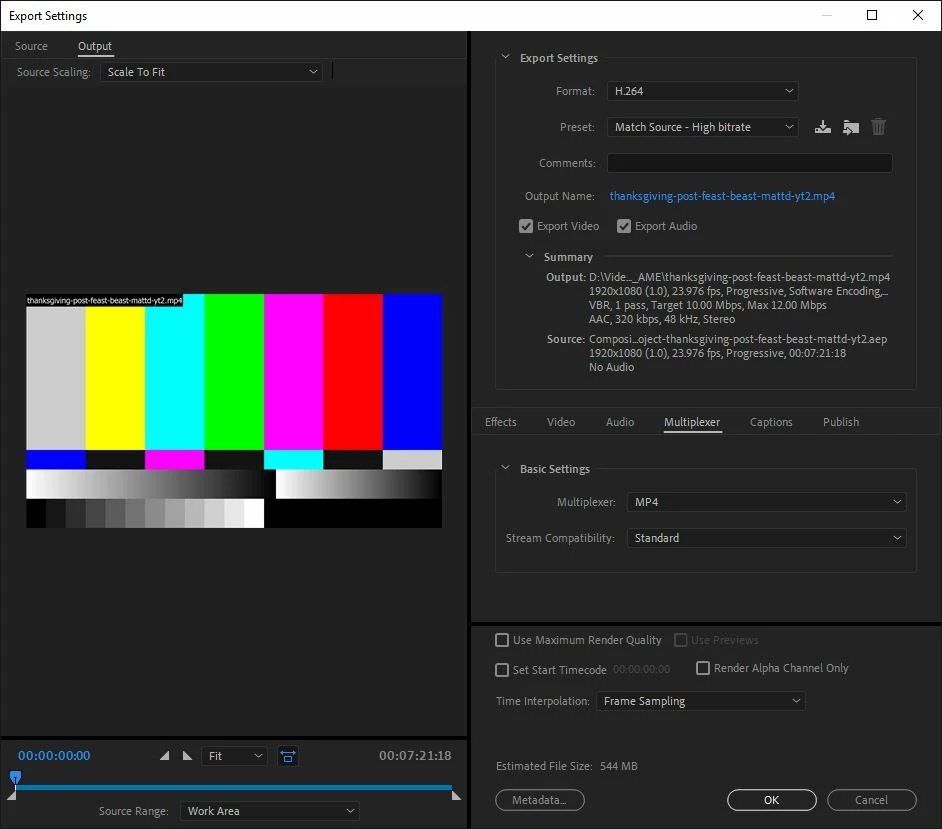
Since the CC2019 update, Media Encoder doesn't seem to recognize any HEVC/H.265 video layers exported from After Effects. It just shows up as a color test chart placeholder (see image below). If the video is H.264 then media encoder has no problems.

However, if I dynamically link that after effects composition to Premiere first... and then export from Premiere to Media Encoder, it recognizes HEVC video layers. Weird.
This topic is closed to new replies. Start a new post to keep the conversation going.

6 replies

Participant
Jun 2, 2019 6:37 PM UTC

Any news on that? I´m randomly getting this problem.
All videos are the same, yet somehow when rendering sometimes some appear as color bars. Sometimes replacing the video with another one and back to the same fixes the problem, also changing their name. But then, sometimes, another video that work before stop working.
Quite frustrating.

Translate
헌우박28613231
Participant
Dec 9, 2018 11:53 PM UTC

I get same problem...

I filmed with gopro7 4k 60fps video.

On AE 19 licenced version, the video plays with no problem.

However on AME 19 licenced version I get layered just like you...

Translate
Adobe Employee
Dec 11, 2018 5:30 AM UTC

We just released AE 16.0.1 and AME 13.0.2.  These latest versions should fix this issue.

Translate
Participating Frequently
Dec 14, 2018 10:02 PM UTC

I'm also having trouble importing and playing HEVC files in Premiere Pro 2019, which is very odd since they worked fine (and still do) in 2018. Is this a known bug??

Translate
Vidya Sagar
Participating Frequently
Oct 25, 2018 9:14 AM UTC

Hi Peter J Kovacs,

Sorry for the trouble. I am able to recreate the issue. Please allow me some time to check with the team.

Thanks,

Vidya

Translate
Participating Frequently
Nov 13, 2018 11:25 PM UTC

will it be fixed soon ?

Translate