



Dropout issue at audio edit points Media Encoder 2024
Recently upgraded to Premiere Pro 2024 across 3 edit suites at our UK broadcast place.
We have different generation Macs and playout equipment but the results are the same.
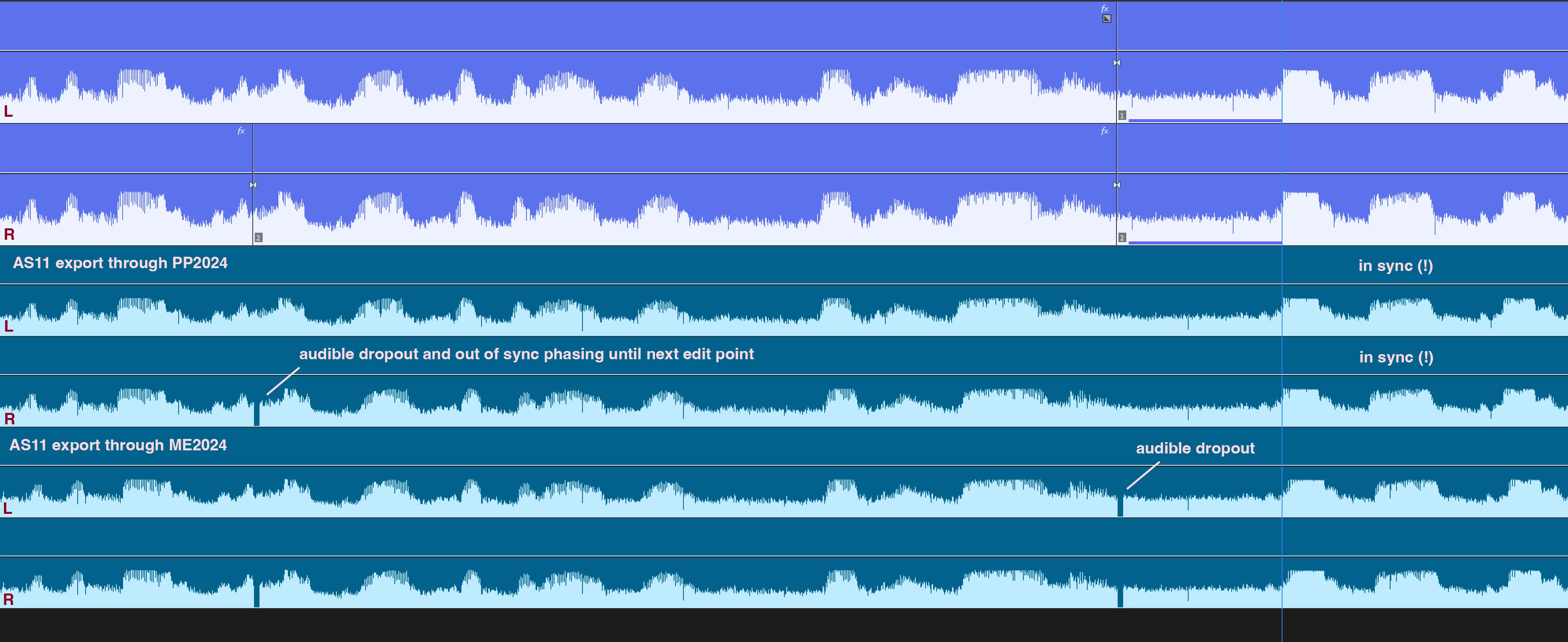
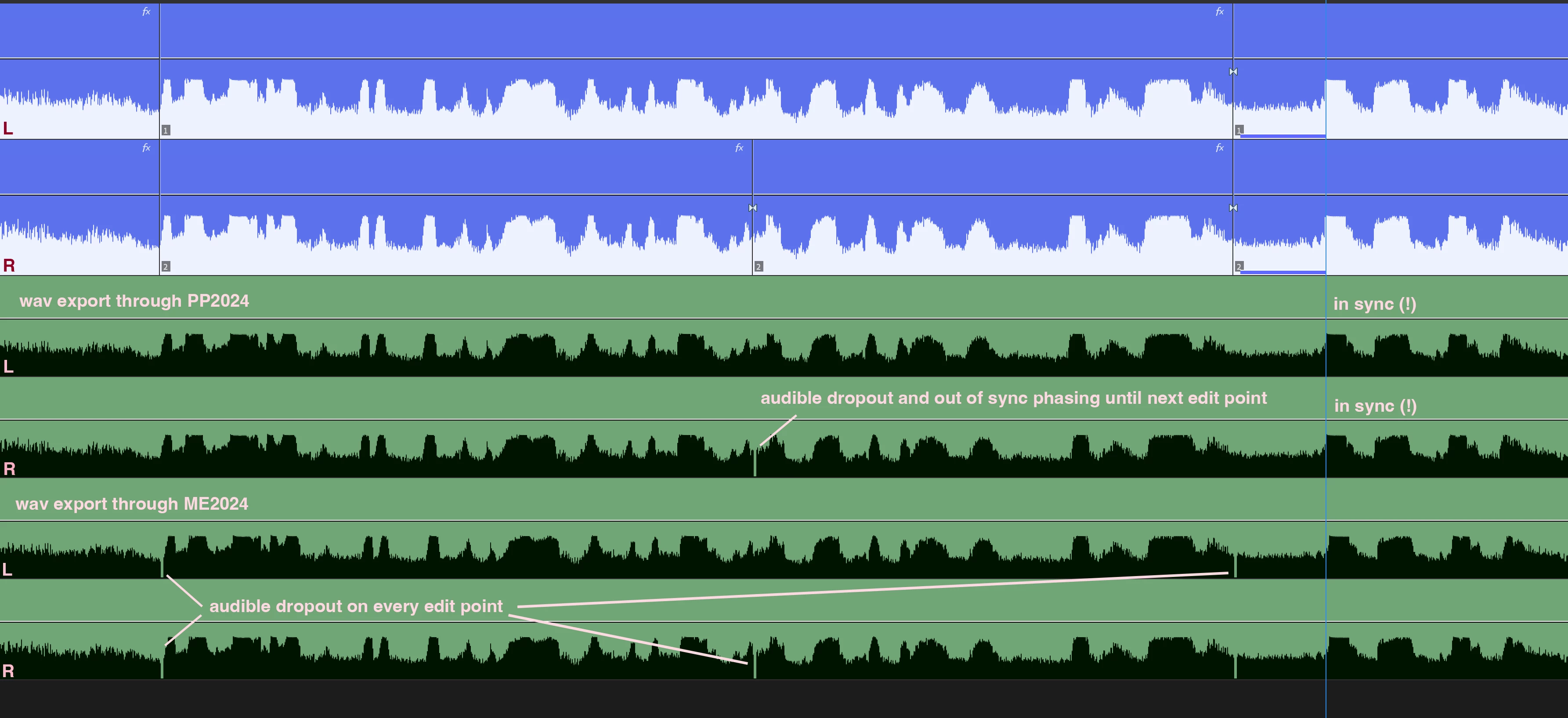
We've experienced audio glitches whenever we export through Media Encoder at every audio edit point that doesn't have a cross fade or effect on. This includes cuts that are just 'thru edits' (part of the trouble shooting test)
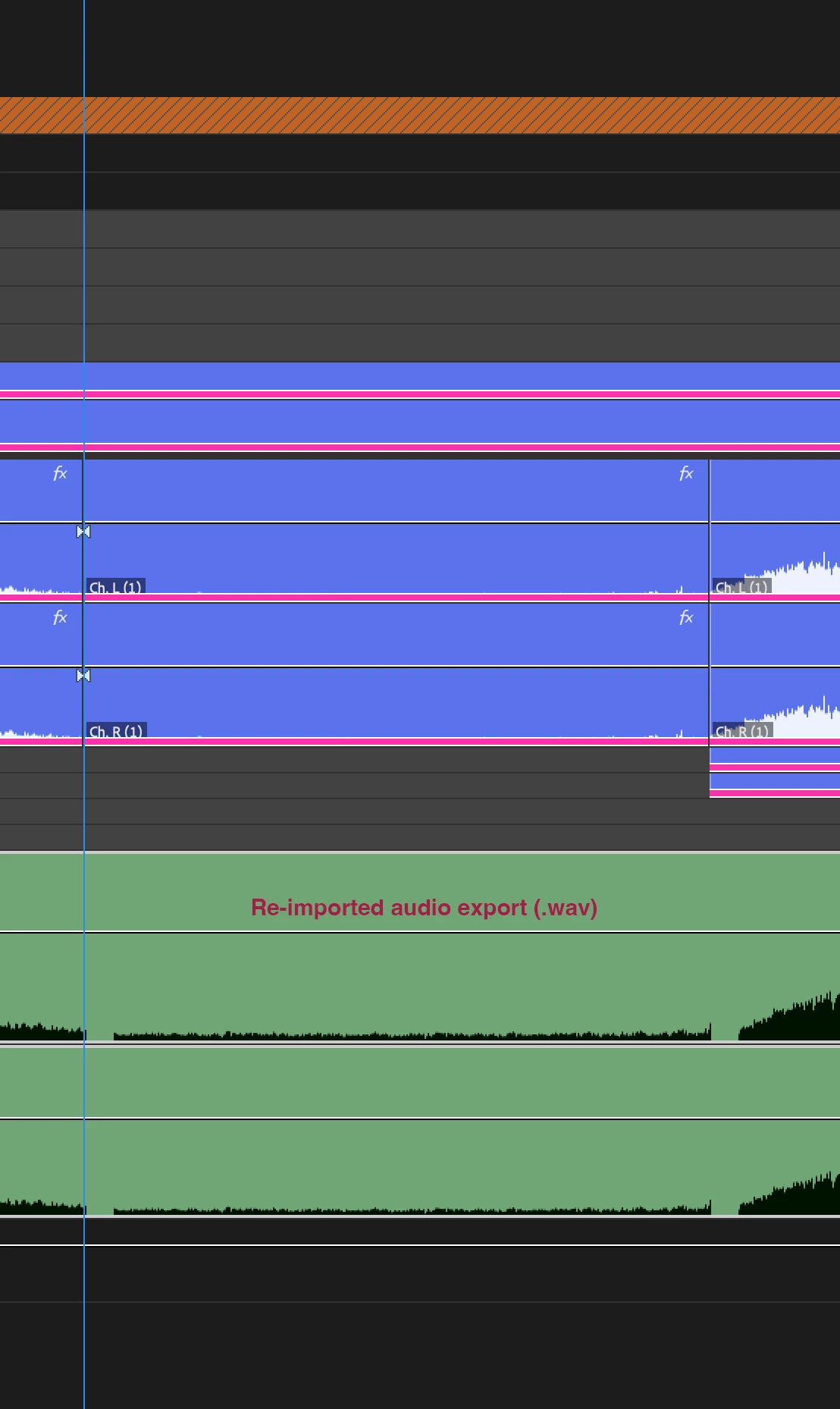
Where these cuts are on the sequence corresponds with audio dropout of approx half a frame on whatever audio track has the edit. These are audible dropouts despite the tiny size.
This is manifesting across all suites (Studio, iMac, MacMini in Monterey and Ventura) and using a number of output formats: XDCAM MXF, ProRes, Wav, AS11
All create the same result on every (hard) audio edit point.
Our workaround is to export direct from Premiere Pro as that doesn't seem to create the same issues - but that then precludes the use of ME entirely and makes the workflow quite tricky.
There is also another glitch in direct export in PP that sees any single thru edit on one leg of the stereo mix creating a similar audio dropout on the respective stereo leg of the output AND moving the audio of the clip along by that half frame dropout margin until the next audio edit
creating some momentary phasing on the stereo mix.
Obviously the workaround for this random bug is better timeline management - but that's not always guaranteed 🙂
If all that explanation seems bewildering I'm attaching some screengrabs that might make it visually clearer
I've tried a whole bunch of trial and error tests (changing bitrates, exporting 'natively' in ME, changing buffer size) but all yield the same results.
Which is why I find it quite surprising that I can't find a thread on here to attach this query to.
Maybe my search parameters are off...
It seems such a critical problem to be just worked around by everyone
 AdChoices