


Known Participant
November 27, 2024
Answered

Elements from Essential Graphic Export directly from Premiere Pro but not from Media Encoder

  • November 27, 2024
  • 2 replies
  • 349 views

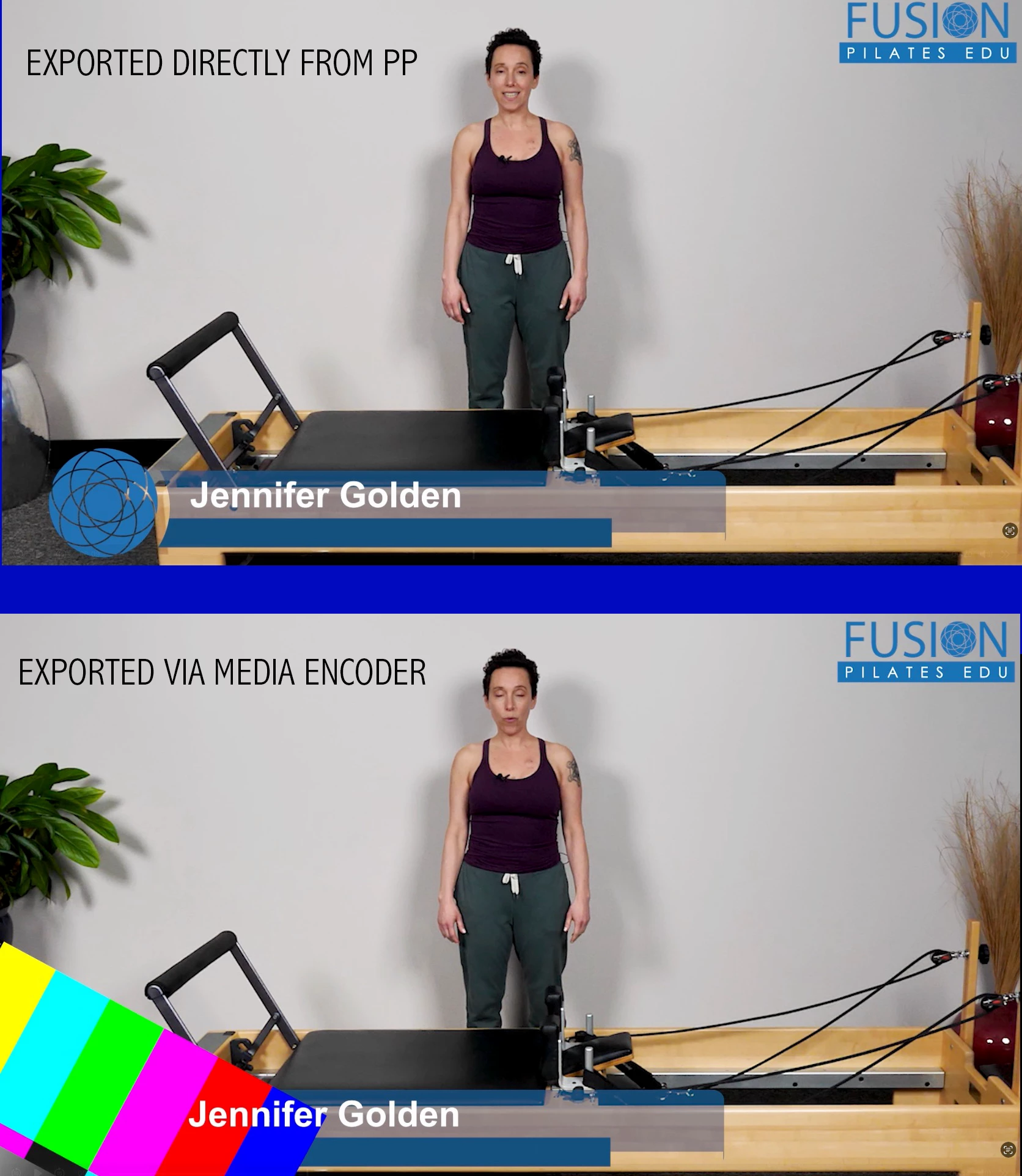
I have an essential graphic template in my project. When I export directly from Premiere Pro, it is fine. When I export via Media Encoder, one of the elements is missing. Please see photo.


I have cleared the Media Cache Database in ME.

PP 25 b61

ME 25 b54


I've had this same problem using the plugin for Insta360 - where I can export 360 clips correctly directly from PP but not via ME. Any suggestions appreciated.

 

This topic has been closed for replies.
Correct answer Theresa Rostek

Hi @angelog272,


We had a fix for a similar issue, can you open your project in Premiere Pro beta and render via Media Encoder beta and see if the issue resolves?


Thanks,

Theresa

2 replies

Theresa Rostek
Community Manager
Theresa RostekCommunity ManagerCorrect answer
Community Manager
November 27, 2024

Hi @angelog272,


We had a fix for a similar issue, can you open your project in Premiere Pro beta and render via Media Encoder beta and see if the issue resolves?


Thanks,

Theresa

kglad
Community Expert
Community Expert
November 27, 2024

in the future, to find the best place to post your message, use the list here, https://community.adobe.com/

p.s. i don't think the adobe website, and forums in particular, are easy to navigate, so don't spend a lot of time searching that forum list. do your best and we'll move the post (like this one has already been moved) if it helps you get responses.


<"moved from cc desktop bugs">
Known Participant
November 27, 2024

thank you.

kglad
Community Expert
Community Expert
November 27, 2024

(no problem.)