
Participant
February 25, 2017
Answered

Encoder launch problem

  • February 25, 2017
  • 1 reply
  • 952 views

Hi there.

Basicly I have a problem with my media encoder at progam launch while quick time exporter pluginns loading...

I had a critical issue with my system and had to change hdd drives. I reinstall system, quicktime, cs6 mc and other programs I need.

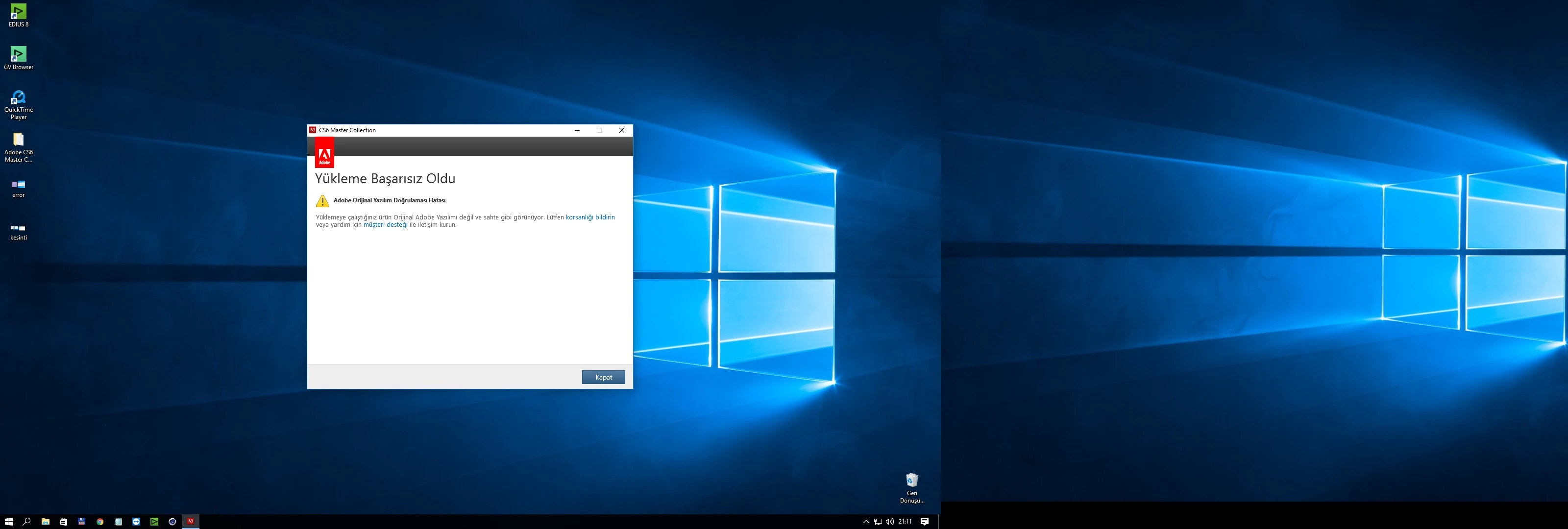
When this problem occured, I download setup files from adobe and try to reinstall it again. But this time, system says, something like, "it would be a crack file or something, please refer to asobe" or so...

I did not chechk all of them but, after effects, illustrator and photoshop working properly...

But the encoder...

Would you please help me, because I need to use it at least 5-10 times a day...

Regards.
    This topic has been closed for replies.
    Correct answer DIGIMED

    Well, Thank you.

    But it doesn't work. I used the same link before. And result was this.

    You would probably don't understand what its saying, but nearly says I mentioned above.

    Anyway, I solved the problem.

    Via uninstalling everything, and try once again with closing windows defender and using my original setup files...

    And boom

    Thank you for your time.

    Regards.

    1 reply

    kulpreet singh
    Inspiring
    February 28, 2017

    Hi DIGIMED,

    When this problem occured, I download setup files from adobe and try to reinstall it again. But this time, system says, something like, "it would be a crack file or something, please refer to asobe" or so...

    Please download/install Adobe Media Encoder from this link;

    Download Adobe Creative Suite 6 applications

    Thanks,

    Kulpreet Singh

    DIGIMEDAuthorCorrect answer
    Participant
    February 28, 2017

    Well, Thank you.

    But it doesn't work. I used the same link before. And result was this.

    You would probably don't understand what its saying, but nearly says I mentioned above.

    Anyway, I solved the problem.

    Via uninstalling everything, and try once again with closing windows defender and using my original setup files...

    And boom

    Thank you for your time.

    Regards.

    kulpreet singh
    Inspiring
    March 1, 2017

    I am glad that you are able to fix this issue. Thanks for confirming.

    -Kulpreet Singh