


lockies51178003
Participant
April 8, 2020
Answered

Error code: -1609629695

  • April 8, 2020
  • 2 replies
  • 9307 views

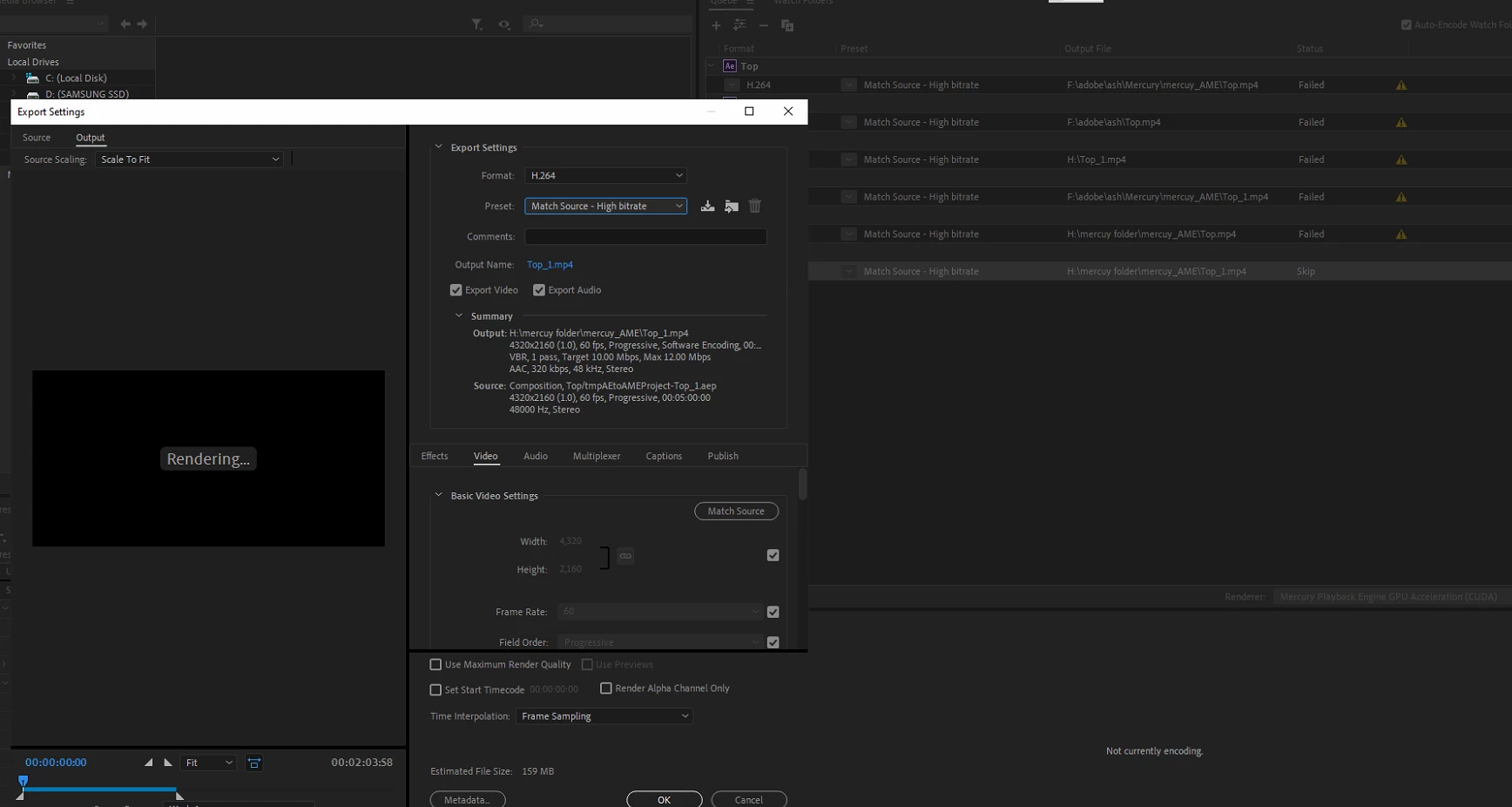
I'm trying to render one of my after effects projects but this error showed up and I don't know how to fix this issue:
- I7 8700k

- 64GB ram

- Rtx 2070


Width: 4320
Height:  2160

Frame Rate: 60
Length: 00:02:03:58

------------------------------------------------------------
- Encoding Time: 00:00:30
04/08/2020 06:48:00 PM : Encoding Failed
------------------------------------------------------------
Export Error
Error compiling movie.

Accelerated Renderer Error

Unable to produce frame.

Writing with exporter: H.264
Writing to file: \\?\H:\mercuy folder\mercuy_AME\Top.mp4
Writing file type: H264
Around timecode: 00:00:00:08
Rendering at offset: 0.000 seconds
Component: H.264 of type Exporter
Selector: 9
Error code: -1609629695

------------------------------------------------------------
Correct answer lockies51178003

So its the CC lens effect for some reason.

2 replies

Participant
July 20, 2020

I've had a similar issue. Had to go through my layers and see what effects were used at the time code shown. In your case it's 00:00:00:08. Deactivated one at a time and tried rendering it. Eventually tracked it down to a Glow effect (though weirdly, it does work on another layer?).


Traking what's wrong is tedious, and it's very annoying. I've seen quite a few forum questions with a similar issue. Almost all of them ask you to try to turn of hardware rendering or try some other setting. None of them work. You HAVE to go through your layers, and figure out what effect or layer is causing the problem, and disable it. If the effect is important, then you will have to try another way to recreate it.


I hope there's another way to resolve this, and wish adobe would look into this.

Participant
June 11, 2022

I am not a programmer or a professional graphic artist. I'm an indie author who is trying to make a 1:30 book trailer. I have removed and replaced the footage and text at the site that the issue occurs, and it keeps occuring. I have tried to follow the advice on this help site, unchecking various boxes, etc., but some of it requires me to be programmer apparently.


I am angry because I spent $30 this month on Adobe and I bought music for this planned video. Now all the money and time I have spent on this trailer is lost. It doesn't look like I will ever be able to export this video, because now when I try to, Premium Rush simply closes. It is maddening to get on this help site and find out that this has been an issue since 2017. 

Inspiring
March 22, 2026

Still ripping hair out in 2026

lockies51178003
lockies51178003AuthorCorrect answer
Participant
April 8, 2020

So its the CC lens effect for some reason.

CJCARNAHAN
Inspiring
May 13, 2021

I have this exact same problem but I don't have any "lens" effects on.