

Question
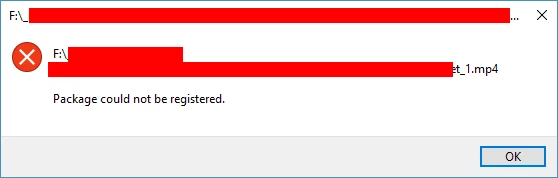
Error 'Package could not be registered.' Premiere to Encoder
The source file for my project is an mp4 I downloaded it plays fine on my system.
- I bring it into Premiere, it plays in there
- I make my edits and get ready for export
- I select my file type in Premiere for the export and select my settings (it doesn't matter if it's a MPG or MP4)
- I queue it up in Adobe Encoder, process it and when I go to play the finished file this is the error I'm getting:
I have uninstalled and reinstalled Premiere & Encoder, clearing my preferences in the process.
We have another computer in the office with both programs on it and the results are the same as above.
Both computers run on Windows 10. This just started happening last week, yet I don’t recall if I updated either program last week or not.
Any help would be appreciated!
Thank you


 AdChoices