


Participating Frequently
March 19, 2024
Question

Export a HEVC H265 fails, special format 12032 px x 96 px at 60 fps, 20 secs

  • March 19, 2024
  • 3 replies
  • 2359 views

Hi everyone,

I'm facing an issue with exporting a sequence from After Effects. The requirement is to export it as an mp4 file without audio, using the H.265/HEVC codec. Additionally, the target size is 12032px x 96px, with a frame rate of 60 fps and a duration of 20 seconds, as it's intended for display on an LED strip. The predicted file size is around 20 MB, which is good.


However, every time I try to export the sequence, I encounter an error message:

Error during export Error compiling the film.


Here are the export details:

  • Error during export
  • Error compiling the film.


  • Error during export


  • Encoder could not be created.


  • Writing with exporter: HEVC (H.265)
  • Write to file: ....Final.mp4
  • File type is written: HEVC
  • To timecode: 00:00:00:00
  • Component: HEVC (H.265) of type Exporter
  • Selector: 9
  • Error code: 3


Could the error be related to the size? Exporting at 12032px x 200px works fine, so I'm wondering if there's a minimum height requirement for HEVC encoding. 


I'm exporting using these specifications.
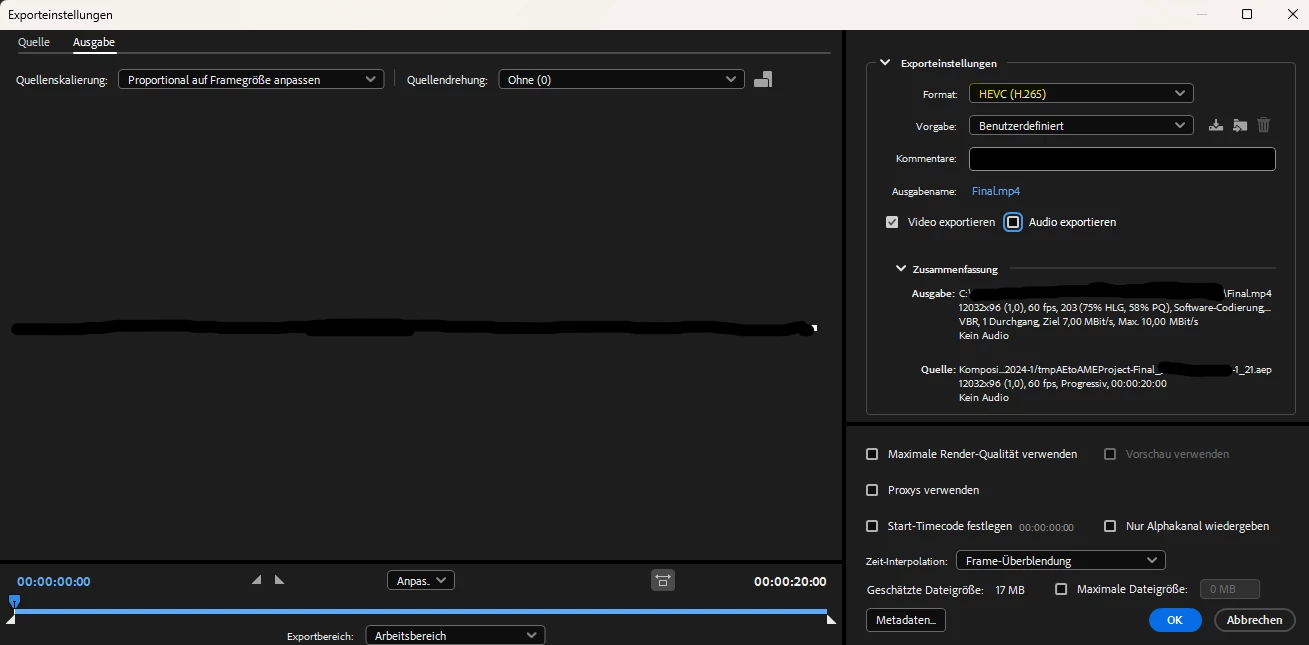
(Apologies for this being in German, but hopefully still understandable - I've blacked out some details, like the preview.)  

Any insights or suggestions would be greatly appreciated. Thanks!

3 replies

Adobe Employee
March 27, 2024

@Georg312657969jw0 Yes, on Windows at level 4.1 software encode is throwing error. With level 6.0 or higher it is working fine. Thanks for reporting this issue. We will look into it and try to resolve it as soon as possible.

CC : @Mayjain17122444 @khaneja 

Participating Frequently
March 27, 2024

@Khyati Gupta  Does the export work for you in the regular version of After Effects and Encoder, or do you also need to use the Beta version?

 
Adobe Employee
March 27, 2024

@Georg312657969jw0 It worked for me on regular(stable) version. I tried on Media Encoder.

Peru Bob
Community Expert
Community Expert
March 20, 2024

Try turning off Hardware encoding in the Video tab of the export settings.

Participating Frequently
March 21, 2024

Hey Peru Bob,

I've already tried that, but I'm still encountering errors. It seems to be a software issue. When I export it in another format and then use the same settings in Handbrake, it works fine. It appears that Media Encoder specifically struggles with H.265/HEVC at a small height and large width. This is the only explanation that sounds logical to me.


EckiAME
Community Manager
Community Manager
March 26, 2024

Did you also try direct export in After Effects? Asking our Formats friends about minumum frame sizes.

Participating Frequently
March 19, 2024

Apologies, I forgot to provide the system specifications. I'm not sure if they're important to you:
OS: Windows 11 23H2
Build: 22631.3296

After Effects: V24.2.1 (Build 2)
Media Encoder: V24.2.1 (Build 2)