

Mary @ Cerner
Participating Frequently
October 24, 2018
Answered

File Import Error: Could not read from source. Please check settings and try again.

  • October 24, 2018
  • 1 reply
  • 19898 views

I recently installed the latest Adobe CC 2019 on my Mac running Sierra OS.

I am trying to do a simple file conversion of a QuickTime movie with the codec Apple ProRes 422, Linear PCM 24-bit little-endian signed integer, 16 channels, 48000 Hz.

When I try to import it into Adobe Media Encoder, I get the following error.
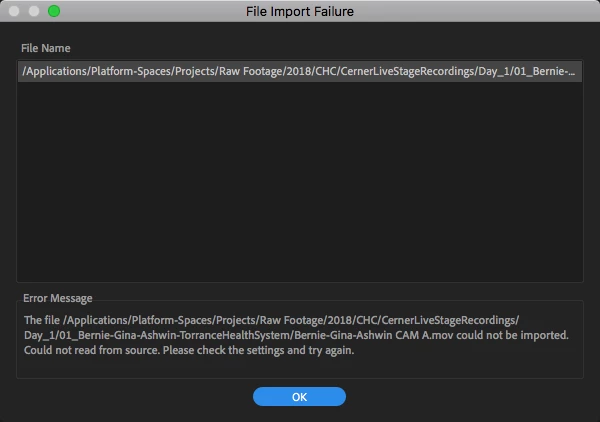
This topic has been closed for replies.
Correct answer MMeguro

Also, a team member outputted a project within Adobe AE as Lossless which automatically renders out as a Quicktime Apple ProRes codec on a Mac and that could not be imported into Premiere 2019 either. This is starting to sound like Apple ProRes is not a supported codec in the 2019 CC?


Looks like this issue is related to

Premiere pro CC19 : Fails importing quicktime Prores Files from Blackmagic Video Assist 5" recorder

Do you happen to have BlackMagic installed?

We are looking into the resolution of this issue.

1 reply

Mary @ Cerner
Participating Frequently
October 24, 2018

Just re-installed CC 2017 V 11.1.4 and the file encoding works fine but still the same error on the new version. So it seems to be something with the new version of Media Encoder.

Adobe Employee
October 24, 2018

Could you try deleting cache and see if it helps?

Please delete everything under the "Common" folder

Mac: /Users/Library/Application Support/Adobe/Common  (or ~/Library/Application Support/Adobe/Common from Finder's Go menu > Go Folder)

Mary @ Cerner
Participating Frequently
October 24, 2018

The only thing in there was Plugins > 7.0 > MediaCore

I deleted that and it still does not work in the new 2019 Media Encoder.