


Participant
July 29, 2023
Question

How to creating multiple outputs from one source via AME scripting?

  • July 29, 2023
  • 1 reply
  • 388 views

Hi,


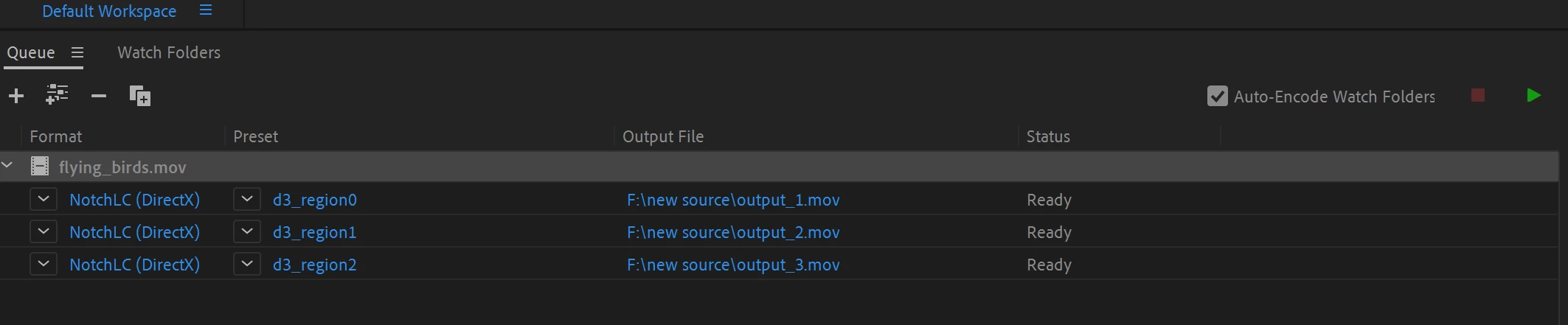
I am trying to add one source file into batch with multiple presets and multiple outputs. 

I can do that via the UI by either duplicating the render, or go to 'File > Add Output".


I am currently using addFileToBatch but it can only add a task with one preset and one outputs.

addFileToBatch(filePath: string, format: string, presetPath: string, outputPath:
string = ""): scripting object : Adds a file to the batch and returns an EncoderWrapper object.


Is it a way to achieve this in scripting?
 

This topic has been closed for replies.

1 reply

Participating Frequently
July 31, 2023

Hi,


it is not possible to create an batch item with multiple outputs via scripting API.
You have to create multiple items each with a single output. 


Best regards,

H. Hahn

Participant
September 1, 2023

Is Adobe going to fix this, it is an important feature?

EckiAME
Community Manager
Community Manager
September 1, 2023

You can use this to create batch grouped exports:

exportGroup(sourcePath: string, outputPath: string, presetsPath: string, matchSource: bool = false): bool
: Export the source with the provided list of presets. Returns true in case of success.