
Participant
February 20, 2017
Answered

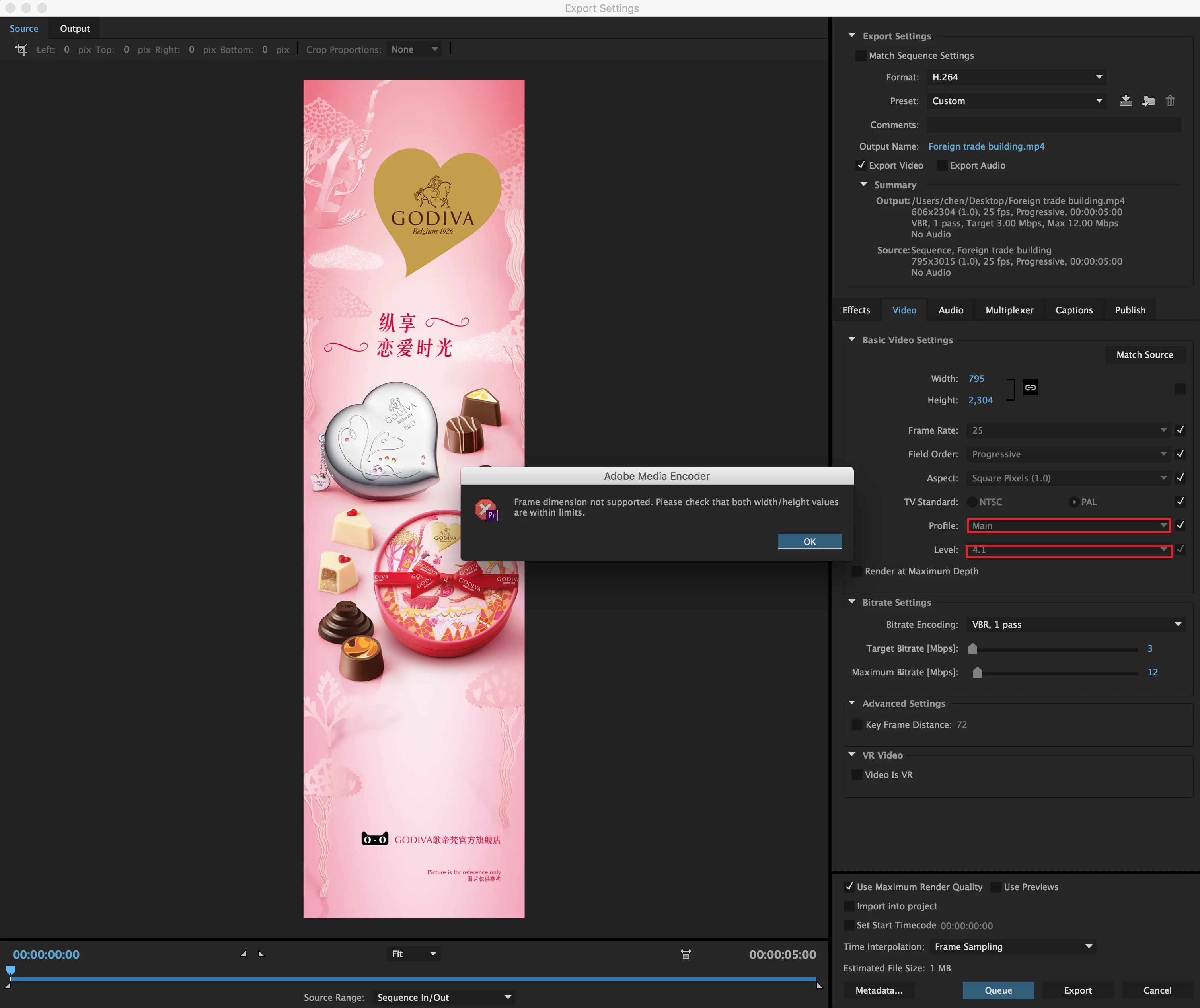
How to solve the export video when prompted error: Frame dimension not supported. Please check that both width/height valuse are within limits.
  • February 20, 2017
  • 1 reply
  • 3870 views

How to solve the export video when prompted error: Frame dimension not supported. Please check that both width/height valuse are within limits.

    This topic has been closed for replies.
    Correct answer kulpreet singh

    Hi Wenweic,

    I found out that you may be able to export with the dimensions you listed.

    Try it in "Basic Video Settings" with the following enabled:

    • Profile > High
    • Level > 5.0

    Thanks,

    Kulpreet Singh

    1 reply

    kulpreet singh
    Inspiring
    February 20, 2017

    Hi Wenweic,

    Which version of Adobe Media Encoder are you on?

    What is the source & resolution of your footage?

    Please attach a screenshot of the export settings.

    Thanks,

    Kulpreet Singh

    Participant
    February 21, 2017

    Thank you for your kind answer.

    I use Adobe Media Encoder CC 2015 and Adobe Premiere Pro CC 2015.

    I need to set the width of 795, height of 3015, but the height can only be up to more than 2304, after more than an error occurs.

    Can be set before, now don't know what happened.

    My English is limited, I hope you don't mind.

    kulpreet singh
    kulpreet singhCorrect answer
    Inspiring
    February 21, 2017

    Hi Wenweic,

    I found out that you may be able to export with the dimensions you listed.

    Try it in "Basic Video Settings" with the following enabled:

    • Profile > High
    • Level > 5.0

    Thanks,

    Kulpreet Singh