Participating Frequently
July 10, 2025
Answered

I can't find or add the upload panel for Media Encoder 2025

  • July 10, 2025
  • 1 reply
  • 303 views

With the older encoder the upload panel was always on the right side (I never needed to move it). Sometime after I upgraded to 2024 the panel disappeared. I haven't done any work in almost a year so now it's just become a problem. i upload to multiple locations. 


Can't find that panel anywhere and can't find a post that anybody else is missing it (iincluding searching here)


fp

Correct answer Stan Jones

@franklinpoole,


You're looking at the relatively newer PR "modes" (Import, Edit, Export). When you go to the PR Export mode, you see a new look to the Export Settings, and the "Destinations" are on the left. 


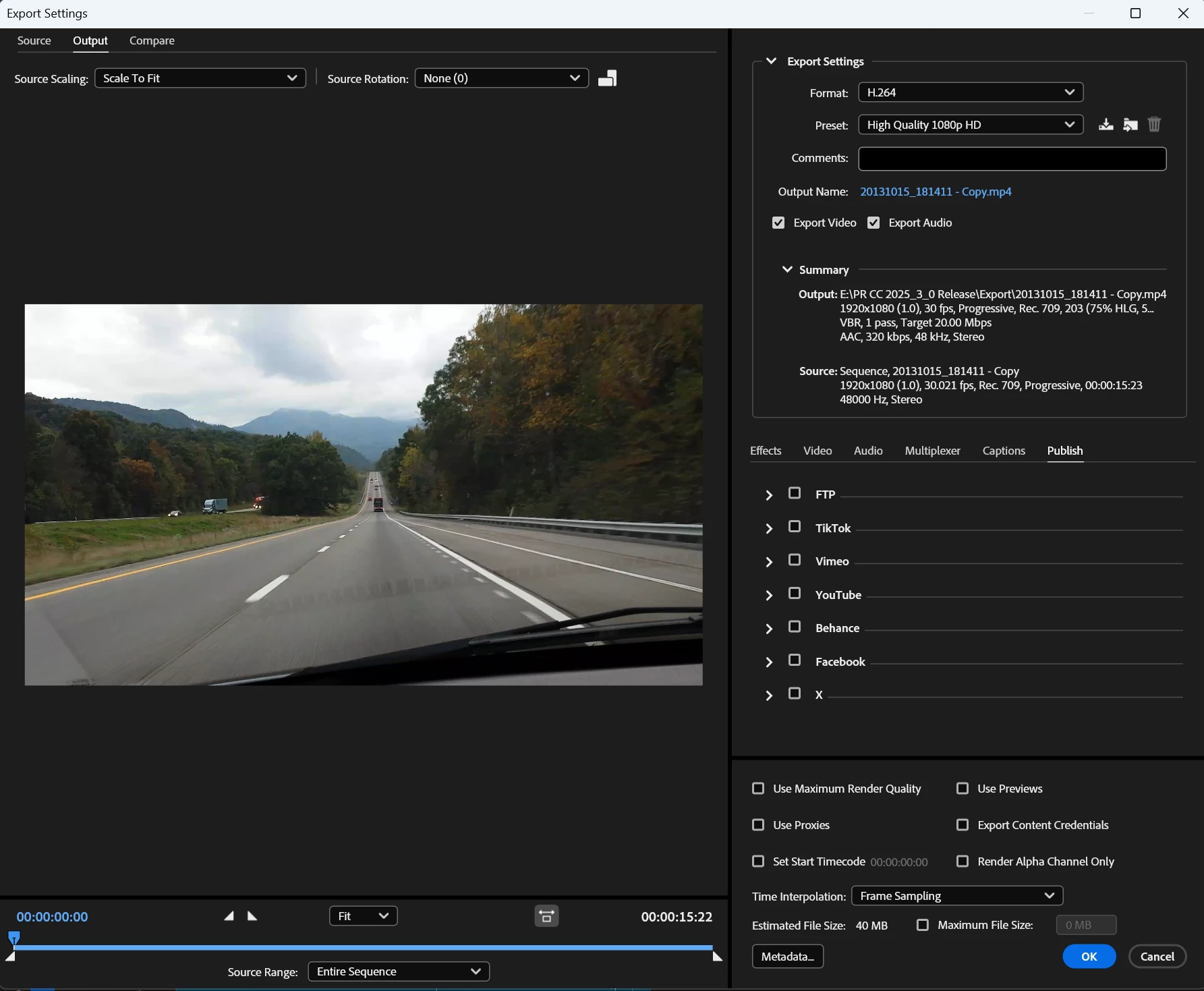
In Media Encoder, you see the old style Export Settings, and the "Publish" tab is where the destinations are.


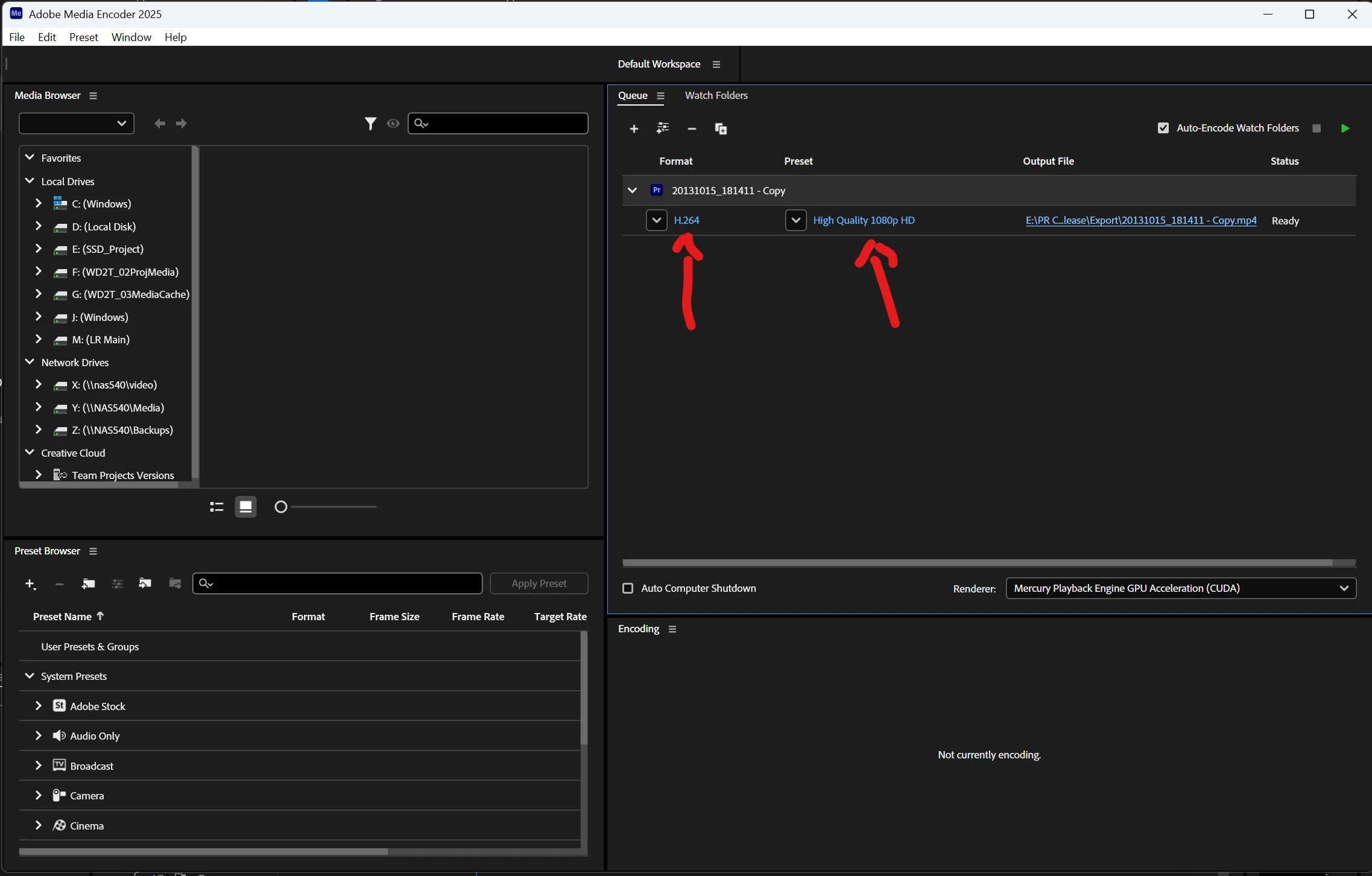
To get to the Export Settings in AME, click on the format or preset link in the item in the queue list. Screenshots below.


Stan


Format and Preset links in AME queue.

Publish tab in export settings. 

1 reply

Stan Jones
Community Expert
Community Expert
July 11, 2025

@franklinpoole,


No idea if this changed at some point. But click on the queue to go into the Export Settings for that item. Pick the Publish tab.


A tutorial from 2022 shows it the same way.


Stan


Participating Frequently
July 11, 2025

OK. My slow self finally figured it out. i've been out of Premiere (mostly) for at least two years for many reasons....

The export feature is NO LONGER in Adobe Media Encoder. It's IN PREMIERE itself. Don't know how I missed it.

Surprised no one has chimed in on this. See the attached graphic. The PROJECT PANEL (i think that's the name) has "import", "edit", "export".  The "export" tab is the one that used to be in Media Encoder. Now I'll have to explore the new options from Premiere. That will actually make my life easier and lessen the need for Media Encoder.


Hawkeye The Video GuyFort Worth, TX
Stan Jones
Community Expert
Stan JonesCommunity ExpertCorrect answer
Community Expert
July 11, 2025

@franklinpoole,


You're looking at the relatively newer PR "modes" (Import, Edit, Export). When you go to the PR Export mode, you see a new look to the Export Settings, and the "Destinations" are on the left. 


In Media Encoder, you see the old style Export Settings, and the "Publish" tab is where the destinations are.


To get to the Export Settings in AME, click on the format or preset link in the item in the queue list. Screenshots below.


Stan


Format and Preset links in AME queue.

Publish tab in export settings.