


Participant
January 29, 2022
Answered

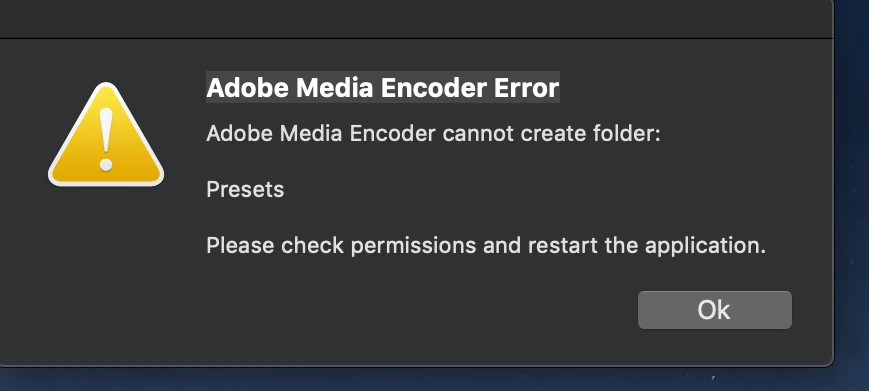
Media Encoder 2021 won't open: "Cannot Create Folder: Presets"
  • January 29, 2022
  • 4 replies
  • 4378 views

Have been using ME reliably on a 2015 iMac running Mojave. Today I get this error when opening progaram...have reinsatalled ME and then Creative Cloud, still not resolved. This is the only program affected. 

    This topic has been closed for replies.
    Correct answer Mags22892803

    I have resolved this, my Documents folder had been moved to iCloud, and when I turned iCloud off it did not restore Documents to my user folder...it was hidden somewhere else. All good now and working.

    4 replies

    Participant
    December 12, 2022

    I just wanted to add another solution since the other answer did not work for me but I figured it out.

    This is the error I got:
    Adobe Media Encoder cannot create folder:
    /Users/username/Documents/Adobe/Adobe Media Encoder/23.0/Presets
    Please check permissions and restart the application.

    1. Go to the folder /Users/username/Documents/Adobe/Adobe Media Encoder/23.0/
    2. Right click on the folder "23.0" (or whatever verison number is there for your most recent install verison of media encoder), click "get info"


    3. Go to the sharing and permissions section (pictured above) and click the little lock in the bottom right corner. You should be prompted to type in your computer admin username and password. Do that.
    4. Now look at the options "system, staff, everyone" this is how the permissions should be configured for each one (proper congiuration also pictured above):
    System: Read & Write

    Staff: Read & Write

    Everyone: Read only
    5. My computer had Staff set to Read Only, I changed it to Read & Write and then media encoder could open properly again and worked perfectly.
     

    Hope this helps someone else struggling.

    Participant
    June 6, 2024

    It's help me so much;)) Thanks!

    Mags22892803AuthorCorrect answer
    Participant
    January 30, 2022

    I have resolved this, my Documents folder had been moved to iCloud, and when I turned iCloud off it did not restore Documents to my user folder...it was hidden somewhere else. All good now and working.

    Community Manager
    January 30, 2022

    Hi there,


    Sorry to hear about this. Are you still experiencing this issue? If so, please ensure that your user account has read & write permissions for the Documents\Adobe\Adobe Media Encoder directory. Let us know if you have any questions.


    Thanks,

    Sumeet

    Peru Bob
    Community Expert
    Community Expert
    January 29, 2022

    I've moved this from the Using the Community forum (which is the forum for issues using the forums) to the AME forum so that proper help can be offered.