


Participant
December 12, 2024
Answered

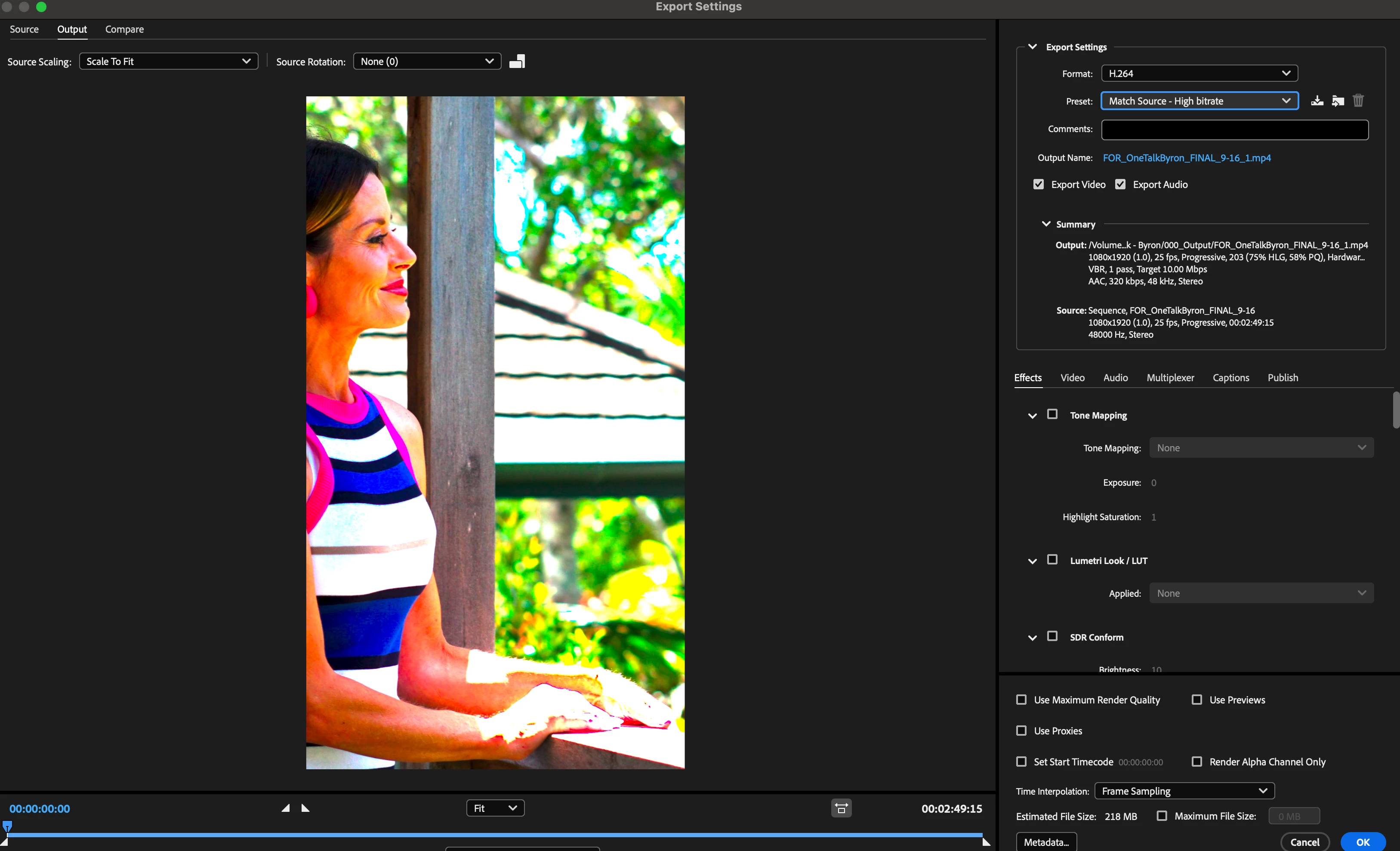
Media Encoder 25.1 colour is so broken! Blowing out the saturation/changing colour space!

  • December 12, 2024
  • 3 replies
  • 253 views

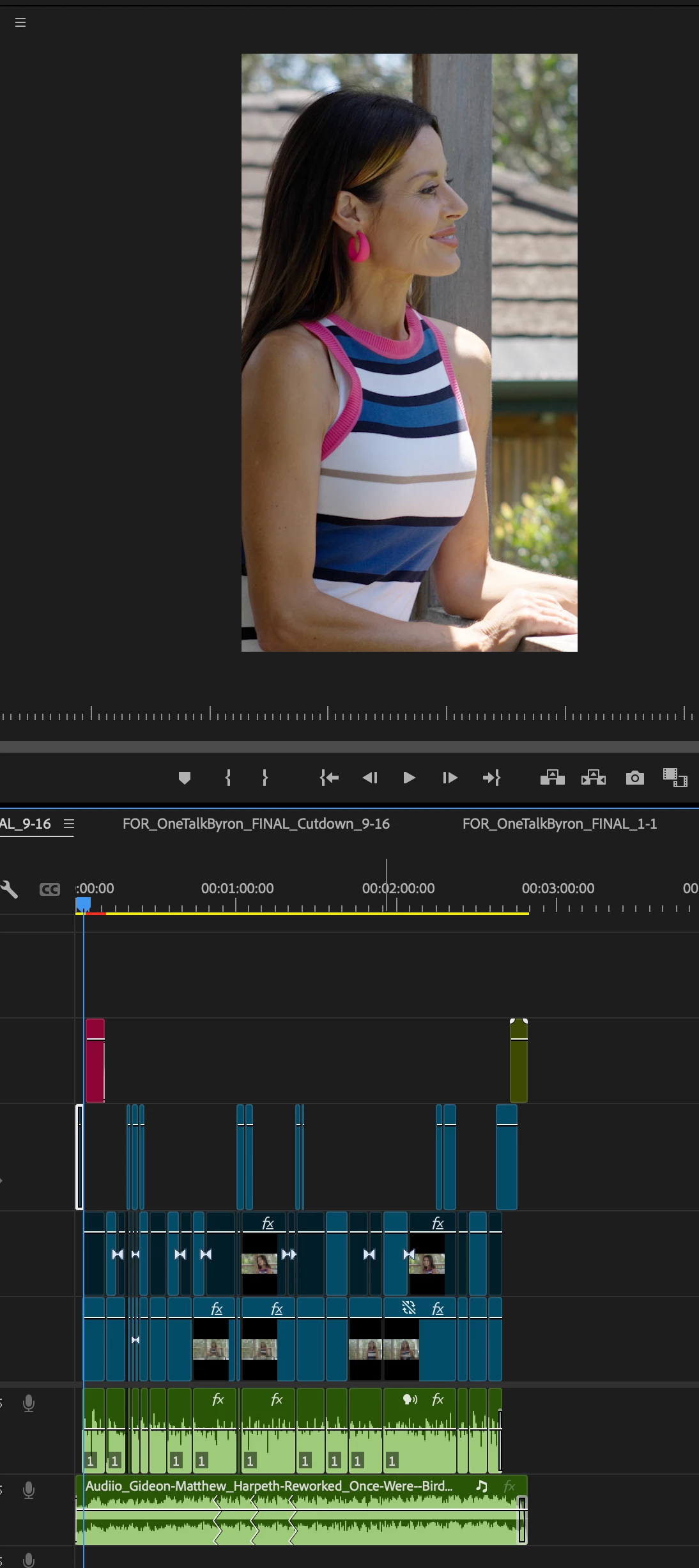
Since updating, when I send an h.264 from Premiere to Media encoder it EXPLODES the colours. See reference pics. No idea why and I can't find anything that fixes it. Tried colour spaces, interpretation, all the normal stuff. it's just broken! Help??
This topic has been closed for replies.
Correct answer Desmond23864040y3ur

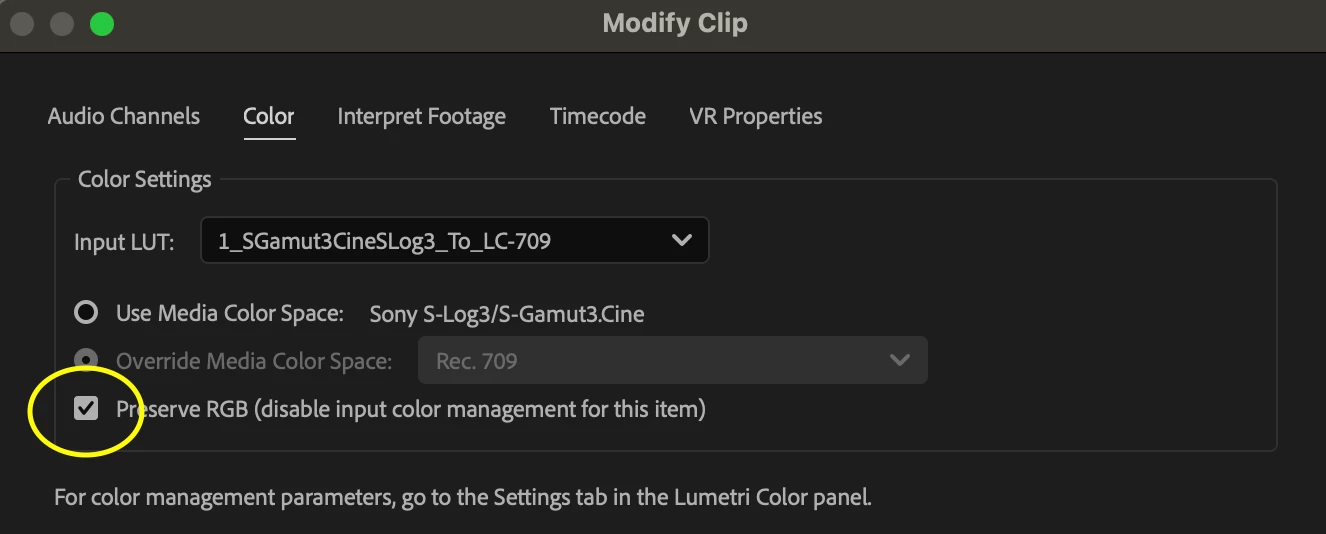
SOLVED: I use the sony input lut instead of Adobe's native one. There is now a check box on the colour settings tool that says PRESERVE RGB. This needs to be checked if you're using this before sending anything to media encoder. Here's a screenshot, hope this helps anyone having the same issue! 

3 replies

Desmond23864040y3urAuthorCorrect answer
Participant
December 16, 2024

SOLVED: I use the sony input lut instead of Adobe's native one. There is now a check box on the colour settings tool that says PRESERVE RGB. This needs to be checked if you're using this before sending anything to media encoder. Here's a screenshot, hope this helps anyone having the same issue! 

Participant
December 16, 2024

tried this and no beuno...


UPDATE: This is only happening to the footage filmed on my A7iv in Slog3Cine. I'm assuming it's an HLG issue or something similar but I can't find a toggle or check box that makes a difference. I've tested everything I can see, including in the media encoder settings.

Peru Bob
Community Expert
Community Expert
December 15, 2024

Try turning off Hardware encoding in the Video tab of the export settings.