
richard_fryer
Participant
May 11, 2020
Answered

Media encoder can run - but Premiere Pro does not see it

  • May 11, 2020
  • 1 reply
  • 939 views

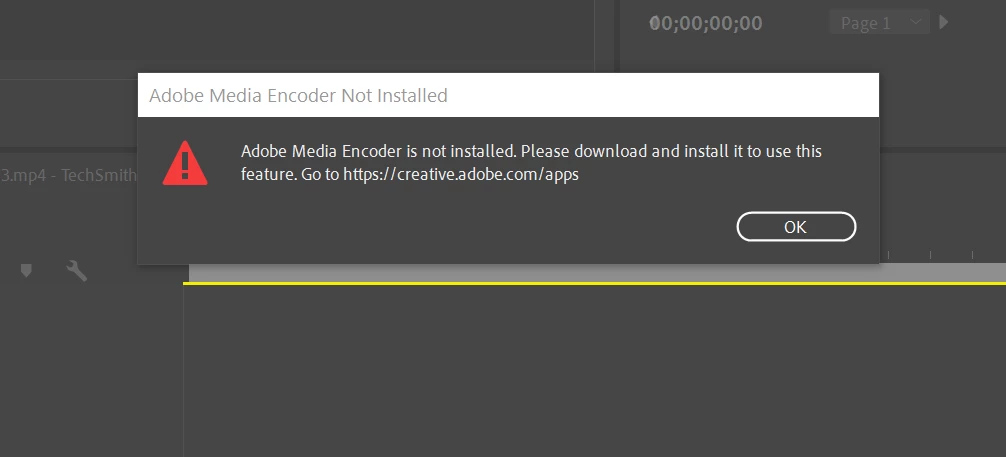
After the last batch of auto updates to CC I can not export Pr sequences to the Media encoder.  I get an error like this:  Tried uninstalling Me and reinstalling; same for Pr - still get the same result.  Even running Me while I'm using Pr does not work.  Pr encodes OK so there is an inconvenient workaround.  Not even youtube solutions help (there's a lot of them).  Any suggestions?
This topic has been closed for replies.
Correct answer richard_fryer

Thanks for catching my problem.  When I 'updated all' I thought my start icon for Pr would point to the new version but it does not - it pointed to 13.1.5.  Fixing the icon to point to the new version fixed the dynamic link.  Thank you again. 

1 reply

gupta shivangi
Legend
May 16, 2020

Hi Richard,

Thanks for contacting us. Dynamic link works only when the version for both of the applications are in sync. Could you confirm the version of the Adobe applications? You may refer to this article: https://community.adobe.com/t5/premiere-pro/faq-how-to-find-the-exact-version-of-premiere-pro-you-re-using/td-p/8241053

We're here to help.

Best,

Shivangi


richard_fryer
richard_fryerAuthorCorrect answer
Participant
May 16, 2020

Thanks for catching my problem.  When I 'updated all' I thought my start icon for Pr would point to the new version but it does not - it pointed to 13.1.5.  Fixing the icon to point to the new version fixed the dynamic link.  Thank you again.