
Media Encoder Error 0XC0000005
Hi,
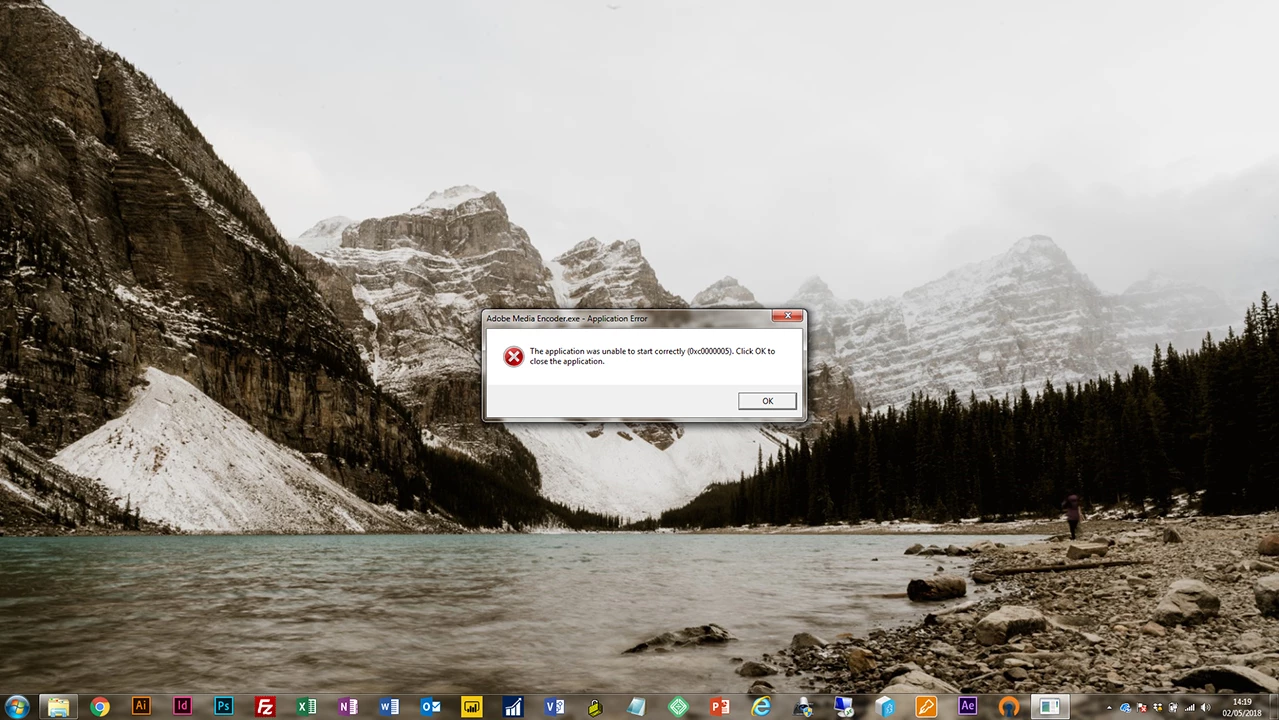
I've not used Media Encoder for a few months, but now that i come back to it, it refuses to start. It provides error code 0XC0000005. I've removed the application and re-installed twice - once retaining preferences and once removing them.
Any ideas on how to fix are more than welcome. Full error copy below:
Log Name: Application
Source: Application Error
Date: 02/05/2018 14:47:50
Event ID: 1000
Task Category: (100)
Level: Error
Keywords: Classic
User: N/A
Computer: laptop-06.WEMS.local
Description:
Faulting application name: Adobe Media Encoder.exe, version: 12.1.1.12, time stamp: 0x5acd3283
Faulting module name: ntdll.dll, version: 6.1.7601.23569, time stamp: 0x57f7c06e
Exception code: 0xc0000005
Fault offset: 0x000000000004dc9d
Faulting process id: 0x3b58
Faulting application start time: 0x01d3e21c27dd31c6
Faulting application path: C:\Program Files\Adobe\Adobe Media Encoder CC 2018\Adobe Media Encoder.exe
Faulting module path: C:\Windows\SYSTEM32\ntdll.dll
Report Id: 67311e8c-4e0f-11e8-961c-a4ec7a288aaa
Event Xml:
<Event xmlns="http://schemas.microsoft.com/win/2004/08/events/event">
<System>
<Provider Name="Application Error" />
<EventID Qualifiers="0">1000</EventID>
<Level>2</Level>
<Task>100</Task>
<Keywords>0x80000000000000</Keywords>
<TimeCreated SystemTime="2018-05-02T13:47:50.000000000Z" />
<EventRecordID>852076</EventRecordID>
<Channel>Application</Channel>
<Computer>laptop-06.WEMS.local</Computer>
<Security />
</System>
<EventData>
<Data>Adobe Media Encoder.exe</Data>
<Data>12.1.1.12</Data>
<Data>5acd3283</Data>
<Data>ntdll.dll</Data>
<Data>6.1.7601.23569</Data>
<Data>57f7c06e</Data>
<Data>c0000005</Data>
<Data>000000000004dc9d</Data>
<Data>3b58</Data>
<Data>01d3e21c27dd31c6</Data>
<Data>C:\Program Files\Adobe\Adobe Media Encoder CC 2018\Adobe Media Encoder.exe</Data>
<Data>C:\Windows\SYSTEM32\ntdll.dll</Data>
<Data>67311e8c-4e0f-11e8-961c-a4ec7a288aaa</Data>
</EventData>
</Event>
Cheers
Phil


 AdChoices