


Participant
June 3, 2022
Answered

Media Encoder preparing audio takes forever

  • June 3, 2022
  • 2 replies
  • 766 views

Hey everyone,


So, I'm working on this interview with a multicam setting. Once I am done editing, I'm trying to export the project and then, Media encoder (or Premiere for that matter) will start preparing a lot of audio tracks that do not even exist and it goes on forever, like 15 or 20 minutes. Doesn't matter if the whole timeline is exporting or only a few seconds, it will always do that and the same happened with previous multicam sequences.



As you can see, it is preparing 20 Audio files. But the thing is, I'm only using 2 ZOOM files and a few transition sounds, all of it set on 3 audio tracks.
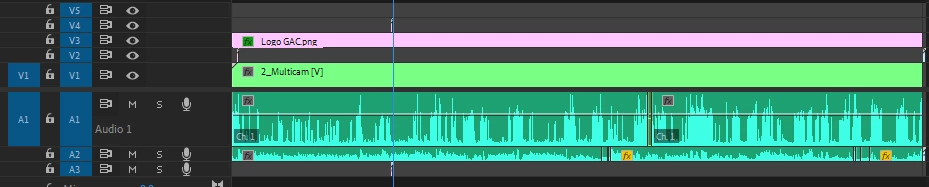
 

I've looked into multiple troubleshooting options, none of them worked. Does anyone have come up with this problem and solved it?

I'm currently running on Premiere Pro 22.4, Media encoder 22.4. My PC is admittedly a bit old: intel(R) Core i5-4460 CPU Quadcore @3.20GHz, 12Go RAM DDR3 and a GTX 1070 but I've exported denser projects with motion design without such a problem.


Thanks for your help!

This topic has been closed for replies.
Correct answer eckiAMETeam

I am happy to report that we have fixed the conforming issues. Please have a look at the latest AME Beta 24.3 builds.

2 replies

EckiAME
Community Manager
Community Manager
August 31, 2023

Sorry for your issues. Would you be able to share a project? I would like to look nto it. I can private message you the instructions.

eckiAMETeamCorrect answer
Adobe Employee
February 6, 2024

I am happy to report that we have fixed the conforming issues. Please have a look at the latest AME Beta 24.3 builds.

Luis Azcona
Inspiring
January 12, 2023

hi. This is still happening to me. have you found the answer to this? 

thxapproved2
Inspiring
August 31, 2023

I was informed by an Adobe software person, that, unfortunately, the exporter is dumb (for lack of a better word). Whether you are exporting the full timeline, or just bits and pieces, it must render any audio that exists on that particular timeline before it can export the segment. It's not smart. Hopefully they can fix it. It makes my batch render times take forever sometimes.

For example, I may create several edits on one timeline. Then, I export those various bits-and-pieces for the web. AME must render the entire timeline audio, just to be able to export a single portion. The only current way around it is to create separate sequences for everything.

ADOBE, are you listening? Please FINALLY address this.

Thank you!