
Media Encoder Slows PC while Exporting from After effects
Hi all.
I have read a lot of discussions lately about Media Encoder slowing the PC down. I have the similar issue. As I could see, people have trouble answering the topic because of lack of information. I have gathered all evidences I could. Hope this will help and will be glad to hear an answer from you.
First of all, my specs.
Product:
AME CC 2017 update from April 2017
After Effects CC 2017 update from April 2017
PC Specs:
Motherboard: MSI Z170-A PRO (MS-7971)
CPU: Intel(R) Core(TM) i7-6700K CPU @ 4.00GHz
Video: Gigabyte G1 NVidia GeForce GTX 1080 8GB
RAM: Team Group 16GB (8x2) 2400 GHZ
1 HDD split in 3 disks and 1 SSD where Windows and Adobe installed
Project used: https://bit.ly/2n4wtIy (not mine), free, found on YouTube.
Project Name (from folder): Unknown geometry.
Now the issue.
As I could see, AME, when started, starts to use "Handles" process.
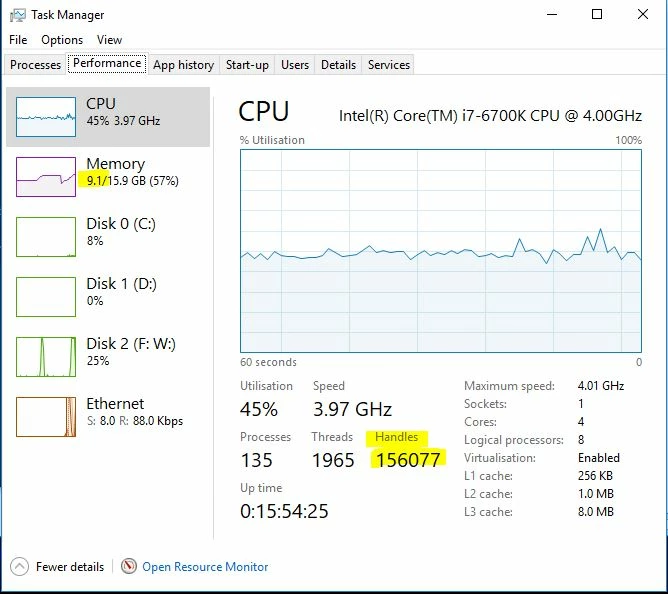
As the project is running, "Handles" process is starting to increase in size (mine in standby is around 40k, in picture you can see already over 156k).
As this number increases, the PC starts to slow down. and at one point (in my case 2+ million) PC starts to lag like windows 95 when lunching Overwatch.
In this situation I used 2 projects (same original project, but with 2 different modification and file name saves) and as you can see, after one project (approximate 1 hour) the handles still where increasing but did not reset by logic.
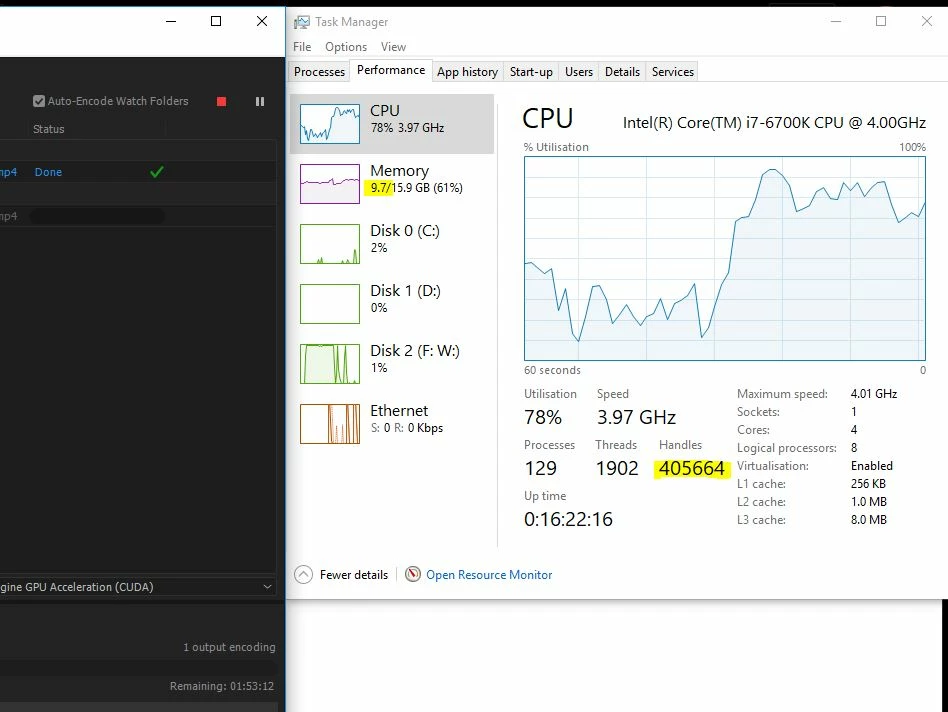
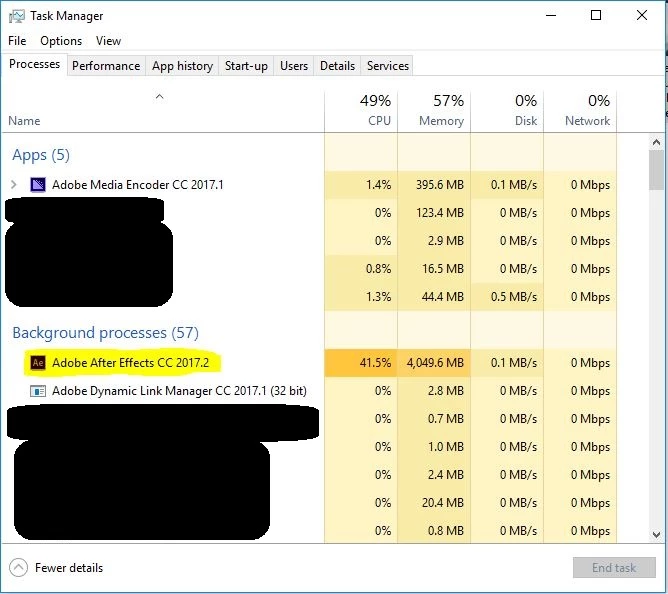
As I found out, this "Handles" number was working because of a background process of After Effects as in picture below (this is not the Application but a background process!!!), which is bound to the AME.
As a workaround of this, I kill the background process. This is not harming the Encoding, the AME starts another Adobe After Effects process and starts over from the beginning. As you can see, my "handles" number decreases to the lowest point and starts again. As you can see, the second projects still runs.
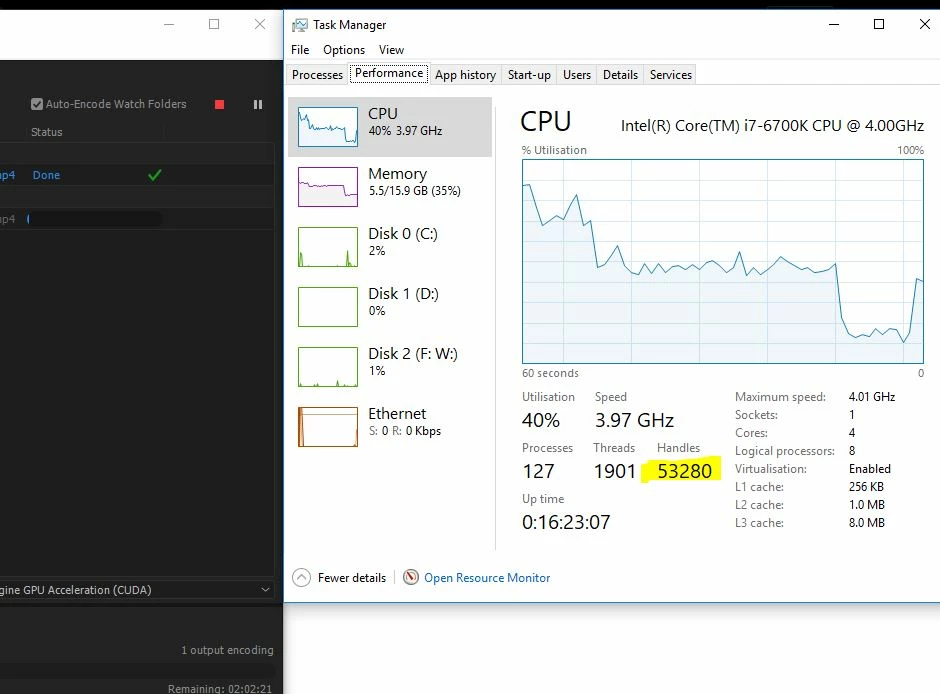
And the last picture is the RAM allocated to the AME.
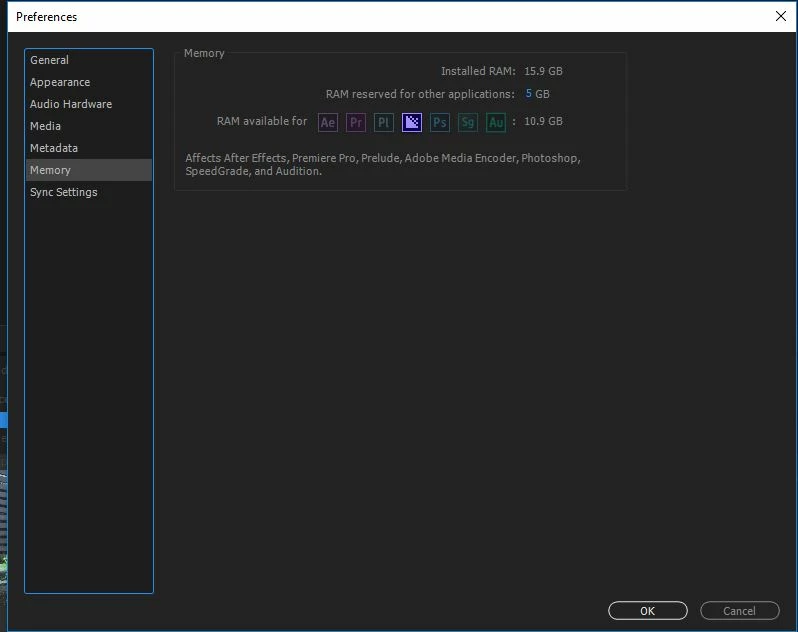
Anyway, as I saw, that if the process is killed after 2 million "Handles" (in my case), the project Fails with the message "Stopped by user".
I am relatively new to the After effects hard rendering and I cannot confirm this issue on earliest Version (had CC 2015 before).
I can confirm no issue on Premiere Pro tho (up to 20 projects left to render at night in queue almost for 1 year).
These are my finding and you have the access to the folder and all data I could gather.
I would really appreciate an answer as it is really disturbing killing the background process every 2 hours.
As the end point, and because we are professionals here, I would really appreciate skipping the parts involving: clear cache from after effects, save the project to one disk but export to another, export to SSD, reinstall the application and other things as they were already done several times.
Thanks to all and hope I could help.


 AdChoices