


Participant
Dec 4, 2021 10:49 PM UTC
Question

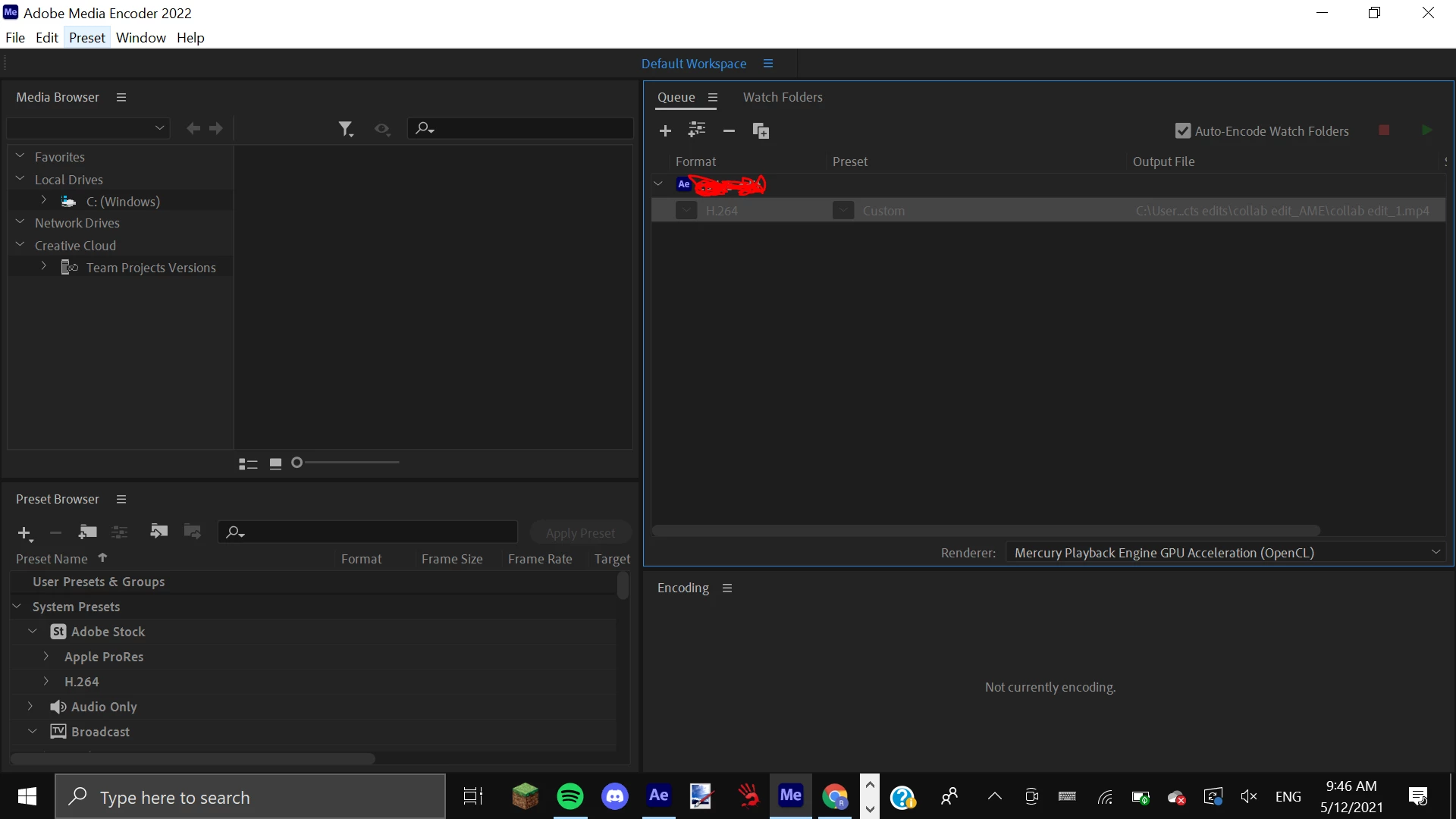
Media Encoder stops rendering half-way and all settings are greyed out - help!

I'm trying to render a project from Adobe After Effects 2022 in Adobe Media Encoder 2022. I have the up-to-date versions on both of them. I put in all of my settings and click the start render button. Suddenly the render stops and all buttons + settings are greyed out. I cannot restart the render, nor change my settings. I have had no luck finding this problem or any solutions on any other forums. I have purchased the legitimate version of Adobe Creative Cloud and I am a little bit new to all of this. This is how AME looks after it stops rendering.
 

This topic is closed to new replies. Start a new post to keep the conversation going.

4 replies

gupta shivangi
Legend
Dec 22, 2021 12:34 PM UTC

Hi there, 


We're sorry for the trouble. Could you test the issue after disabling the Hardware encoding under Preferences > Media?

Let us know the outcome.


Thanks,

Shivangi

Translate
Participating Frequently
Dec 6, 2021 10:57 AM UTC

I know it's not right solution. But work must be done, right? 
Fast solution is to take .mov file (that you make in AE) and drop it into Photoshop. Then go to File / Export / Render video. 
Works for me every time.

Translate
rhiaaAuthor
Participant
Dec 6, 2021 10:05 PM UTC

Thank you for your response. Just wondering, can you drop .AVI files into Photoshop? And when you render the video, how is the quality?

Translate
Participating Frequently
Dec 7, 2021 7:16 AM UTC

Don't think so. At least I couldn't make it ...

Translate