Yes. I have H264 under video codec option.
I already tried uninstalling and re installing Quick Time player. but didnt help
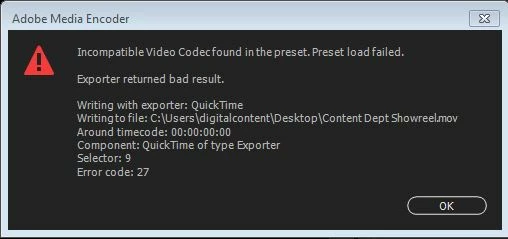
I checked the spec of your PC. It seems your PC has more than 16 CPU cores. Unfortunately, Windows version of QuickTime from Apple doesn't support 16+ CPU Cores (including HyperThreading) for H.264 encode. As Media Encoder relies on QuickTime for QT H.264 encoding, Apple needs to fix this problem on their side, which is unfortunately unlikely as Apple no longer supports Windows QuickTime.
One possible workaround is to reduce the number of CPU cores used in your PC. You can disable HyperThreading or some CPU cores so that the CPU core used in OS doesn't exceed 16 cores. You should be able to change CPU cores in BIOS settings.
Hope this helps.




 AdChoices