
Participant
July 17, 2012
Question

No Audio From Source

  • July 17, 2012
  • 12 replies
  • 36381 views

Hi guys,

I'm trying to convert .mts files to .f4v or some other working format in AME but AME shows that there is No Audio in the source as below.
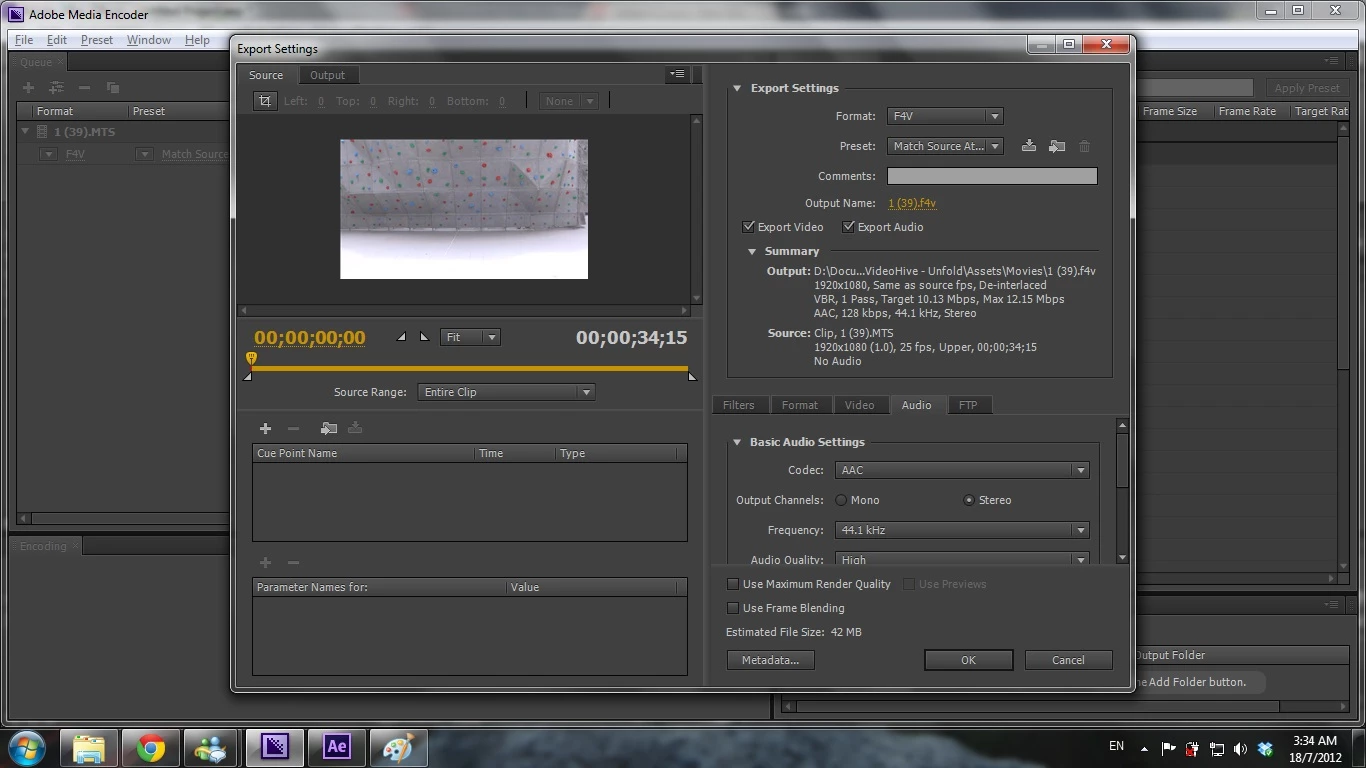
When I click the encode button, true enough, the output file doesn't have any audio in them.

I'm 100% sure my .mts files have audio in them, I can hear them pretty loudly when played in VLC.

Any idea why and how to resolve this? Thank you.

    This topic has been closed for replies.

    12 replies

    Participating Frequently
    August 28, 2012

    I am having a similar problem.  If I export a timeline fom premiere pro using media encoder the output file has audio.  If I feed the same clip I used in premiere directly into media encoder it has no audio.

    I've tried every setting I can and have disabled the metadata output but nothing works.  I believe media encoder is failing to conform the audio.  Does anyone have any suggestions?  I cannot believe that there's not a solution for this yet!  Common adobe fix this!!!!!

    Mark Mapes
    Participating Frequently
    August 28, 2012

    Lockwood,

    Exactly what type of clip is it? Is it muxed or demuxed? Please provide a test clip and specify your exact export settings so that we can try to reproduce the issue.

    Also, let me note that in your lament that we haven't fixed "this" yet, you're making two assumptions that are far from substantiated:

    1. that you and Lonefencer are encountering exactly the same issue.
    2. that the cause of the issue is a bug in AME (or another Adobe app).
    Participating Frequently
    August 28, 2012

    Hi Mark,

    This footage was shot using a Sony NX5.  It is AVCHD muxed .MTS.  It's faily large, over 300MB, but theres a link to it here: www.orderlockwood.com/AMEaudio.zip.

    I've been doing further testing and I'm having a hard time replicating this problem.  I've tried recording clips in the camera and encoding them, and they all seem to work.  It appears that there is something peculiar with this batch of files, which were all shot on one SD card.  Footage from the second day of shooting is all fine.

    All of the clips in question will not export audio from AME CS6 on both of my computers.  They will export audio through Premiere Pro, and through AME CS5 on a third computer.  I do not recall if the audio format for this clip was Dolby or LPCM, but I wonder if that could play a part.

    What could cause something like this?  A bad SD card?  A setting on the camera?  Can you elaborate as to why it would work when exported from Premiere and AME CS5 but not CS6?  Thanks for your help!

    Dmitri Graf
    Adobe Employee
    Adobe Employee
    July 17, 2012

    Hmmm, the file header might be corrupted.

    Might also be Metadata. Try the following:

       - Edit menu -> Preferences... -> Metadata

        - Uncheck "Write XMP ID to Files on Import"

        - Source Metadata -> Preservation Rules: Exclude All

    Let us know if it works.

    Also, do you know what encoded this file?

    Participant
    July 17, 2012

    Hey Dima,

    Thanks for the reply but it didn't work. I have no idea what encoded this file, it might be a direct recording from the the camera itself.

    I got it off from a client who has these raw footages in .mts and wanted to import them into AE CS6. I know there are some issues with .mts audio in AE CS6, I ran into them, so I was hoping to batch convert these .mts into something workable.

    Thank you for the idea. Will it help if i upload the file for you to try out? Any other solutions?

    Adobe Employee
    July 17, 2012

    Could you also tell me which Adobe CS6 applications are installed?  I was wondering if the file contains the Dolby audio.  AME needs Premiere Pro CS6 to be installed to process Dolby.