
Set Timecode issue in export.
Hi. I'm trying to find a way to export a video (using in and out on sequence instead of entire clip) with a sidecar caption, that allows for the timecode to be reset at 00:00:00.
Here's the problem:
The goal is to take a finished broadcast version (with bars/tone/slate at the beginning for broadcast) and export it from in/out points with a sidecar file. I need the sidecar file timing to start at 00:00:00 just like the video so when it uploaded online, it matches the start of the video. However, it keeps using the timecode from the original sequence/clip.
Here's what the side car file looks like after export:
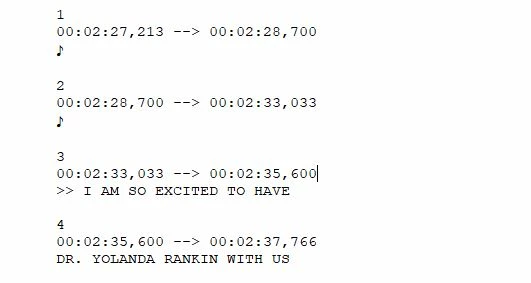
As you can see, it keeps the original time code. If I have exported a 30 second video, the fact that this time code starts more than 2 minutes in means I will not have any captions if I put it on line.
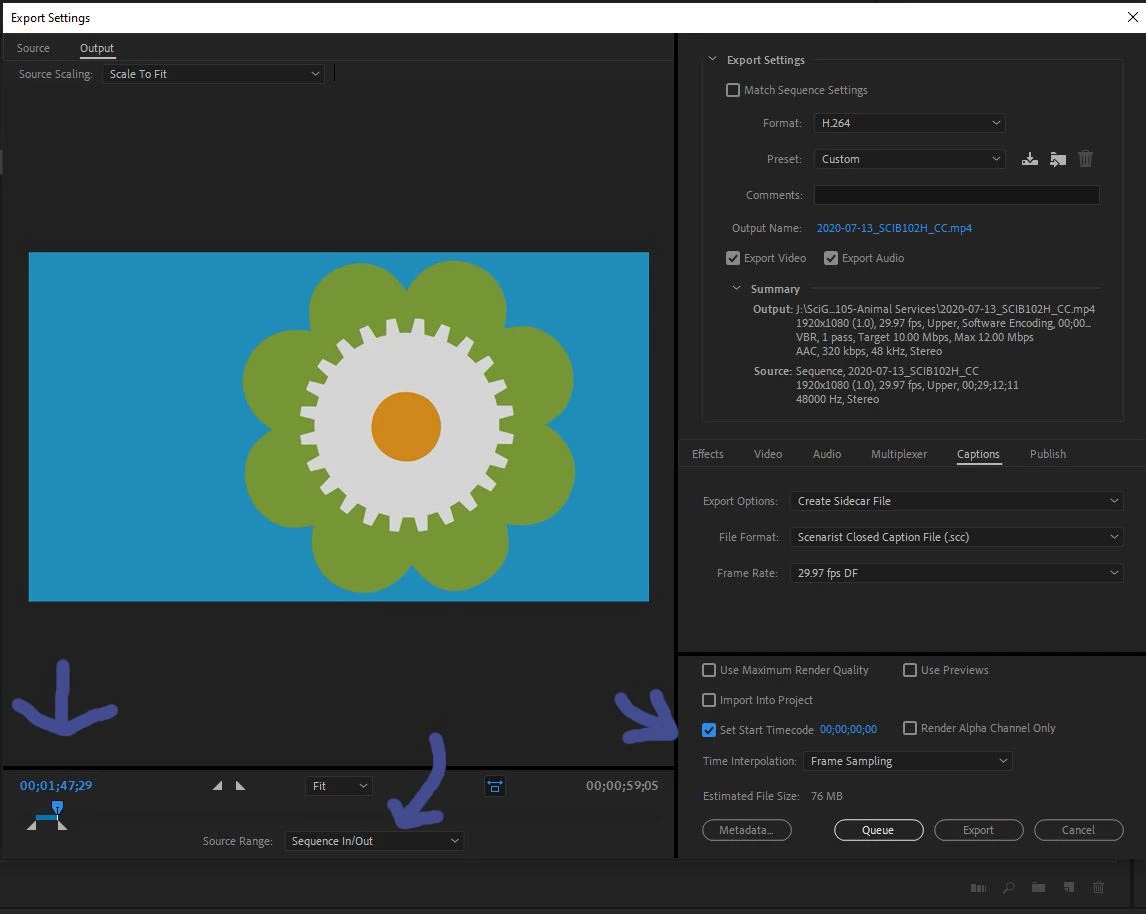
I have tried to change the export settings on Media Encoder (and Premiere), but I have not had any luck with the "Set Start Timecode" function. Here's what it looks like when I try to set it up:
I would appreciate any and all advice on this.
Thank you!!!


 AdChoices