Participant
Apr 10, 2019 2:49 PM UTC
Question

Target CBR 15mbps bitrate renders far lower.

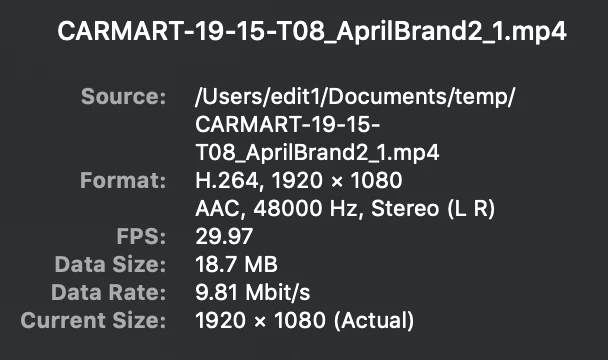
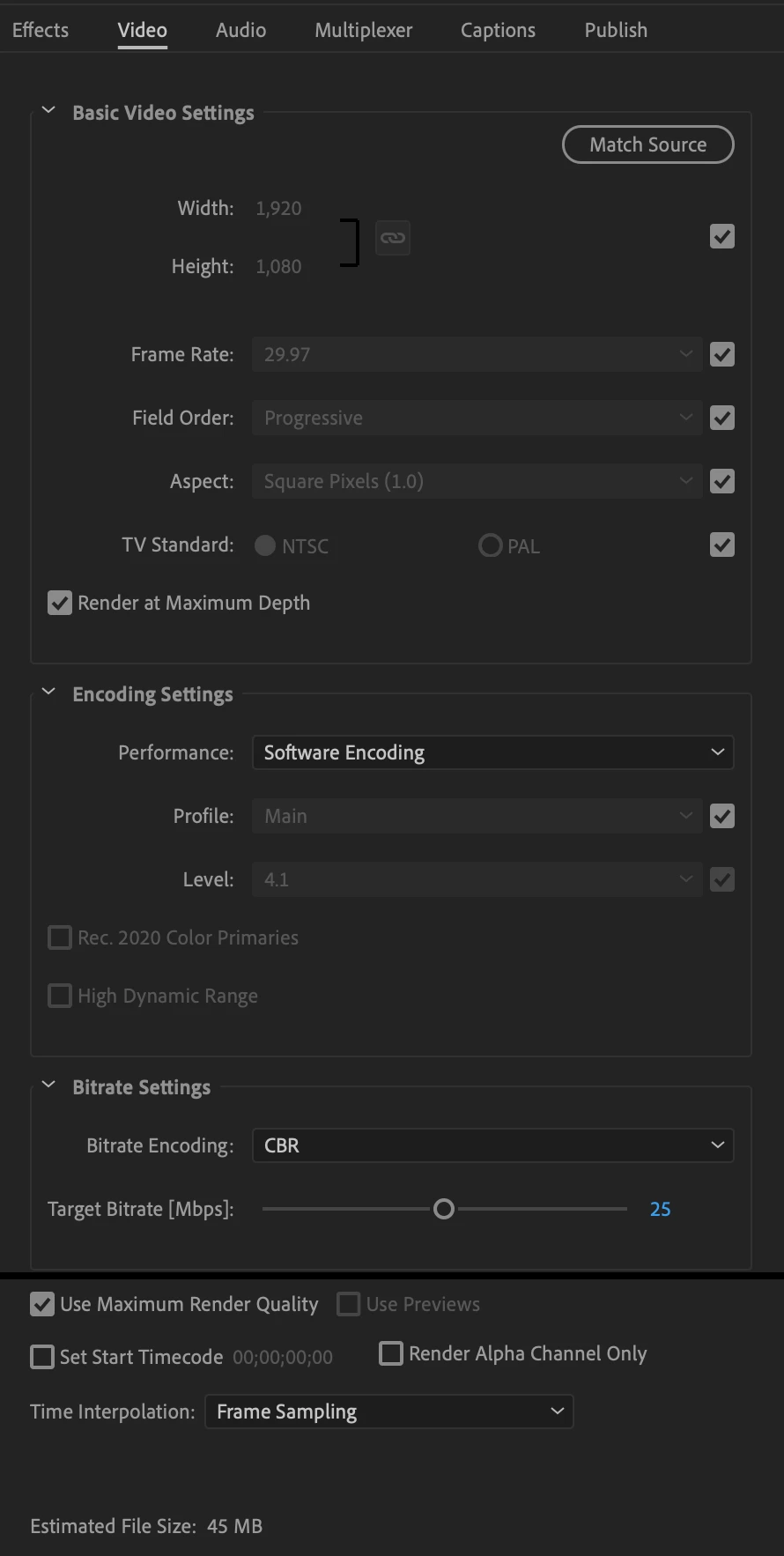
Our delivery specs aim for between 15-30mbps. Knowing this, our media encoder settings are at 25mbps (screenshot below). The rendered .mp4 is coming out to under 10mbps consistently. This is a VERY simple :30 spot; mostly white with little if any movement, so I suspect the system is still being 'smart'.

Similar results from rendering from the project in encoder. Similar when taking the pre-existing rendered .mp4 and RE-exporting it from encoder.

This is the same with my other coworker. We're on the same equipment, iMac Pro 2017, Adobe CC 2019.

Two other people - on either a PC or Mac - ingested the rendered file at 16mbps CBR and it came out to 15.7mbps. What the heck is the deal?

Render settings and Quicktime inspector post-render below.
This topic is closed to new replies. Start a new post to keep the conversation going.

2 replies

jasontcox
Inspiring
Apr 14, 2019 11:24 PM UTC

You are correct that Premiere is being "smart" and since your video is simple (i.e. the mostly white screen), it realizes it may not need 25mbps (since it's just a target). How are your other co-workers ingesting the media? Are they turning on Ingest Settings and creating a manual preset for Transcode? Just curious.

Translate
msteflAuthor
Participant
Apr 15, 2019 2:00 PM UTC

I believe their ingest began off an H264 preset which they then adjusted CBR and bitrate settings to create a custom version. On different occasions, files were imported by drag and drop or imported through media browser.

The only difference I could find between settings is I check Render at Maximum Depth and Use Maximum Render Quality. Though rendering with those off did not produce different results.

Translate