
Participant
May 15, 2018
Answered

Turning off hardware accelerated encoding

  • May 15, 2018
  • 1 reply
  • 8991 views

Hello everyone,

I recently just made a post on the After Effects form discussing some issues I was having trying to render my video in AME. Everytime I try to render my video in H.264 or any format it fails. Here is the error log:
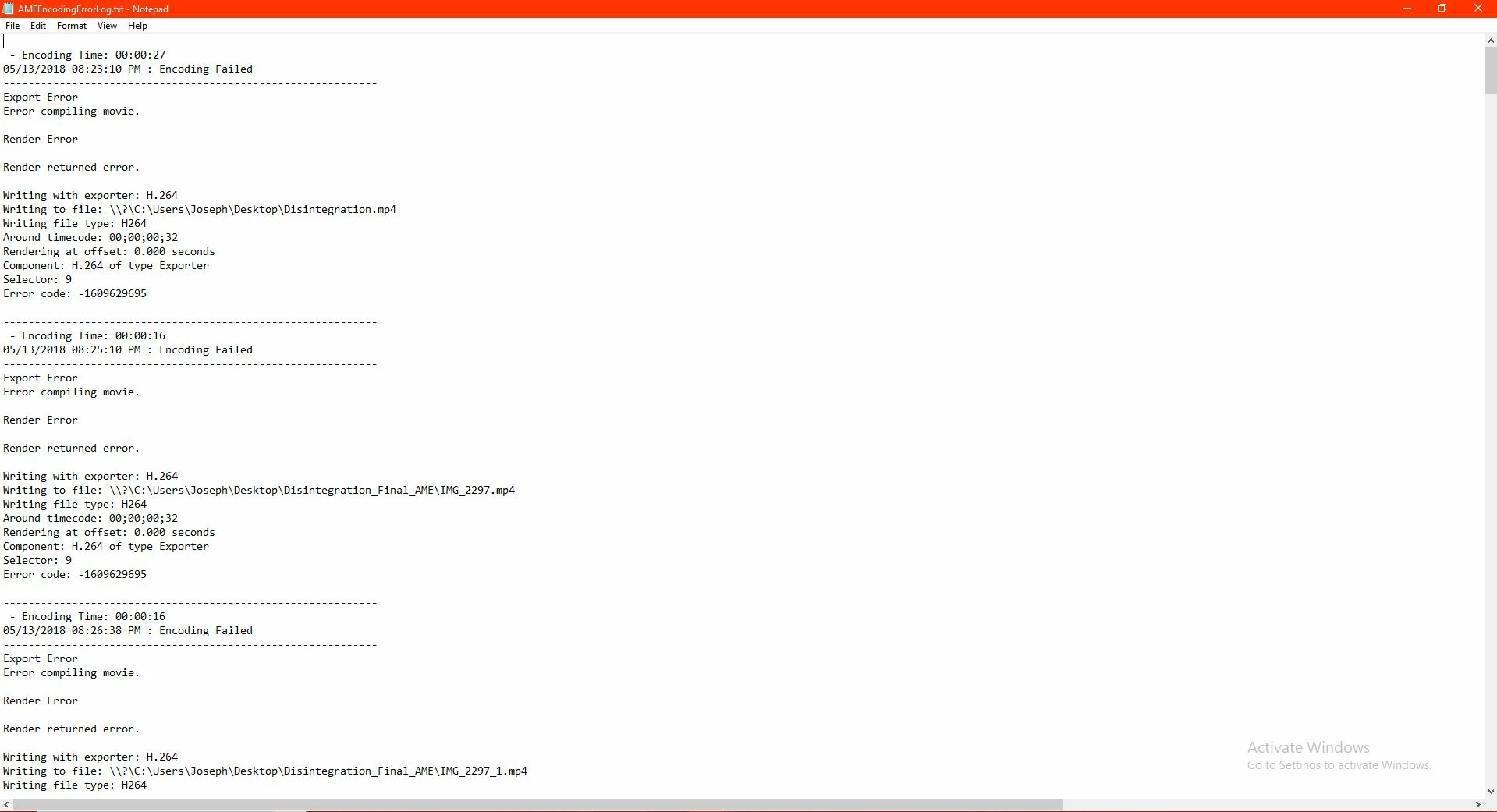
The guy in the other post told me to turn off hardware accelerated encoding in AME. I changed the renderer from "Mercury Playback Engine GPU Acceleration" to "Mercury Playback Engine Software Only". I'm not sure if that's what he meant for me to do but the render is still failing. Was I supposed to do something else? I'm still a beginner with this stuff, any help would be greatly appreciated.

Link to other post:

https://forums.adobe.com/thread/2490736

    This topic has been closed for replies.
    Correct answer Abhishek Kapoor11006798

    Hi JosephWilliams85,

    Switching to "Mercury Playback Engine Software Only" will not turn off Hardware Encoding. If you want to turn off HW encoding then click on Blue text of Preset name it will open Export setting box. under video tab locate "encoding setting" and choose Software Only under Performance drop down.

    i have checked the log I suggest trying to export in a different format like QuickTime with GoPro CineForm preset or Image Sequence. then transcode the resulting output in H.264.

    Regards

    Abhishek

    1 reply

    Adobe Employee
    May 16, 2018

    Hi JosephWilliams85,

    Switching to "Mercury Playback Engine Software Only" will not turn off Hardware Encoding. If you want to turn off HW encoding then click on Blue text of Preset name it will open Export setting box. under video tab locate "encoding setting" and choose Software Only under Performance drop down.

    i have checked the log I suggest trying to export in a different format like QuickTime with GoPro CineForm preset or Image Sequence. then transcode the resulting output in H.264.

    Regards

    Abhishek

    Participant
    May 16, 2018

    I don't see anything under the video tab that says encoding setting. It's not under any of the sub tabs. Maybe I'm running an older version of the software and I need to update to see that option? I'm currently using version 12.0

    Adobe Employee
    May 17, 2018

    Hardware Encoding is not available with QuickTime currently supported with H.264 on Premiere Pro and Adobe Media Encoder 12.1.

    For more information please visit following links:

    Export settings reference for Adobe Media Encoder

    New features summary for the April 2018 releases of Adobe Premiere Pro CC.

    Are you able to export the comp in QuickTime format?

    Regards

    Abhishek