
SofieSelling
Participant
November 19, 2019
Question

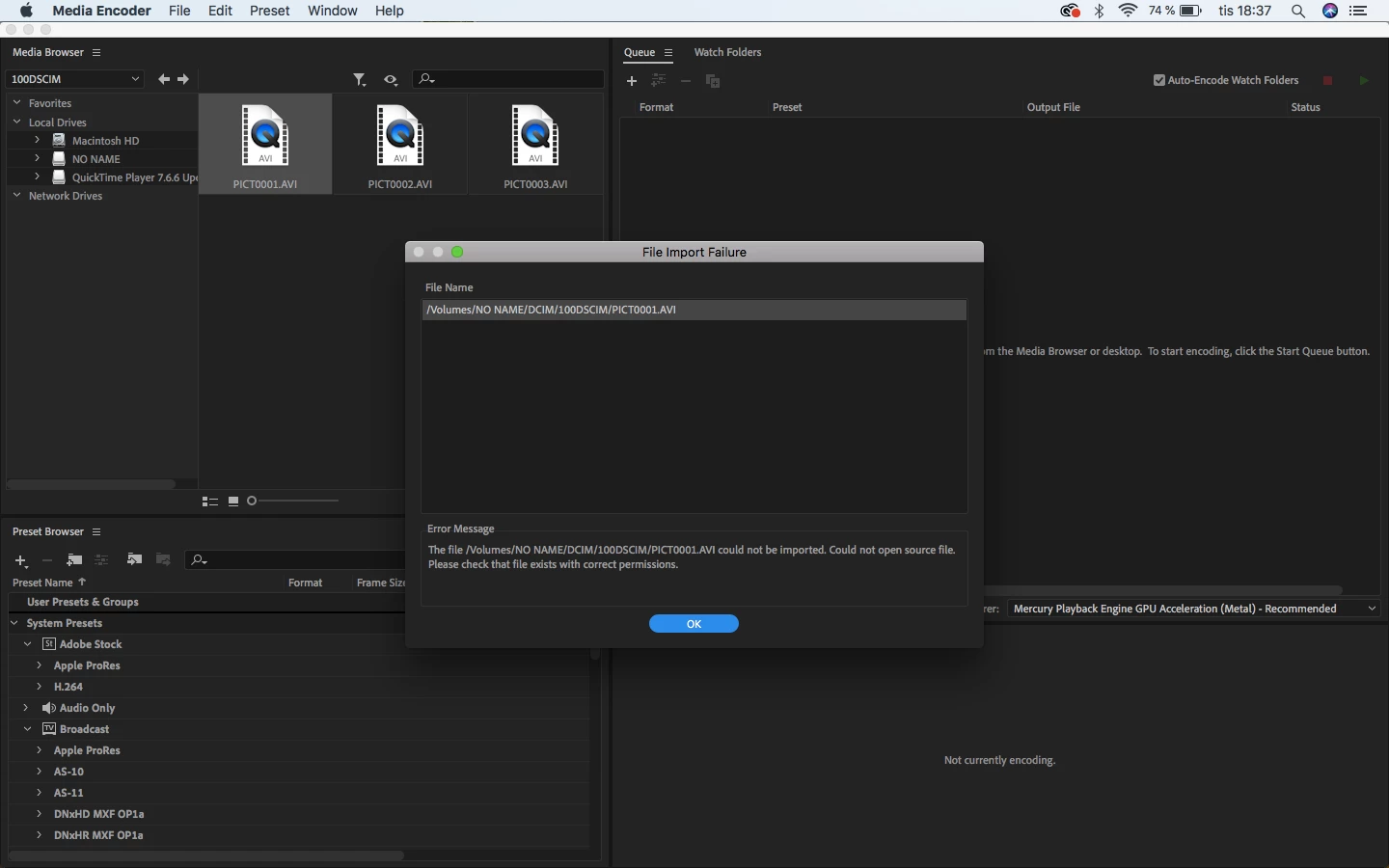
Videograbber AVI File Import Failure in Encoder

  • November 19, 2019
  • 1 reply
  • 463 views

I'm using a "Plexgear" or "DigitNow" Videograbber to convert my Hi8 Sony Handycam tapes into digital file. I run macOS High Sierra 10.13.6 and Media Encoder 2020. 

I cant find any settings on the videograbber to create the files as something else.

Here is the user manual if that can help answer my question:

 https://www.kjell.com/globalassets/mediaassets/504641_97100_manual_en.pdf?ref=224503B2F3


What does this message mean in this case and how to solve it?
This topic has been closed for replies.

1 reply

Brandon Loshe
Legend
November 20, 2019

Hi sofieselling,


Looking through the manual, I don't see another format option, either. As you probably already know, .avi files make Apple computers a little grumpy. Sounds like we need to first figure out what codec the avi files are. You can download MediaInfo and run your .avi files through it. Once you have figured out the codec, hopefully you can download the codec from the manufacturer's site, close all Adobe apps, and install the codec.