Participant
Oct 23, 2018 10:37 AM UTC
Answered

Web banner bad compression

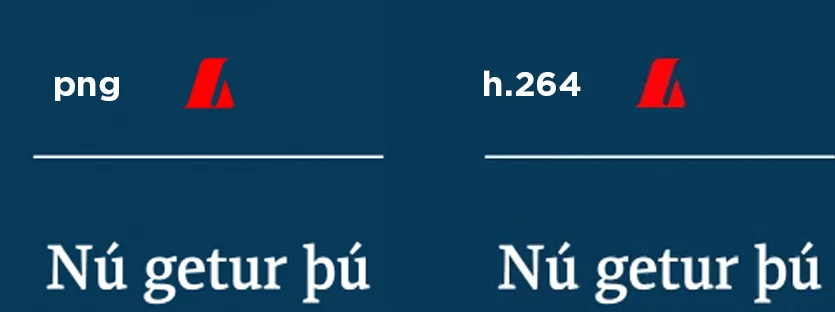
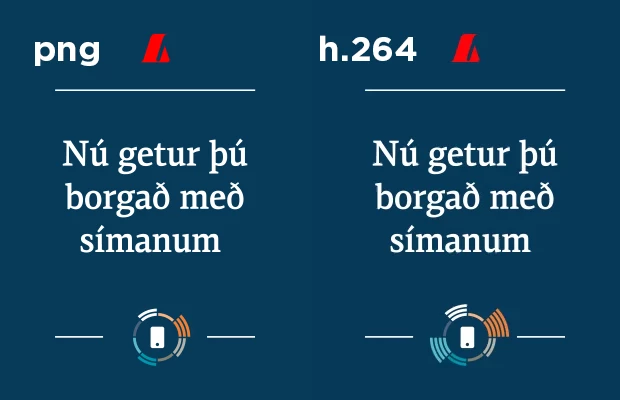
I'm trying to compress some web banners but the logo just comes out extremely pixelated every time.

Doesn't matter how high I set the bitrate, if it's variable or constant.
Tried all Field Orders, Profiles, Maximum Depth and Maximum Render Quality.
I've tried H.264, WebM HD, Quicktime and almost everything else I could think of.

The logo is an AE shape layer, however I also tried replacing it with an AI file as well as a transparent PNG.

Started of by exporting to Prores422 from After Effects and then compressing, also tried sending straight to AME for H.264 as well as exporting a PNG sequence to import to Premiere..

The affected banners are 310x400 px and 1018x360 px.
While the logo comes out perfect in the 1920x1080 files.

The font and the other icon are crisp. So why is the red logo always so muddy?

This topic is closed to new replies. Start a new post to keep the conversation going.
Averdahl
AverdahlCorrect answer
Community Expert
Oct 23, 2018 12:43 PM UTC

Red is a tricky color to compress. Is it a corprate logo?

This is an old article but it is still valid today and it has reccomendations regarding red: CreativeCOW

2 replies

Averdahl
Community Expert
AverdahlCommunity ExpertCorrect answer
Community Expert
Oct 23, 2018 12:43 PM UTC

Red is a tricky color to compress. Is it a corprate logo?

This is an old article but it is still valid today and it has reccomendations regarding red: CreativeCOW

Translate
Participant
Oct 24, 2018 1:00 PM UTC

Yes it's a corporate logo.

Thanks for replying, it answered my question and now I can stop being so frustrated.

I ended up exporting my animation as javascript with Lottie.
I guess that's the only way around this.

Translate