
Question
Where are FPS settings in Adobe Media Encoder (for still stitching)?
I am trying to use Adobe Media Encoder to stitch together still images for a stop-motion/animation project.
When I drag the folder of frames onto AME, I see this:
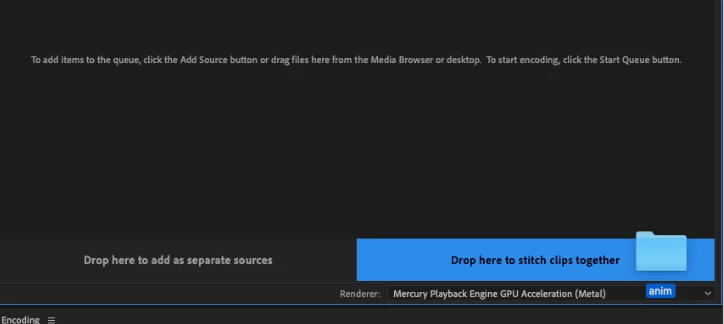
So I drop it on the right.
However, after I do that, the 50 frames animation is 4 minutes and 10 seconds. This is way too long/slow.
How do I make each frame 1/30th of a second (if at 30 fps)? Or in any way shorter?
I looked into preferences, I changed time tuner, frame rate, nothing worked.
It'd be great if AME could make video files from a sequence of frames without having to waste time in AE or Premiere. Thanks


 AdChoices