https://drive.google.com/file/d/110dygUpKCKZJybqLVapHdLzO3nsC448m/view?usp=drivesdk
Here you are, sir!
Thank you!
Hello, sorry for the late reply.
The issue is that you have a scroll group, that contains 1 long image, which has a lot of stuff on it - images, text and so on. When you open the screen, you are first scrolling inside that scroll group, you are not scrolling the actual screen:
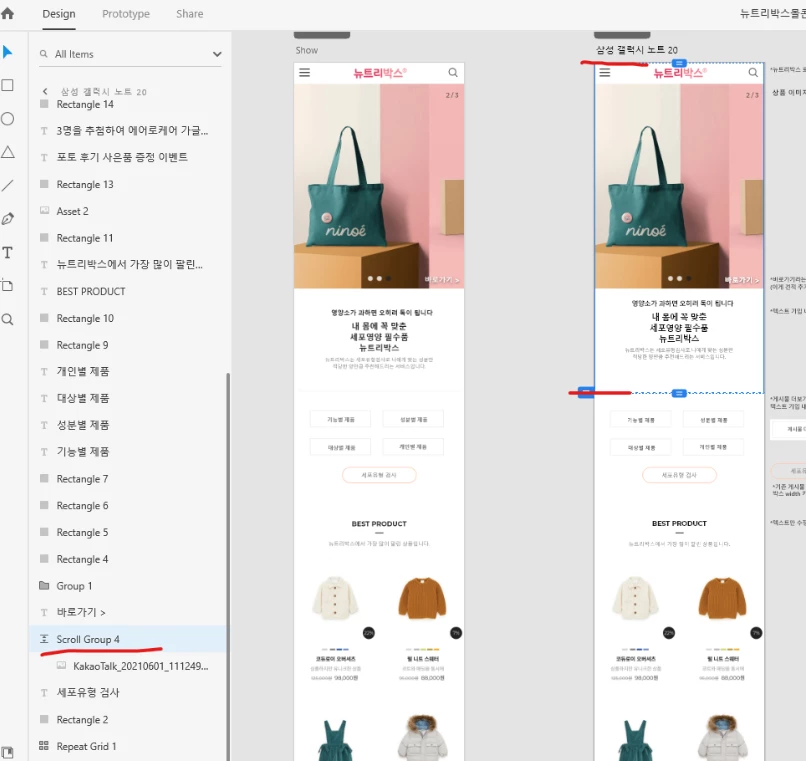 This is why those elements appear fixed, but are actually not. So any layers that are ouside and on top of the scroll group will stay there, until you reach the end of the scroll group.
If you scroll until the end of the scroll group, the screen itself will now scroll, and these elements will also scroll with it.
I suspect you wanted to copy only the image with the bag, and didn't know how to crop it, so you used the scroll group to do that, which is the problem. You should use a mask group for this instead, which doesn't scroll, and won't cause that problem, like this:
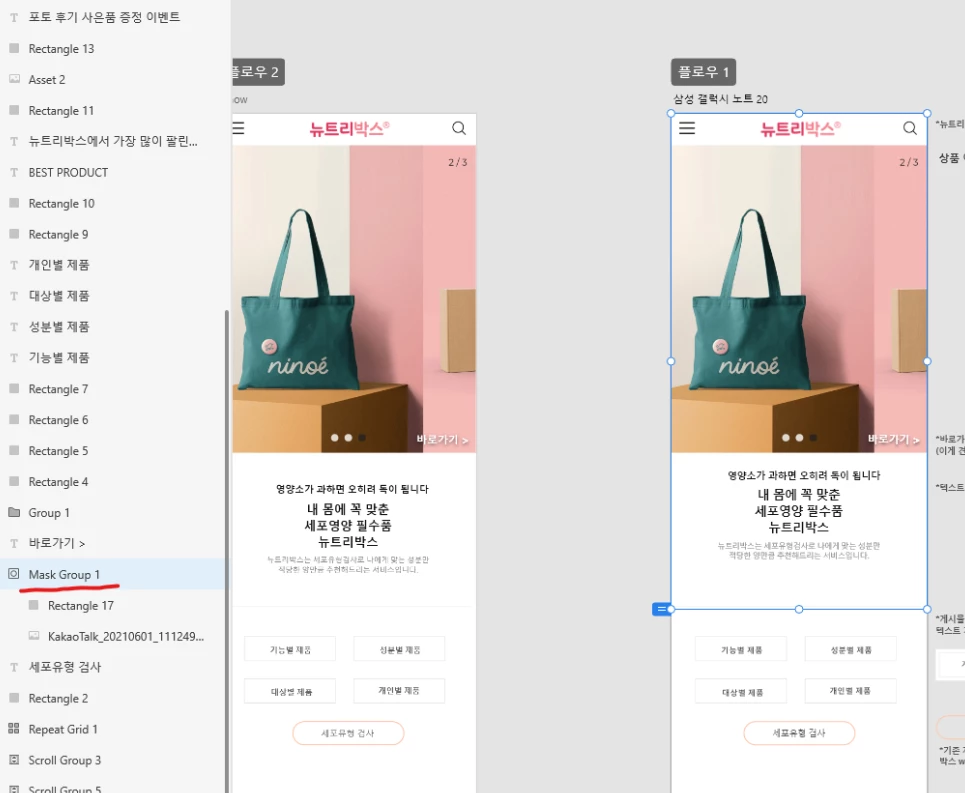
Here's the file, so you can see how I've set it up: Xd file
I hope this helps, if not, let us know.



 AdChoices