

Participant
February 22, 2018
Answered

Adobe Xd Artboards Does Not Show !!

  • February 22, 2018
  • 3 replies
  • 1897 views

Hello everyone , I have a problem with Adobe XD CC Artboard , they simply does not show 😕😕 .It was fine before but now it just show like the image bellow
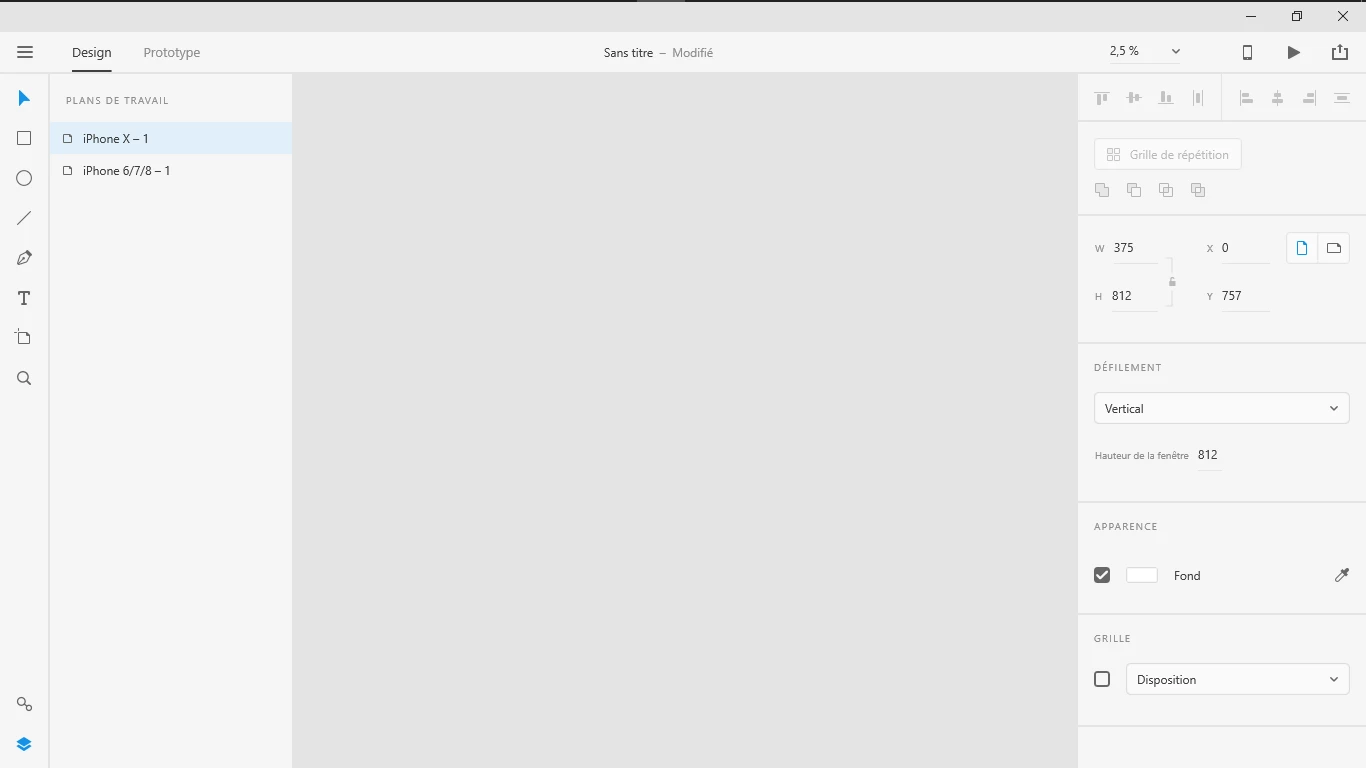
Help please !!!

    This topic has been closed for replies.
    Correct answer CoreyRLucier

    The only thing I can suggest is to try to grab the latest video driver from your manufacturer if feasible. Windows 10 changed the driver model in one of the most recent updates and older drivers broke.

    For those with older NVidia drivers grabbing the latest fixed things here.

    3 replies

    Participant
    February 15, 2021

    my laptop is acer nitro 5 ryzen 5, previously adobe xd was working fine but now it's not showing artboard not even the artboard of previously created projects please suggest me the solution to this problem because just because of this issue i'm unable to finish my project.

    hope adobe will reply soon with the solution

    my mail id adhiraj818@gmail.com

    Inspiring
    February 22, 2018

    Did your OS happen to receive an update?

    Participant
    February 22, 2018

    Yeah !! but I had this problem before the last update of Win10

    CoreyRLucierCorrect answer
    Inspiring
    February 22, 2018

    The only thing I can suggest is to try to grab the latest video driver from your manufacturer if feasible. Windows 10 changed the driver model in one of the most recent updates and older drivers broke.

    For those with older NVidia drivers grabbing the latest fixed things here.

    Participant
    February 22, 2018

    Try pressing key "Command" + "3" or "Ctrl" + "3" in WIndows.

    Participant
    February 22, 2018

    No not working :/