
Participant
October 16, 2017
Answered

Adobe Xd Bug!

  • October 16, 2017
  • 2 replies
  • 1325 views

Wishing everyone around a good day.

Yep, so I am kinda having a problem with my Adobe Xd. The thing is once I install the software, I am welcomed and I can open my canvas but if i try doing any design on the canvas it remains blank. For example, I wanna draw a square, I try doing it and Boom, there's an invisible square with all its dimensions hence I cant work on it.

I reinstalled the app thrice.

My GPU is updated.

I have got the latest DirectX on so i dont see that as a problem.

Why this? Anyone help?
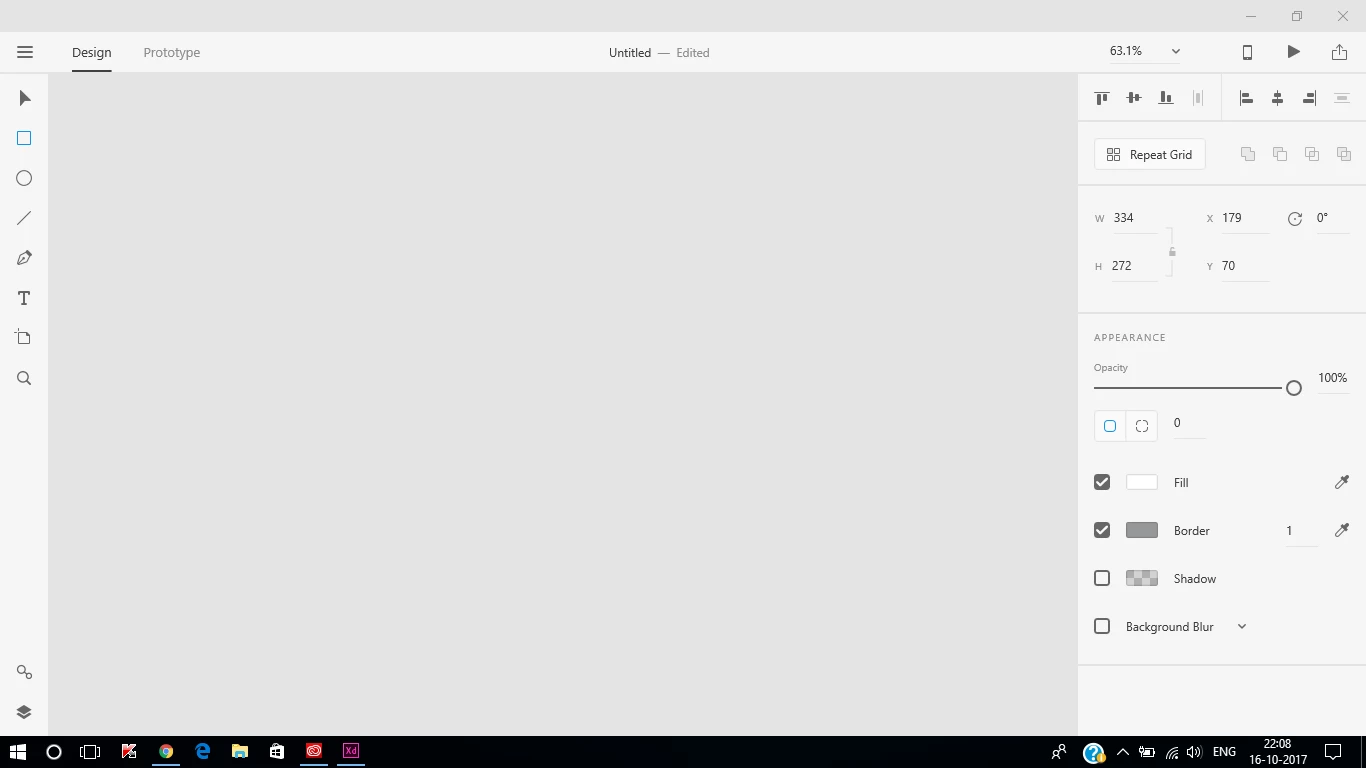
Hardware specs:

RAM:8GB

Graphics Card: Nvidia Geforce 940MX + Intel HD 620 (2GB)

Processor: Intel i5 7200U

Thank You for the help!

    This topic is closed to new replies. Start a new post to keep the conversation going.
    Correct answer Colin Holgate

    You are not just missing the rectangle, you also have no artboards showing. Try typing Ctrl-0 (that's zero, not the letter O). That will zoom the area to include all artboards.

    If nothing shows up then you should look at this uservoice report, and add a comment:

    Artboard Not Showing in Windows 10 – Adobe XD Feedback : Feature Requests & Bugs

    2 replies

    Colin Holgate
    Colin HolgateCorrect answer
    Inspiring
    October 23, 2017

    You are not just missing the rectangle, you also have no artboards showing. Try typing Ctrl-0 (that's zero, not the letter O). That will zoom the area to include all artboards.

    If nothing shows up then you should look at this uservoice report, and add a comment:

    Artboard Not Showing in Windows 10 – Adobe XD Feedback : Feature Requests & Bugs

    Preran
    Legend
    October 23, 2017

    Just to be sure, can you verify that your system meets these requirements?

    Adobe XD System requirements